ClassTools24 Blog for Teachers, Students, and Classroom Ideas
Recent posts
-
10 Effective Ways to Use PDFs in the Classroom
In education, technology plays a pivotal role in transforming traditional teaching methods. One such[..]
-

Substitute Teacher's Emergency Toolkit
A practical toolkit for substitute teachers covering fast seating charts, fair student selection wit[..]
-
Homeschool Parent's Guide to ClassTools24
A practical guide for homeschooling parents covering weekly study scheduling, building practice work[..]
-
Elementary vs. Secondary: Which ClassTools24 Tool Fits Which Grade Band
A cross-tool guide matching ClassTools24 tools to elementary, upper elementary/middle, and secondary[..]
-
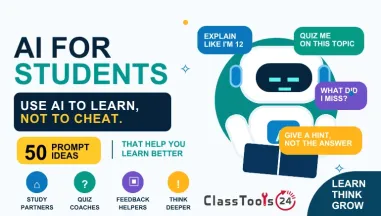
AI for Students: 50 Prompts That Help You Learn Instead of Cheat
An AI chatbot works best as a patient tutor, not a homework vending machine — and the difference bet[..]
-
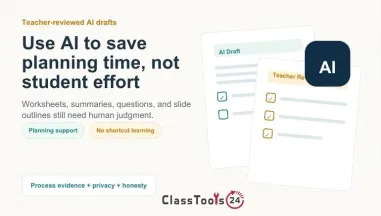
AI in Classrooms Without Replacing Real Learning
A practical guide for using AI in classrooms responsibly while protecting student effort, academic h[..]
-
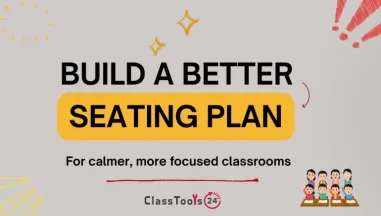
How Teachers Build Better Classroom Seating Plans
A practical teacher guide to planning classroom seating for attention, group work, accessibility, be[..]
-
How Students Can Plan Reading Time Before Studying
A student-focused guide to planning reading time before homework, revision, essays, textbook chapter[..]
-
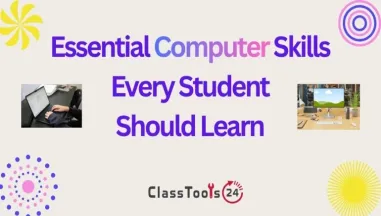
Essential Computer Skills Every Student Should Learn
Learn the essential computer skills students need to organize files, create documents, research safe[..]
-
How to Keep Classroom Digital Work Simple, Clear, and Organized
Learn practical ways to organize classroom files, student submissions, images, PDFs, and learning ma[..]
-
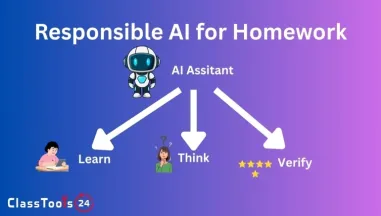
How to Use AI for Homework Responsibly
Learn how to use AI for homework support without replacing original thinking, ignoring school rules,[..]
-
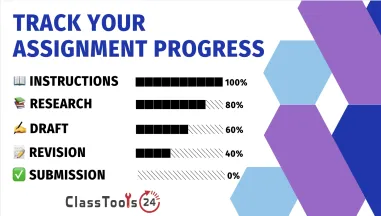
Stop Cramming: The 5-Step Assignment Planning Guide
Use this five-step assignment planning guide to understand the task, manage time, organize resources[..]
-
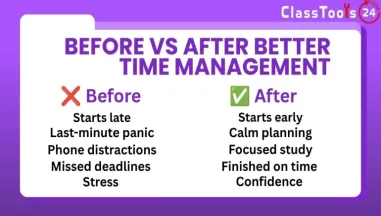
Stop Procrastinating: Time Management Tips That Work
Learn realistic time management tips students can use to stop procrastinating, plan homework, prepar[..]
-
9 Brain-Boosting Memory Techniques for Long-Term Retention
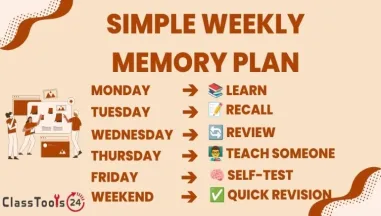
Learn nine practical memory techniques that help students retain information longer, revise more eff[..]
-
15 Easy DIY Classroom Decor Ideas on a Budget (Under $50!)
Use these budget classroom decor ideas to make your room feel organized, welcoming, and useful witho[..]
-
Ditch the Awkwardness: 50 Fun Classroom Icebreaker Activities
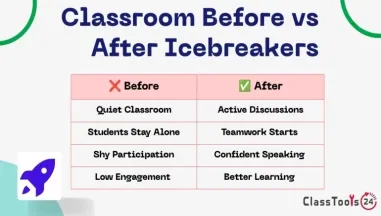
Use these classroom icebreaker activities to help students feel comfortable, learn names, build trus[..]
-
Wake Up Your Classroom: 20 Fast Student Engagement Techniques
Use these fast student engagement techniques to bring students back into the lesson, increase partic[..]
-
The 20-Minute Teacher: How to Write Better Lesson Plans Efficiently
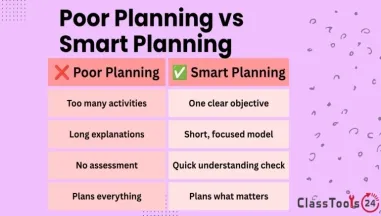
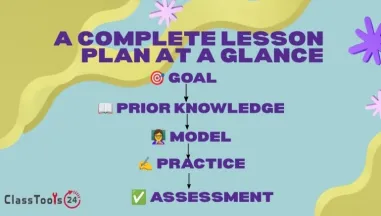
Learn how teachers can create stronger lesson plans in less time by focusing on learning goals, clas[..]
-
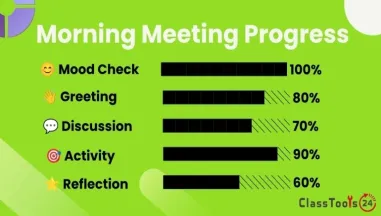
5-Minute Morning Meeting Ideas for Busy Elementary Teachers
Use these five-minute morning meeting ideas to help elementary students settle, connect, listen, and[..]
-
The Best Free Educational Websites for Students and Teachers
Explore useful educational websites for mathematics, science, coding, reading, research, and classro[..]
-
Unveiling the Significance of Image Compression: 6 Compelling Reasons
In the dynamic world of the internet, where every second counts, the loading speed of a website is a[..]
-
Cognitive Benefits of Writing by Hand: Enhancing Brain Connectivity
Handwriting appears outdated these days, where technology permeates every aspect of our daily lives.[..]
-
Enhancing Classroom Creativity and Efficiency with Online Tools
In the rapidly evolving world of education, traditional teaching methods are giving way to innovativ[..]
-
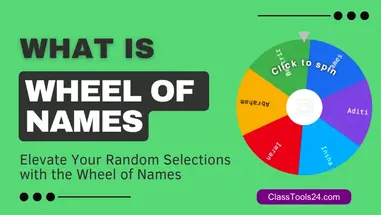
Elevate Your Random Selections with the 'Wheel of Names' on ClassTools24.com
Have you ever found yourself in need of a fair and engaging way to make random selections? Look no f[..]
-
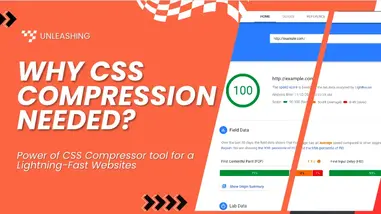
Cascade into Efficiency: Unleashing the Power of Our CSS Compressor Tool for Lightning-Fast Websites
In the emerging landscape of web development, one crucial aspect that continues to shape user experi[..]
-
QR in a Flash: Rapid Generation with QR Code Generator
In the landscape of digital communication, QR codes have become indispensable tools, seamlessly conn[..]
-
QR Code Scanner Online: An Ultimate Guide to QR Code Reader
These days of digital interactions, QR codes have become ubiquitous, seamlessly connecting the physi[..]
-
Understanding MD5 and Its Need in the World of Computing
These days of computer security and cryptography, MD5 (Message Digest Algorithm 5) is a widely used [..]
-
Enhancing Education: Must-Have Tech Tools for Every Teacher's Classroom
As of today technology has emerged as a powerful catalyst, transforming traditional classrooms into [..]
-
10 Essential Classroom Tips for Educators - Mastering the Art of Teach
Teaching is a noble profession that requires a unique set of skills to engage and inspire students. [..]
-
Understanding Images and Their Storage on Disk
Images have become an integral part of our daily lives, from the photos we capture on our smartphone[..]
-
What is Image Compression and How Does It Work? An overview
Image compression is a technique used to reduce the size (in bytes) of an image file. This reduction[..]








ClassTools24 Blog: Articles for Teachers and Students
Read practical education articles about classroom workflows, student projects, digital files, learning habits, and responsible technology use.
What The ClassTools24 Blog Is For
The ClassTools24 blog is a place for practical education articles, classroom ideas, student support guides, and simple explanations of digital work. It is not meant to be a collection of vague technology slogans. The goal is to explain real problems that teachers and students meet during ordinary school work: preparing assignments, handling files, improving images, creating classroom material, checking digital safety, and understanding how online resources fit into learning.
Many classroom problems are small, but they still cost time. A student may know the answer to an assignment but struggle to upload the file. A teacher may have a strong activity idea but need a faster way to prepare supporting material. A class project may need images, PDFs, QR codes, sample text, or a clear workflow before students can begin. Blog articles give more background than a single resource page can provide. They explain why the problem happens, what mistakes are common, and how to choose a sensible next step.
How Posts Support Teachers
Teachers often need advice that is practical enough to use before the next lesson. A blog post can help by showing a complete classroom situation. For example, an article about PDFs can explain why teachers use PDFs for handouts, reading packets, parent communication, and worksheets. An article about image compression can explain why large images slow down uploads or make newsletters harder to share. An article about classroom creativity can show how small online resources can support activities without taking over the lesson.
The strongest posts are useful because they connect a digital action to a teaching purpose. Compressing an image is not just a technical task. It can help a teacher send a clearer email, upload a worksheet, or make a presentation easier to open. Creating a QR code is not just making a square graphic. It can help students move between learning stations, open revision material, or access a form without typing a long link. The blog gives space to explain those classroom reasons in a more careful way.
How Posts Support Students
Students benefit when digital tasks are explained in everyday language. They may not know why a file is rejected, why an image becomes blurry, why a PDF is useful, or why a website needs smaller images. Blog posts can slow the explanation down and connect it to school work. A student preparing a portfolio can learn why image size matters. A student building a beginner website can learn why colors, image formats, and compressed files affect the final result. A student using AI or online resources for homework can learn how to stay responsible and still do their own thinking.
This kind of guidance is especially useful for independent work. Students often complete assignments at home, on shared devices, or under time pressure. A clear article can help them understand the reason behind a step instead of copying instructions blindly. That makes future assignments easier because the student recognizes the pattern: check the format, check the size, check readability, check privacy, then submit.
What Types Of Articles Belong Here
The posts page can include several kinds of educational content. Some posts explain file concepts, such as image compression, PDFs, storage, or formats. Some posts focus on classroom routines, such as using QR codes, random selection, classroom certificates, or group activities. Some posts support beginner developers by explaining small technical ideas in plain language. Others help students think about learning habits, responsible technology use, and project presentation.
These topics belong together because they all support the same goal: making school work easier to complete and easier to understand. Teachers and students do not usually separate learning from files, images, links, and digital submissions. In real classrooms, those things are connected. A strong article respects that connection and gives users advice they can act on.
How To Use The Blog With ClassTools24 Resources
A useful way to read the blog is to start with the problem, then move toward the resource. If an article explains why an image is too large, the next step might be an image compressor. If an article explains how QR codes support classroom stations, the next step might be a QR code generator. If an article explains why PDFs work well for classroom distribution, the next step might be a JPG to PDF, PNG to PDF, or HTML to PDF workflow.
This approach prevents tool-hopping. Instead of opening random pages and hoping one solves the issue, the reader learns the workflow first. That is better for teachers because it saves preparation time. It is better for students because it builds understanding. It is better for beginner developers because it shows why a small utility matters inside a larger project.
Practical Problems The Blog Can Explain
- Why a school platform rejects an upload.
- Why an image looks blurry after resizing or conversion.
- How to prepare files for Google Classroom, LMS uploads, presentations, and portfolios.
- How teachers can use QR codes, PDFs, certificates, and classroom generators without overcomplicating the lesson.
- How students can check privacy before sharing files, screenshots, and images.
- How beginner developers can use text, color, image, and formatting resources in small projects.
- How to choose a simple workflow before downloading or publishing the final file.
How The Blog Helps With Better Decisions
One reason longer articles matter is that they give room for comparison. A short note can say that a file is too large. A full post can explain why the file became large, what quality tradeoffs matter, and when compression is helpful or harmful. A short note can say that PDFs are useful. A full post can explain when PDFs help reading, printing, sharing, archiving, and classroom distribution. This is the kind of detail that helps teachers and students make better choices instead of only following steps.
Posts also help users learn vocabulary. Students may hear words like format, compression, resolution, upload limit, metadata, QR link, or public IP without fully understanding them. A classroom-friendly explanation can make those terms less confusing. When the language becomes clearer, the task becomes less stressful. That is especially important for beginner developers and students who are still learning how digital systems behave.
Responsible Reading And Digital Habits
Every article should encourage careful checking. Online resources can save time, but they do not replace judgment. Students should proofread generated text, check files after conversion, and avoid sharing private information. Teachers should review classroom materials before using them with students. If a screenshot includes a name, grade, login detail, or student face, changing the file type does not make it private. Good digital habits are part of the workflow.
The blog is most helpful when it gives readers confidence without pretending every task is automatic. A clear explanation, a few classroom examples, and a practical next step can reduce frustration quickly. That is the purpose of the ClassTools24 posts page: to give teachers, students, and beginner creators useful guidance they can apply in real work, one task at a time.