Classroom Tools That Help Teachers Teach Faster
And Students Work Smarter
Explore practical content, classroom ideas, and smart digital tools built for real school work. From teaching support to student productivity, everything here is designed to save time and make everyday tasks easier.
Latest Classroom Guides
Premium content for teachers, students, and modern classrooms.

Recent Use Cases
New classroom workflows, assignment ideas, and practical examples for teachers and students.

Study Planner Generator for Exam Prep, Catch-Up, and Long-Term Study Goals
A classroom use case for building study schedules for exam season, catching up after falling behind, maintaining steady study habits, and pacing [..]
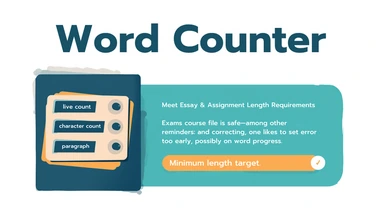
Word Counter for Meeting Essay and Assignment Length Requirements
A classroom use case for hitting word count minimums without padding, fitting strict application character limits, checking paragraph structure, [..]
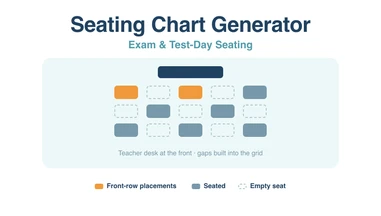
Seating Chart Generator for Exam and Test-Day Seating
Using the seating chart generator for exams rather than lessons: grid sizing for spacing, locking placements before you reshuffle, and printing a[..]
Reading-challenge awards: make a certificate for each reader
Choose a certificate design, write a specific reading award, and prepare individual PDF certificates with the correct names and dates.
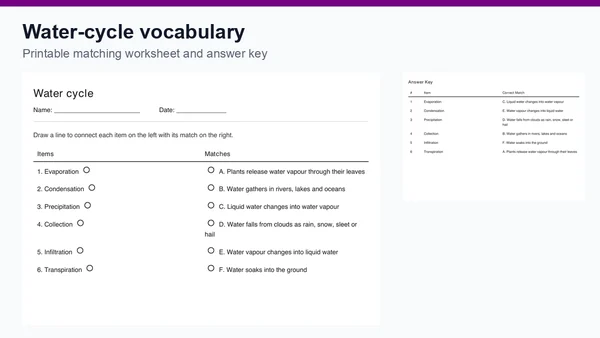
Water-cycle vocabulary: a matching worksheet lesson
Plan a water-cycle vocabulary review with six editable pairs, a printable matching worksheet and an answer key. Includes follow-up questions for [..]
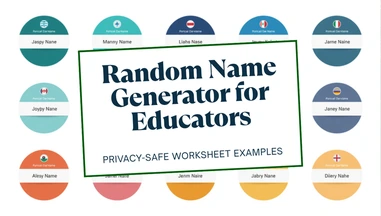
Random Name Generator for Privacy-Safe Worksheet Examples and Global Name Diversity
A classroom use case for generating fictional sample names instead of using real student names on worksheet examples, practice datasets, roleplay[..]

Built around five classroom outcomes
The site is organized as an education hub, so users can find the right workflow instead of searching through unrelated utilities.
Classroom management
Form groups, make fair selections, prepare seating charts, create awards, and run simple classroom activities without adding extra setup time.
Assignment preparation
Resize images, convert documents, prepare PDFs, clean files, and help students submit school work in formats teachers can open and review.
Digital literacy
Practice HTML, CSS, JavaScript, URLs, encoding, color values, and safe web concepts through focused utilities that support beginner learning.
Teacher resources
Use guides, writing helpers, reading estimates, printable materials, and classroom examples to support planning, rubrics, revision, and study routines.
Safe sharing
Generate, inspect, and validate QR codes, links, passwords, and test data while keeping classroom privacy and careful file handling in view.
Practical support for real classroom work
ClassTools24 is built around the small digital tasks that teachers and students meet during ordinary school days.
Why teachers use these resources
A teacher rarely needs another complicated system during a busy lesson. They need clear resources that help with worksheets, classroom displays, student submissions, quick checks, group activities, certificates, QR codes, images, documents, and lesson preparation without adding extra steps.
The guides and examples on ClassTools24 explain how a classroom task works from start to finish. Instead of only naming a feature, they show where the problem appears, what mistake usually causes it, and how a teacher can fix it before it slows down the class.
This matters when students are uploading files to an LMS, preparing images for a project, creating classroom QR links, converting materials for printing, or organizing digital work for a presentation. A short practical explanation can save several minutes during a lesson.
How students benefit from simpler workflows
Students often lose time on the technical side of an assignment before they even begin the learning task. A file may be too large, an image may face the wrong direction, a PDF may need combining, or a link may need to be shared in a cleaner way.
ClassTools24 helps students understand these steps in plain language. The goal is not only to finish a task quickly, but to learn a better habit: check the file, choose the right format, protect private information, preview the final result, and submit work that opens correctly for the teacher.
For beginner developers and design students, these same workflows also support practice with web pages, mockups, sample content, color values, code formatting, and simple testing tasks.
Common school problems these resources help solve
Most classroom technology problems are small, but they become frustrating when they appear right before a deadline or during a live lesson.
Everyday classroom friction
A student finishes an assignment but the platform rejects the upload. A teacher creates a handout but the image is too large for email. A group project needs a QR code, but the link is long and difficult to copy. A certificate needs to be created quickly before the end of class.
These are ordinary problems, but they interrupt learning time. Clear tools and practical guides help students and teachers recover faster, avoid repeated mistakes, and keep attention on the activity instead of the technical issue.
- Files that are too large for classroom platforms
- Images that need resizing, converting, rotating, or compressing
- Links that need to become QR codes for handouts or displays
- Documents that need to be prepared for printing, sharing, or submission
Better habits for digital learning
The strongest classroom workflows are simple enough for students to repeat independently. Create the file, check the name, reduce the size if needed, protect private details, preview the result, and then submit or share it.
That routine supports teachers too. When students understand how to prepare digital work, fewer lessons are delayed by broken previews, unsupported file types, blurry screenshots, or missing links.
ClassTools24 keeps its classroom examples practical so teachers can use them for planning and students can use them as reminders while working through assignments, presentations, projects, and study tasks.
Editor's Choice
Hand-picked classroom tools for planning lessons, creating awards, writing practice questions, arranging seats, summarizing text, and choosing names fairly.


Real-World Use Cases
See how real teachers, students, and classrooms use ClassTools24 in practical everyday workflows.

Interactive Learning Stations & Homework Submission System
Learn how teachers can use QR codes for interactive learning stations and a homework submission system to improve engagement, organization, and classroom efficiency.
Read more
Using an Online Dice Tool for Classroom Activities, Games, and Fair Decisions
Learn how an online dice tool helps teachers, students, gamers, and groups use random dice rolls for learning, games, and fair decisions.
Read more
Start using ClassTools24 today
Free online tools for teachers, students, and everyday users.