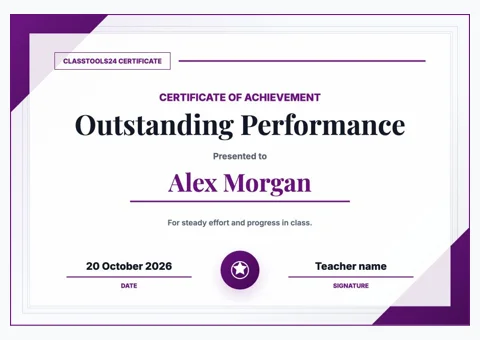
Make a printable school certificate
Make a certificate for your next class award
Choose a design, replace the sample name and wording, and download your certificate as a PDF or JPG. All 15 designs are free to use without an account. The designs range from simple borders to ribbon awards and decorative certificates.
Choose, edit, download
- Choose a design. Start with Modern, Regal or Merit, or open the full gallery to see the other styles.
- Add the details. Use the labelled fields or select text in the preview. Check the recipient’s name, award wording and date. Changes to shared fields follow you when you choose another design; other text and colour choices stay with that design.
- Save your certificate. Choose A4 or US Letter for a PDF, or download a JPG image. For the next student, change the name and any personal wording, then download again.
Your edits stay in the open page. They are not saved when you close or reload it, so download each finished certificate before leaving. There is no class-list import or automatic batch download.
Award wording you can adapt
Use a specific reason that the student will recognise. The wording buttons in the editor provide a starting point; you can change every line.
- Reading achievement: “For completing a reading goal and sharing thoughtful ideas about books.” Add the book, challenge or goal if it helps explain the award.
- Participation: “For taking part in our class project and contributing to the group’s work.” You can name the event or project.
- Most improved: “For steady practice, perseverance and clear progress this term.” Choose wording that feels encouraging to the student receiving it.
For a practical example, follow our reading-challenge certificate walkthrough.
Before you print
Read the downloaded file before printing a class set. Check the spelling, the date, and whether long names or award titles fit comfortably. Start with one test print at actual size on the paper size you selected. Leave enough white space rather than shrinking a long paragraph into the design.
The PDF contains an image of your certificate. It is ready to view and print, but its text is not editable in a PDF reader. Return to the open editor to make changes and download a new copy. JPG is useful when you need an image for a slide or a private message.
Questions about the certificate maker
Can I change the colours?
Eight designs offer colour palettes. Select one of those designs to see its available colours below the preview. The other seven keep their original colours.
Can I add a school logo or a signature image?
Image uploads are not available. You can edit the school or teacher text included in a design, or leave room for a handwritten signature after printing.
Can I make certificates for a whole class?
Yes, one at a time. Keep the same design and award wording, change the recipient’s name, and save each file. Check each download before moving to the next name.
What should I include?
A name, a clear award reason and the correct date are a useful starting point. Add only the school or organiser details you need. Check your school’s rules before sharing a certificate containing a student’s name or other personal details.
Related use cases

Reading-challenge awards: make a certificate for each reader
Choose a certificate design, write a specific reading award, and prepare individual PDF certificates with the correct names and dates.
Read use case