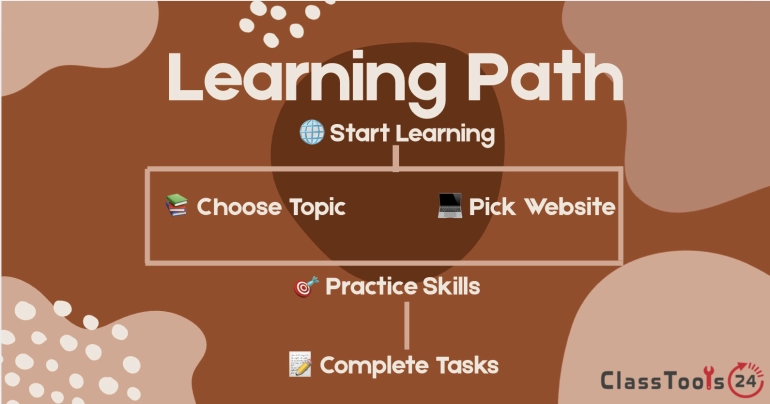
Reliable free resources for lessons, practice, textbooks, projects, simulations, and independent study
A teacher searches for a free activity on fractions and finds hundreds of worksheets, videos, games, and downloadable files. Some are too advanced, some require payment after the first page, and others contain no author or explanation of how the material was checked. Meanwhile, a student searching for homework help opens several videos but cannot tell which one matches the method being taught in class.
The difficulty is no longer finding educational material. The harder task is choosing a resource that is accurate, suitable for the learner, genuinely useful, and free for the intended activity. A website may be excellent for independent practice but unsuitable for introducing a new concept. Another may provide strong primary sources but require the teacher to build the lesson around them.
Free educational websites work best when they support a specific learning goal. They should not be used simply to keep students occupied or replace teacher judgment. A useful resource helps a learner understand an idea, practice a skill, investigate evidence, create something, or receive meaningful feedback.
This guide examines dependable educational websites for students and teachers, explains what each one does well, and shows how to fit free resources into real classroom and home-learning routines. Access conditions and optional features can change, so teachers should check current requirements before assigning any platform.
How the Websites Were Selected
A long list of links is not especially helpful unless the reader knows why each resource deserves attention. The websites in this guide were selected using practical classroom criteria.
- Educational purpose: The resource should support learning rather than mainly promote unrelated products.
- Useful free access: Students or teachers should be able to complete meaningful learning activities without immediately purchasing a subscription.
- Clear subject value: The website should serve a recognizable purpose, such as mathematics practice, science investigation, textbook reading, coding, or primary-source research.
- Credible ownership: The resource should be connected to a recognized educational, nonprofit, university, museum, government, or specialist organization.
- Practical usability: Learners should be able to locate relevant material without navigating an unreasonable number of advertisements or unrelated pages.
- Teacher control: Educators should be able to choose material that fits their curriculum instead of being forced into one rigid sequence.
No website is suitable for every student. Reading level, accessibility, language, curriculum, internet speed, device availability, and account rules all affect whether a resource will work in a particular classroom.
1. Khan Academy for Explanations and Practice
Khan Academy provides instructional material and practice across subjects including mathematics, science, computing, economics, history, reading, and test preparation. Its combination of short explanations and practice activities makes it useful when students need another way to approach a concept.
A mathematics teacher might use one lesson as optional support after teaching linear equations. Students can review the explanation at their own pace, pause when taking notes, and attempt related questions. The teacher can then spend class time examining the errors students continue to make.
Khan Academy should not become an automatic replacement for classroom instruction. Students may complete activities mechanically without explaining their reasoning. Teachers can improve the learning value by asking students to solve one problem on paper, annotate each step, and explain why the method works.
Best for: mathematics practice, concept review, independent revision, test preparation, and additional explanations.
Practical caution: Check that the lesson terminology and sequence match the curriculum being taught. A correct method may still confuse students if it introduces notation they have not seen.
2. OpenStax for Free Textbooks
OpenStax publishes openly licensed textbooks that can be read online, with many titles also available as downloadable PDFs. Its collection is especially useful for secondary, college, and introductory university subjects such as mathematics, science, economics, business, and social sciences.
A teacher does not need to assign an entire book. One chapter can provide background reading, diagrams, worked examples, review questions, or an alternative explanation. Students who miss a lesson can use the relevant section to rebuild context before attempting the assignment.
Textbook reading needs structure. Telling students to “read chapter six” may produce little understanding. Give learners a purpose: identify three central ideas, define five terms in their own words, annotate one confusing diagram, and write two questions for discussion.
Best for: textbooks, reference reading, course planning, review questions, and replacing expensive introductory materials.
Practical caution: Confirm the chapter level and local curriculum alignment. A comprehensive textbook may contain more detail than a school assignment requires.
3. PhET for Interactive Science and Mathematics
PhET Interactive Simulations, created by the University of Colorado Boulder, offers simulations covering physics, chemistry, mathematics, earth science, and biology. Simulations allow students to change variables and observe results that may be difficult, expensive, slow, or unsafe to reproduce in a classroom.
For example, students studying electrical circuits can alter components and investigate how changes affect the system. The simulation becomes more valuable when students predict the outcome before adjusting a variable, record what happened, and explain whether the evidence supported their prediction.
Unstructured clicking is not an investigation. Teachers should provide a question, table, or challenge. A useful sequence is predict, test, record, explain, and apply. Students might first explore freely for five minutes, but the lesson should then move toward a defined learning objective.
Best for: visualizing scientific relationships, virtual investigations, prediction exercises, and concept review.
Practical caution: A simulation represents a model. Ask students what the model includes, what it simplifies, and how a real experiment might differ.
4. GeoGebra for Exploring Mathematics
GeoGebra provides free mathematical tools for geometry, graphing, algebra, statistics, spreadsheets, and symbolic calculations. It is particularly useful when students need to see how changing one value affects a graph, construction, or geometric relationship.
During a lesson on quadratic functions, students can adjust coefficients and observe changes in the graph. Instead of memorizing isolated rules, they can test predictions about direction, width, intercepts, and vertex position.
Teachers should connect visual exploration to mathematical explanation. After moving a slider, students can capture an example, record the equation, and describe the relationship in a complete sentence. The visual result supports reasoning but does not replace it.
Best for: graphing, geometry construction, algebra exploration, statistics, and mathematical demonstrations.
Practical caution: Students may produce an accurate graph without understanding its meaning. Include questions that require interpretation and written reasoning.
5. Scratch for Beginner Coding and Creative Projects
Scratch is a block-based programming environment developed by the Scratch Foundation in collaboration with the MIT Media Lab community. Students can create animations, stories, games, quizzes, and interactive explanations while learning sequencing, events, loops, conditions, variables, and debugging.
A history student could build an interactive timeline. A science learner could create a quiz about ecosystems. A mathematics class could program a character to ask multiplication questions and respond to answers.
Scratch projects are strongest when the coding serves an educational purpose. Students should begin with a short plan describing the audience, goal, controls, and success conditions. Otherwise, much of the session may be spent selecting characters and backgrounds without developing the intended concept.
Best for: introductory programming, computational thinking, storytelling, game design, and cross-curricular projects.
Practical caution: Discuss responsible community participation and avoid placing personal information in public project descriptions, usernames, or comments.
6. Smithsonian Learning Lab for Primary Sources
Smithsonian Learning Lab provides access to digital resources from Smithsonian museums, archives, research centers, and educational collections. Materials include images, objects, texts, audio, video, and educator-created collections.
This website is useful when students need to investigate actual objects and records rather than read only a summary. A history teacher might assemble photographs, posters, letters, and artifacts around a historical period. Students can examine details, compare perspectives, and develop questions from the evidence.
Primary sources still require context. Learners should identify the creator, date, intended audience, purpose, and limitations of each item. An advertisement can reveal attitudes from a period, but it should not be treated as a neutral account of everyday life.
Best for: history, art, culture, science collections, inquiry lessons, object analysis, and primary-source research.
Practical caution: Large collections can overwhelm younger learners. Teachers should select a manageable group of resources and provide focused observation questions.
7. NASA Learning Resources for Space and STEM
NASA Learning Resources offers educational material related to space, Earth science, engineering, aeronautics, mathematics, missions, and scientific careers. Students can use mission information, images, data, activities, and educator resources to connect classroom science with real investigations.
A lesson about scale can use planetary distances. A physics class can examine motion and forces through spacecraft examples. Students studying climate can investigate Earth-observation material and discuss how measurements are collected.
Mission pages may contain vocabulary and technical detail beyond a student's current level. Teachers can preselect a short section, provide a glossary, and assign a specific evidence-gathering task. Students should distinguish educational explanations from press releases and highly technical reports.
Best for: astronomy, Earth science, engineering, real mission examples, scientific careers, and STEM projects.
Practical caution: Select pages carefully for reading level and avoid sending younger students into a very large website without directions.
8. Project Gutenberg for Public-Domain Books
Project Gutenberg provides free access to a large collection of public-domain ebooks. It is useful for classic literature, historical texts, language study, and comparing different editions or translations.
Students can search within a digital text, copy a short quotation into notes, and examine repeated words or themes. Teachers can provide access to works that may not be available in sufficient numbers through a school library.
Public-domain collections naturally contain many older works. Historical language, cultural assumptions, and outdated representations may require teacher guidance. Availability also does not mean every book is appropriate for every age group.
Best for: classic literature, historical reading, quotation searches, independent reading, and text-based research.
Practical caution: Confirm the edition, translation, completeness, and suitability of the text before assigning it.
9. CK-12 for Adaptable STEM Learning
CK-12 provides educational materials in mathematics and science, including digital textbooks, practice, simulations, and study resources. Its modular approach can help teachers select smaller sections rather than assigning a complete textbook.
A student struggling with one algebra topic can review that concept without restarting an entire course. A teacher can select a reading, practice activity, or example that complements the current lesson.
As with any large learning platform, teachers should open the exact material students will see. Check its level, vocabulary, sequence, account requirements, and compatibility with the intended device.
Best for: mathematics and science review, flexible readings, independent practice, and supplementary instruction.
Practical caution: Do not assign a resource based only on its title. Review the actual explanations and questions for curriculum fit.
10. Google Arts & Culture for Visual Exploration
Google Arts & Culture offers digital access to artworks, cultural collections, historic places, stories, and museum material from participating institutions. It can support art, history, geography, language, and interdisciplinary lessons.
An art class might compare portraits from different periods. A history class could study how an event is represented through objects and images. Language students can describe an artwork, defend an interpretation, or write a museum label for a selected item.
Visual browsing can easily become unfocused. Give students a collection, question, or comparison task. Ask them to record the title, creator, date, institution, and evidence supporting their interpretation.
Best for: art history, visual analysis, virtual museum exploration, cultural studies, and creative writing prompts.
Practical caution: Check the source institution and object details instead of treating a search thumbnail as complete evidence.
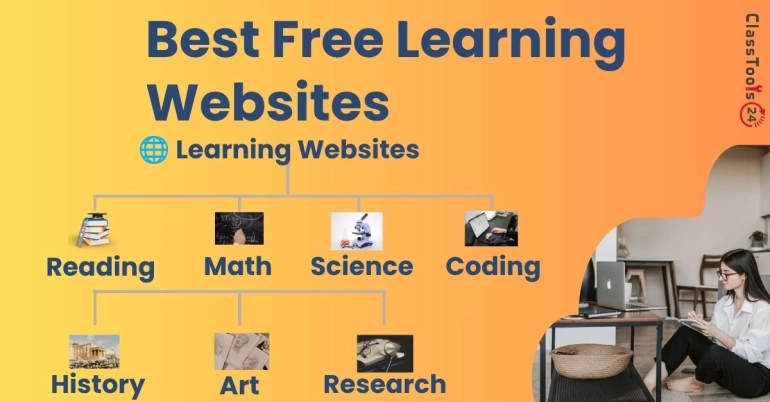
Educational Website Comparison Table
| Website | Main Subjects | Best Classroom Use | Teacher Preparation Needed |
|---|---|---|---|
| Khan Academy | Mathematics, science, computing, economics and more | Review, explanations, and practice | Match lessons to the taught method and level |
| OpenStax | College and secondary academic subjects | Textbook readings and reference material | Select manageable sections and reading questions |
| PhET | Science and mathematics | Interactive investigation and prediction | Create a guided task or evidence table |
| GeoGebra | Mathematics | Graphing, geometry, and visual relationships | Add interpretation and reasoning questions |
| Scratch | Coding and creative computing | Interactive stories, games, and subject projects | Define project requirements and privacy rules |
| Smithsonian Learning Lab | History, art, science, and culture | Primary-source and object analysis | Curate a small collection with context |
| NASA Learning Resources | Space, Earth science, engineering, and STEM | Real-world scientific examples | Choose a suitable reading level and task |
| Project Gutenberg | Literature and historical texts | Reading public-domain books | Check edition, context, and age suitability |
| CK-12 | Mathematics and science | Supplementary reading and practice | Review the exact resource and requirements |
| Google Arts & Culture | Art, history, geography, and culture | Visual investigation and museum exploration | Provide a focused question or comparison |
How Students Can Choose the Right Website
Students should begin with the task, not the website. If the task is to practice equations, a mathematics practice platform may help. If the task is to analyze a historical letter, a museum or archive collection is more appropriate. A video website is not automatically the best choice merely because video feels easier than reading.
Before using a resource, ask:
- What exactly am I trying to learn or produce?
- Does this resource match my current level?
- Who created or reviewed the material?
- Is the information current enough for this subject?
- Does it provide practice, evidence, explanation, or only entertainment?
- Can I explain what I learned without repeating the page?
- Does the website request personal information that is unnecessary for the task?
When a student cannot identify the purpose of opening a website, the session often turns into browsing rather than learning.
How Teachers Can Evaluate a Free Resource
Teachers should test the exact page, activity, or simulation before assigning it. A platform's home page may look suitable while the required activity contains advanced vocabulary, broken media, distracting links, or an unexpected account request.
Open the resource on the type of device students use. Check loading speed, mobile layout, keyboard navigation, captions, audio requirements, contrast, and whether essential information can be accessed without creating an account.
Review the instructional design. Does the resource explain errors, or does it merely mark answers wrong? Does it encourage reasoning, or reward guessing? Does it provide several representations of the concept? Can the teacher connect the activity to a lesson objective and assess what students learned?
Free access also needs careful interpretation. A website may provide free core material while charging for advanced reporting, certificates, storage, tutoring, or classroom management. Teachers should confirm that students can complete the assigned task without payment.
How This Fits Into a Real Learning Workflow
- Define the objective. Write what students should understand, practice, or produce by the end of the activity.
- Select one primary resource. Avoid sending learners to a list of ten websites without guidance.
- Test access. Open the exact link on a student-style device and check account requirements.
- Prepare a learning task. Add prediction questions, a note-taking structure, evidence prompts, or a finished product.
- Set a time boundary. Explain how long students should spend exploring, reading, watching, or practicing.
- Require active output. Students should solve, explain, compare, create, annotate, or reflect.
- Review understanding. Use a short discussion, exit question, demonstration, or corrected example.
- Save useful work. Give files descriptive names and store them in the correct subject folder.
- Protect privacy. Remove names, account details, grades, faces, and private documents before public sharing.
Real Classroom Examples
Mathematics Review Before an Assessment
A teacher notices that several students can follow a worked example but struggle to begin independently. The teacher assigns a short Khan Academy review, then asks students to solve two comparable problems on paper. Students circle the first step where they became uncertain. The online activity supplies practice, while the written work reveals the reasoning problem.
Investigating Forces Through a Simulation
Students use a PhET simulation to test how force and mass affect motion. Before touching the controls, each group writes a prediction. They alter one variable at a time, record the result, and explain whether it supports the prediction. The simulation becomes an experiment rather than a digital toy.
Building an Evidence-Based History Lesson
A history teacher selects six Smithsonian items connected to a historical event. Student groups examine the creator, date, audience, and visible details. They compare what each object reveals and what it cannot prove. The final paragraph uses evidence from at least two sources.
Creating an Interactive Science Quiz
Students use Scratch to create a short quiz about the water cycle. Their program must include instructions, five questions, feedback for incorrect answers, a score variable, and a final message. Students practice science vocabulary while also learning conditions, variables, and debugging.
Reading a Free Textbook More Carefully
A college student opens an OpenStax chapter but finds the amount of text intimidating. Instead of reading continuously, the student previews headings, turns each heading into a question, reads one section, and writes a short answer. The Word Counter helps keep each summary between 60 and 100 words.
ClassTools24 Tools That Support Online Learning
Educational websites often provide information, but students still need to prepare files, organize notes, and submit work. Small utility tools can support those steps, alongside the broader set of everyday computer skills these tasks depend on.
The Image to Text tool can extract editable text from a clear screenshot or photographed worksheet. The result should always be checked against the source because poor lighting, handwriting, and unusual fonts can cause errors.
Students can use the Image Compressor when a project image exceeds an upload limit. The Image Resizer is more appropriate when the image dimensions are larger than the assignment requires.
The JPG to PDF and PNG to PDF tools can combine scanned pages into a more organized submission. Page order, orientation, readability, and missing pages must be checked before uploading.
For classroom displays or printed resource sheets, the QR Code Generator can provide quick access to a selected educational page. Teachers should print the normal web address near the code as a backup and test the destination before distributing it.
Common Mistakes to Avoid
- Using too many websites: Students spend more time changing platforms than practicing the skill.
- Assigning a homepage: Learners need a direct resource link and a clear task.
- Assuming free means no account: Some activities may still require registration or collect user information.
- Replacing instruction with video: Watching an explanation does not confirm that students can apply it.
- Allowing unstructured simulation time: Exploration should lead to prediction, evidence, and explanation.
- Ignoring reading level: Accurate content may still be unsuitable for the intended learner.
- Trusting every community resource: User-created materials need review for accuracy and classroom suitability.
- Overlooking accessibility: Captions, keyboard use, contrast, screen size, and audio requirements affect participation.
- Forgetting privacy: Public usernames, shared files, screenshots, and project descriptions can reveal student information.
- Failing to check the output: Downloads, conversions, copied notes, and generated documents should be opened and reviewed.
Privacy and Responsible Use
Teachers should avoid requiring students to provide unnecessary personal information. Before creating classroom accounts, review what information is requested, how student work is shared, and whether the school has an approved process for using external services.
Students should not place full names, school schedules, addresses, phone numbers, login details, grades, or private photographs in public projects. Usernames should not reveal more information than necessary.
The same caution applies when asking for technical help. Screenshots may reveal browser tabs, email addresses, account names, notifications, class codes, or student records. Crop irrelevant areas and remove private information before sharing an image.
Educational websites can support research, but their content still needs attribution. Students should record the title, organization, author when available, publication or update date, and URL while taking notes. Free access does not remove the responsibility to credit a source.
A One-Week Website Evaluation Activity
Day one: Choose a learning objective and identify two websites that claim to support it.
Day two: Compare authorship, organization, reading level, update information, account requirements, and accessibility.
Day three: Complete one activity from each website and record what the learner must actually do.
Day four: Evaluate the feedback. Does the website explain errors, offer another example, or only provide a score?
Day five: Recommend one resource for a specific audience. The recommendation must explain both its strengths and its limitations.
This activity teaches students that educational resources should be evaluated rather than accepted because they appear near the top of search results.
Final Thoughts
The best free educational website is not necessarily the one with the most videos, activities, or colorful features. It is the resource that matches a clear learning objective, provides dependable material, works on the available device, and leads students to think or create rather than click without purpose.
Khan Academy can support explanations and practice. OpenStax can provide structured textbook material. PhET and GeoGebra can make difficult relationships visible. Scratch gives beginners a place to build interactive projects. Smithsonian, NASA, and cultural collections can connect lessons with real evidence and expert material.
Teachers still provide the essential structure. They select the resource, define the task, anticipate access problems, ask students to explain their thinking, and check what was learned. Students contribute by evaluating sources, protecting personal information, organizing their work, and reviewing digital output carefully.
Choose one resource that addresses a current learning need. Test it, create a specific task, and decide how students will demonstrate understanding. A small number of carefully selected websites will usually produce better learning than a large collection of links with no plan.