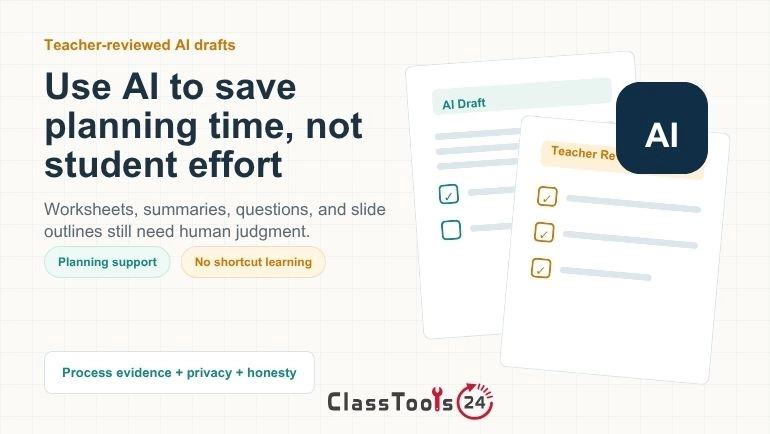
A practical teacher guide to using AI for planning, study support, worksheets, and classroom review while protecting critical thinking.
AI in Classrooms Without Replacing Real Learning
AI in classrooms is no longer a side topic. Teachers are using AI to prepare resources, students are using it to explain difficult ideas, and schools are trying to set rules that are fair, practical, and realistic. The real question is not whether AI belongs in education. The better question is how teachers can use AI without replacing the reading, writing, reasoning, discussion, and practice that real learning requires.
Key Takeaways for Educators
- AI should support learning tasks, not complete them for students.
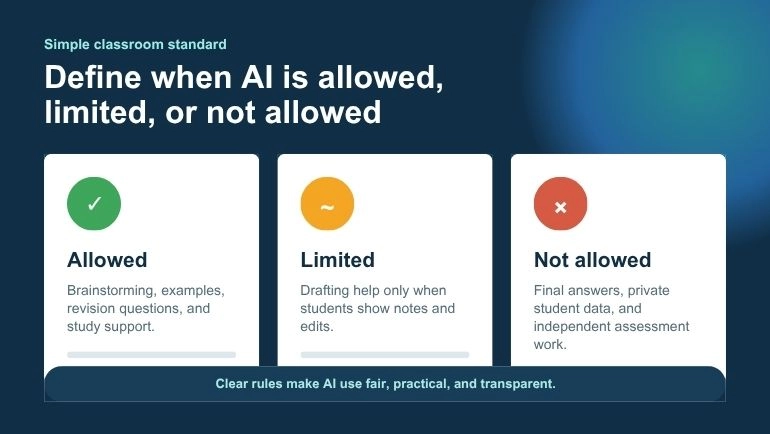
- Teachers should define when AI is allowed, limited, or not allowed.
- Students should show process evidence such as notes, drafts, reflections, or short AI-use disclosures.
- AI-generated worksheets, questions, summaries, and slide outlines should always be reviewed by a teacher or student.
- Privacy matters: avoid entering student records, grades, passwords, or confidential school information into AI tools.
Used well, AI can act like a classroom assistant. It can help teachers create question drafts, organize notes, prepare worksheets, simplify reading material, and turn lesson content into presentation outlines. Used poorly, it can become a shortcut that hides weak understanding and makes students less confident in their own thinking.
This guide takes a practical, teacher-first view. AI should save preparation time and support student practice, but it should not remove intellectual effort. The teacher still sets the goal. The student still does the thinking. The tool only helps with structure, explanation, review, and drafting.
Why AI Is Becoming Part of Classroom Work
AI tools are spreading because they reduce friction. A teacher can turn a lesson topic into review questions. A student can ask for a simpler explanation of a difficult passage. A group can turn research notes into a slide outline. These uses feel helpful because classroom work often involves reading, planning, summarizing, rewriting, and organizing information.
Teachers also face heavy workload. They prepare lessons, manage assessments, support mixed ability groups, give feedback, and create resources. If AI can help create a first draft of a worksheet or question set, it can free teacher time for higher-value work: checking quality, guiding students, and responding to real classroom needs.
But speed is not the same as learning. A fast answer is only useful if students still understand the reasoning. A polished summary is only useful if students compare it with the original text. A generated worksheet is only useful if it checks the right skills.
What International Guidance Says About AI in Education
Responsible classroom AI use should be connected to recognized education guidance, not only tool excitement. UNESCO's Guidance for Generative AI in Education and Research emphasizes human agency, inclusion, privacy, age-appropriate use, and careful governance. That matters for schools because AI should not be introduced as a novelty without clear limits and safeguards.
The U.S. Department of Education's AI and the Future of Teaching and Learning report also frames AI as a support for educators rather than a replacement for them. Its central idea is practical: AI can assist teaching and learning, but educators need transparency, human oversight, and attention to risk.
For classroom practice, both frameworks point in the same direction. Teachers should keep human judgment at the center. Students should learn how to question AI output. Schools should protect privacy and equity. AI should improve learning support, not weaken the learning process.
AI Should Support the Learning Process
The safest way to use AI in classrooms is to place it inside the learning process. AI can help before learning, during learning, and after learning. It should not remove the need for effort, attention, or explanation.
Before a lesson, AI can help teachers create prompts, warm-up questions, examples, or draft worksheets. During a lesson, it can support clarification and practice. After a lesson, it can help students summarize, review, and test themselves. In each case, the teacher or student still checks the result.
For example, a teacher might use the Question Generator to create draft review questions from a lesson topic. The teacher still decides which questions match the objective, which questions are too easy, and which questions need rewriting. The tool saves time, but the teacher remains responsible for quality.
When AI Becomes a Shortcut Problem
AI becomes a shortcut problem when it replaces the skill students are supposed to practice. If the assignment is designed to build writing skill, copying AI-written paragraphs avoids the writing. If the goal is reading comprehension, using a summary without reading avoids the reading. If the goal is problem solving, asking AI for the final answer avoids the reasoning.
This does not mean every use of AI is wrong. It means the use must match the learning goal. AI may be helpful for brainstorming, review, or organization. It may be inappropriate during independent assessment or final writing when the teacher needs to see what the student can do alone.
The shortcut problem is really a thinking problem. Students may submit cleaner work while understanding less. That is why teachers should ask students to show process evidence: notes, drafts, outlines, reflections, oral explanations, or a short AI-use note.
Responsible AI Use vs Shortcut AI Use
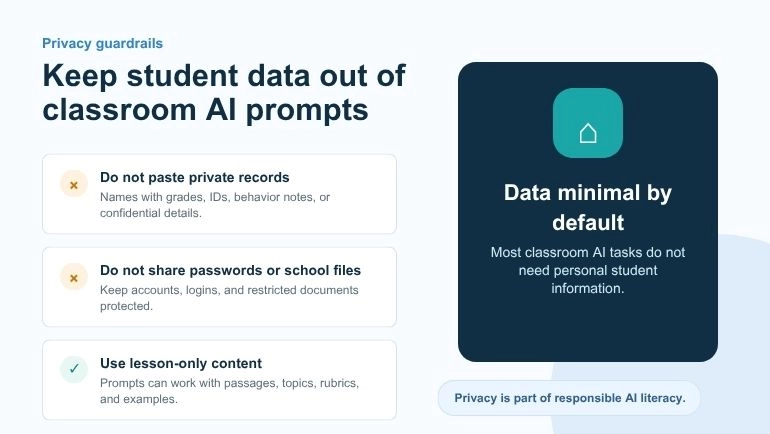
| Responsible AI Use | Shortcut AI Use |
|---|---|
| Using AI to create practice questions after studying a topic | Using AI to answer homework without understanding the lesson |
| Comparing an AI summary with the original reading | Skipping the reading and only using the generated summary |
| Generating a worksheet draft and checking every question | Printing AI questions without teacher review |
| Turning notes into a slide outline, then editing and rehearsing it | Presenting AI output without understanding the topic |
| Asking AI for examples after trying first | Asking AI for the final answer before making an attempt |
Subject-Specific Examples: Responsible AI vs. Cognitive Shortcut
High School English
Responsible use: A student studying a novel asks AI to list possible themes or brainstorm questions about a character arc. The student then returns to the text, finds evidence, and writes the paragraph independently.
Cognitive shortcut: The student asks AI to write the full essay and submits it without reading closely or developing an argument. The submitted work may look polished, but the student has missed the purpose of literary analysis.
Middle School Science
Responsible use: A teacher generates a short quiz about ecosystems, then deliberately leaves two flawed AI-generated questions for students to critique. Students must identify the error, explain why it is wrong, and rewrite the question correctly.
Cognitive shortcut: Students copy AI explanations into a lab worksheet without connecting them to their own observation, data, or experiment. The science work then becomes text completion instead of evidence-based reasoning.
Social Studies and History
Responsible use: Students ask AI to generate possible counterarguments about a historical event, then compare those arguments with primary and secondary sources. They use AI to widen thinking, not replace source analysis.
Cognitive shortcut: Students ask AI to create a full historical synthesis and submit it without checking dates, causes, source reliability, or context. The answer may sound confident while missing the real work of historical thinking.
Practical AI Rules for Teachers
Teachers do not need a separate rule for every tool. A simple classroom standard is more useful. Students should know when AI is allowed, what kind of help is acceptable, and what must remain their own work.
- Use AI for support, not replacement: AI can explain, organize, or review, but students still need to think and practice.
- Make the process visible: Ask for drafts, notes, outlines, reflections, or oral explanations.
- Check every result: AI can be wrong, vague, biased, or too general for the lesson.
- Protect privacy: Do not paste private student data, grades, passwords, or confidential school information into tools.
- Be transparent: If AI help is allowed, students should explain how they used it.
- Match use to the learning goal: AI rules should change depending on the purpose of the task.
Free Classroom Resource
Use a simple Classroom AI Disclosure & Process Note Template when students are allowed to use AI. Ask them to submit a short note with three parts:
- What AI tool or support did I use?
- What did I use it for: brainstorming, explaining, summarizing, outlining, or editing?
- What did I change, verify, or write myself after using it?
How Teachers Can Use AI for Planning
Teacher planning is one of the best places to use AI carefully. Planning often involves first drafts: questions, examples, outlines, worksheets, summaries, and review activities. AI can help with those drafts while the teacher edits them for accuracy and classroom fit.
A teacher preparing a lesson can use AI to create a question bank, then choose the best questions for the class. A teacher preparing a review session can generate a worksheet, then adjust the difficulty. A teacher preparing a presentation can turn notes into a slide outline, then add visuals and examples.
The Worksheet Generator can help teachers create printable worksheet drafts from lesson notes, reading passages, or documents. The teacher should still review the answer key, rewrite weak questions, and make sure the worksheet fits the students.
How Students Can Use AI for Studying
Students can use AI well when it helps them become more active learners. A useful habit is to try first, then ask for support. Students should read the material, write their own notes, answer practice questions, and then use AI to check, clarify, or extend their understanding.
For example, after reading a chapter, a student might use the Student Ai Summarizer to create a shorter version of the material. Then the student should compare the summary with the chapter, mark missing points, and rewrite the main ideas in their own words. That turns AI into a study assistant instead of a shortcut.
Students can also use AI to create practice questions. The important rule is to answer first and check later. If students look at answers too soon, they may feel familiar with the material without actually remembering it.
Using AI for Presentations Without Losing Understanding
Presentations are a common place where AI can help and also cause problems. A student may have research notes but not know how to organize them into slides. AI can help turn notes into a slide outline, but the student still needs to understand the topic, choose visuals, cite sources, and practice speaking.
The Presentation Slides Generator can help create a slide-by-slide outline from text or documents. This is useful for teachers preparing lesson slides and students preparing class presentations. The generated outline should be treated as a draft. The presenter should edit it, add examples, and make sure they can explain every slide without simply reading bullet points.
Academic Honesty and AI
Academic honesty becomes harder when AI can produce polished work quickly. Teachers should avoid vague rules such as “use AI responsibly” without examples. Students need to know what responsible use means for each type of assignment.
For some assignments, AI may be allowed for brainstorming but not writing. For others, AI may be allowed for grammar support after a draft is written. In some assessments, AI may not be allowed at all because the teacher needs to see independent skill.
One useful approach is to ask students to include a short process note. They can explain whether they used AI, what they used it for, and what they changed afterward. This builds transparency and helps students think about their own learning process.
AI and Critical Thinking
Critical thinking means students can ask questions, compare ideas, evaluate evidence, explain reasoning, and notice weak arguments. AI can support these skills if used carefully. For example, students can ask AI for counterarguments, examples, or practice questions. Then they can judge which responses are useful and which need correction.
But AI can weaken critical thinking if students accept every answer too quickly. Students should be taught to question AI output. Is the answer accurate? Does it match the source? Is it too general? Does it miss an important detail? Could the wording be clearer?
Teachers can turn this into a classroom activity. Give students an AI-generated answer and ask them to find what is strong, what is weak, and what needs improvement. This makes AI part of thinking practice instead of a replacement for it.
How to Keep Teachers in Control
AI should not decide the curriculum, the assessment standard, or the final judgment of student work. Teachers understand the class context. They know student needs, lesson goals, pacing, classroom behavior, school rules, and what has already been taught.
Teachers can keep control by using AI only at the draft stage. Generate ideas, then review them. Create questions, then edit them. Build an outline, then improve it. Summarize notes, then compare with the source. This keeps teacher judgment at the center.
Good AI Classroom Workflows
- Lesson to questions: Generate questions from a lesson, then edit them for accuracy and difficulty.
- Reading to summary: Summarize a passage, then compare the summary with the original text.
- Notes to slides: Turn notes into a slide outline, then add visuals and examples.
- Topic to worksheet: Create a worksheet draft, then check the answer key and wording.
- Link sharing: Use a QR code to share approved resources after checking the link.
If a teacher wants to share digital resources from a worksheet or classroom poster, the QR Code Generator can turn a long link into a scannable QR code. That makes resource sharing easier without asking students to type long URLs.
Privacy and Student Data
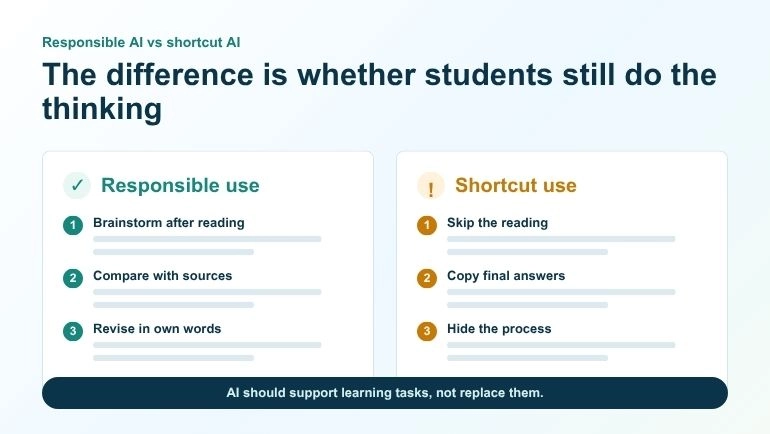
Privacy should be part of every AI classroom conversation. Teachers and students should avoid entering private information into tools unless they are allowed to process it. That includes student names with grades, medical details, school IDs, passwords, addresses, behavior notes, and confidential documents.
For most classroom tasks, private data is not needed. A teacher can paste lesson content without student names. A student can summarize a reading passage without including personal details. Keeping data minimal is a simple safety habit.
What Schools Should Teach About AI
Students need more than warnings. They need practical AI literacy. They should learn what AI can do, where it can fail, and how to use it honestly. They should understand that AI output can sound confident even when it is incomplete or wrong.
- How to check AI answers against trusted sources.
- How to use AI for practice without copying.
- How to explain their own thinking.
- How to protect private information.
- How to cite or disclose AI use when required.
- How to know when AI should not be used.
Frequently Asked Questions
Should AI be allowed in classrooms?
AI can be allowed when it supports learning and follows clear teacher rules. It should not replace independent thinking, reading, writing, practice, or assessment.
Can AI help teachers save time?
Yes. AI can help create drafts for questions, worksheets, summaries, and slide outlines. Teachers should still review and edit the output before using it.
Can students use AI for studying?
Yes, but students should use it after making an honest attempt. AI is useful for explanation, review, practice questions, and summaries, not for copying answers. For specific prompt examples that help you practice rather than copy answers, see 50 AI prompts that help you learn instead of cheat.
Does AI hurt critical thinking?
It can hurt critical thinking if students use it as a shortcut. It can support critical thinking when students question, compare, verify, and improve the output.
How can teachers prevent AI misuse?
Teachers can set clear rules, ask for process evidence, use in-class checks, require explanations, and design assignments that value reasoning over polished final text.
Should students disclose AI use?
If a teacher or school allows AI use, students should explain how they used it. Disclosure builds honesty and helps teachers understand the learning process.
Conclusion
AI in classrooms can be helpful when it supports teachers and students without replacing real learning. It can save time, create drafts, organize content, and support practice. But it should not remove effort, independent thinking, reading, writing, or teacher judgment.
The best classroom use of AI is guided, transparent, and connected to a learning goal. Teachers stay in control. Students stay active. AI becomes a support tool, not a shortcut. When used this way, it can help classrooms become more efficient while keeping real understanding at the center.