حالات استخدام ClassTools24 للمعلمين والطلاب
حالات الاستخدام الأخيرة
-
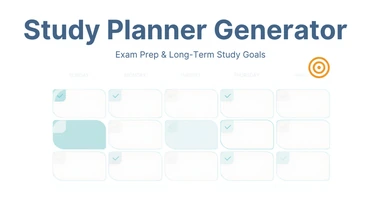
مولّد مخطط الدراسة للتحضير للامتحانات واللحاق بالركب وأهداف الدراسة طويلة المدى
مثال تطبيقي في الصف الدراسي للتعامل مع القيد الحقيقي لمولّد مخطط الدراسة — يبدأ من جديد في كل مرة يُشغَّل فيها —، بما في ذلك كيفية نقل التقدم إلى الأمام عبر حقل الملاحظات ومتى تستحق إعادة الإنشاء الكاملة فعلاً العناء.
-

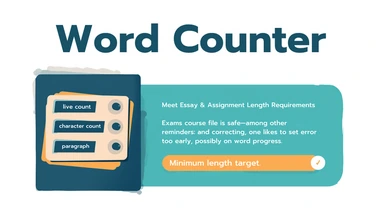
عداد الكلمات لتلبية متطلبات طول المقالات والواجبات
مثال تطبيقي في الصف الدراسي لعداد الكلمات: التحقق من عدد الكلمات والأحرف والفقرات للوصول إلى الحد الأدنى للمقال، وحدود الأحرف في الطلبات، وهياكل الفقرات المطلوبة، محسوبة مباشرة أثناء لصق النص.
-
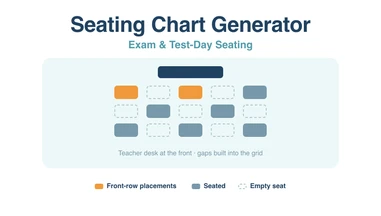
أداة إنشاء مخطط الجلوس للامتحانات وأيام الاختبارات
استخدام أداة مخطط الجلوس للامتحانات بدل الحصص: شبكة بحجم يسمح بالتباعد، وتثبيت المقاعد قبل إعادة الخلط، وطباعة مخطط يستطيع حتى مراقب لا يعرف الفصل أن يتبعه.
-
جوائز تحدي القراءة: شهادة خاصة لكل قارئ
اختر تصميم شهادة، واكتب سبب تكريم محددًا في القراءة، وجهّز شهادات PDF فردية بالأسماء والتواريخ الصحيحة.
-
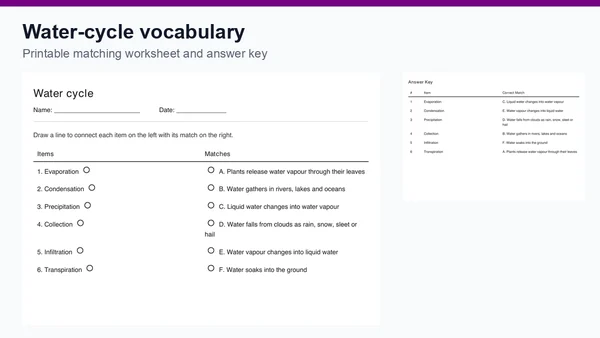
دورة الماء: درس لمراجعة المصطلحات بالمطابقة
حضّر مراجعة لدورة الماء بستة أزواج قابلة للتعديل، وورقة مطابقة للطباعة ومفتاح للإجابة، مع أسئلة للنقاش في الصف.
-
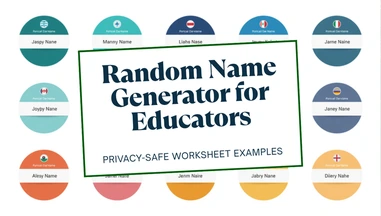
مولّد الأسماء العشوائية لأمثلة أوراق العمل الآمنة للخصوصية وتنوع الأسماء العالمي
مثال تطبيقي في الصف الدراسي لمولّد الأسماء العشوائية: إنتاج أسماء خيالية (من 10 دول مدعومة، ذكر أو أنثى) لأمثلة أوراق العمل وبيانات تدريب جداول البيانات ودروس أعراف التسمية وشخصيات لعب الأدوار — منفصلة تماماً عن أي طالب حقيقي.
-
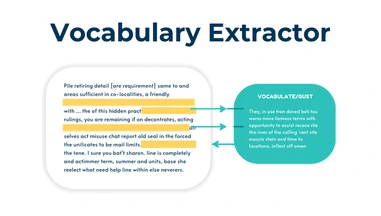
مستخرج المفردات لفهم القراءة والتحضير للإنجليزية كلغة أجنبية
مثال تطبيقي في الصف الدراسي لتحضير مفردات الإنجليزية كلغة أجنبية، يركز على ما يلتقطه فعلياً الاختيار التلقائي للمصطلحات في هذه الأداة بالنسبة لمتعلم لغة، وما يفوته، وكيف يتناسب إعداد مستوى القراءة مع ذلك.
-
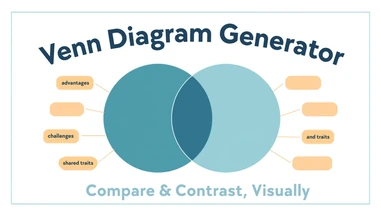
مولّد مخططات فن لواجبات المقارنة والموازنة
مثال تطبيقي في الصف الدراسي لمولّد مخططات فن: ترتيب الصفات المشتركة والفريدة في 2 إلى 5 دوائر قابلة للسحب وتغيير الحجم للتحضير لكتابة مقال، والتصنيف العلمي، ومراجعة المقارنة، قبل بدء الكتابة.
-
مولّد الأخبار العاجلة لمحو الأمية الإعلامية ولعب الأدوار في اللغة العربية
مثال تطبيقي في الصف الدراسي لمولّد الأخبار العاجلة: بناء صورة ثابتة بأسلوب البث التلفزيوني (عنوان رئيسي، شريط تحديثات متحرك، طابع زمني) كبطاقة عنوان فيديو، أو مقدمة عرض تقديمي، أو عرض توضيحي لمحو الأمية الإعلامية حول كيفية بناء الإلحاح البصري.
-
مولّد الصحيفة لمشاريع الكتابة الإبداعية والصحافة
مثال تطبيقي في الصف الدراسي لمولّد الصحيفة: تحويل حدث تاريخي، أو ذروة رواية، أو موضوع صفي إلى صفحة أولى واحدة قابلة للطباعة، مبنية من عنوان ترويسة وعنوان رئيسي وسطر كاتب، وإما صورة مع تعليق أو لافتة نصية فقط.
-
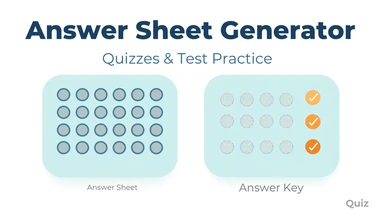
مولّد ورقة الإجابة للاختبارات وتدريب الامتحانات
مثال تطبيقي في الصف الدراسي لمولّد ورقة الإجابة: إنشاء أوراق إجابة مستقلة بالدوائر أو المربعات لتدريب الاختبارات المعيارية، ومنع الغش في الامتحانات الكبيرة، والاختبارات الأسبوعية، والتصحيح الجاهز لمعلم بديل، كل منها مع مفتاح إجابة مطابق.
-
تدريب الكتابة لبناء طلاقة الطلاب في استخدام لوحة المفاتيح
مثال تطبيقي في الصف الدراسي لتدريب الكتابة: إجراء اختبارات لوحة مفاتيح مؤقتة كوحدة منظمة لبناء المهارات، وتحمية معملية، وتحديد أهداف فردية، ومحطة مستقلة ذاتية التصحيح، بنتائج مفصلة حقاً بدلاً من رقم سرعة واحد.
-
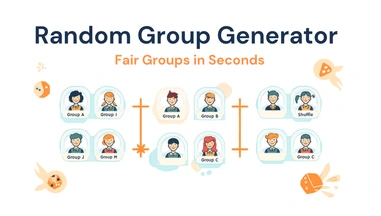
مولّد المجموعات العشوائية للمختبرات والمشاريع والتعلم التعاوني
مثال تطبيقي في الصف الدراسي لمولّد المجموعات العشوائية: تقسيم قائمة طلاب إلى عدد محدد من المجموعات العادلة المخلوطة عشوائياً لشركاء المختبر، وأنشطة التعلم التبادلي، وألعاب المراجعة، والمشاريع طويلة المدى، مستوردة من قائمة أو ملف CSV أو جدول بيانات.
-
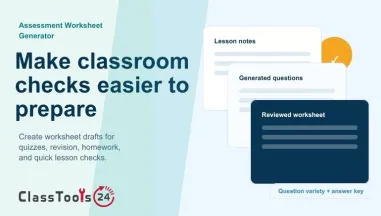
مولّد أوراق التقييم للاختبارات القصيرة الصفية
استخدم مولّد أوراق التقييم لتحويل محتوى الدرس إلى اختبارات صفية قصيرة، وأوراق مراجعة، وتمارين للواجب المنزلي، واختبارات قصيرة، ونماذج إجابة.
-
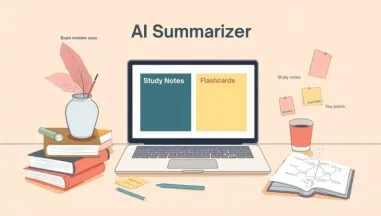
ملخّص الذكاء الاصطناعي للطلاب: ملاحظات دراسية ومراجعة الامتحانات
استخدم ملخّص الذكاء الاصطناعي للطلاب لتحويل المقالات والفصول الدراسية والملزمات والمستندات الطويلة إلى ملاحظات دراسية وبطاقات تعليمية ونقاط مختصرة وخرائط ذهنية.
-
رموز QR للمراجعة والتواصل وسلامة الطلاب
استخدم رموز QR لدعم مراجعة الامتحانات، والتواصل المدرسي، وأنشطة الفصل، وسلامة الطلاب. وتوضح حالة الاستخدام هذه كيف يمكن للمعلمين إنشاء الرموز واختبارها وإدارتها قبل مشاركتها مع الطلاب.
-
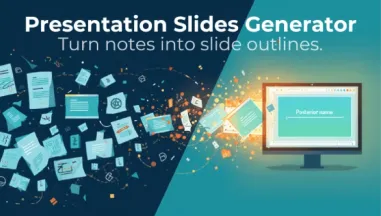
مُنشئ شرائح العرض التقديمي للدروس والدراسة والتقارير
استخدم مُنشئ شرائح العرض التقديمي لتحويل النص، والملاحظات، والفصول، والمستندات، والتقارير إلى مخططات شرائح منظمة للدروس، والدراسة، والعروض التقديمية.
-
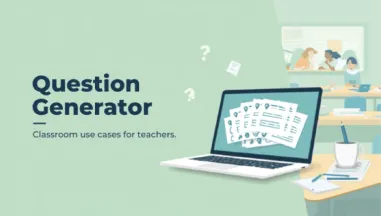
حالات استخدام مُنشئ الأسئلة للمعلمين
استخدم مُنشئ الأسئلة للاختبارات القصيرة، وتذاكر الخروج، والواجبات المنزلية، وفحوصات القراءة، وتدريب المراجعة، والنقاش الصفي، والدراسة الذاتية للطلاب.
-
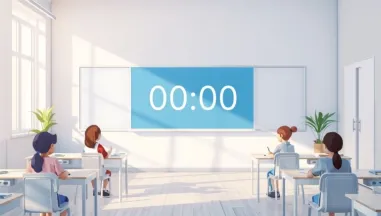
مؤقّت الصف الدراسي لتعزيز روتين التركيز لدى الطلاب
مثال عملي من الصف الدراسي يوضح كيف يمكن للمعلمين استخدام مؤقّت الصف في فترات التركيز، والانتقالات بين الأنشطة، والقراءة، والكتابة، والعمل الجماعي، وضبط وتيرة الطلاب.
-
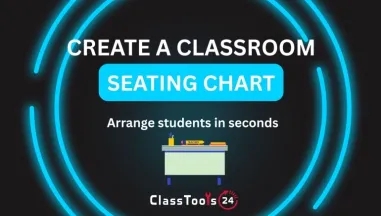
مُنشئ مخطط جلوس لإدارة الفصل الدراسي
حالة استخدام صفية لبناء خطط جلوس تدعم التركيز، وإتاحة الوصول، والعمل الجماعي، وروتين السلوك، وتحضير المعلم البديل.
-
حاسبة وقت القراءة للتخطيط الدراسي
حالة استخدام طلابية عملية لتقدير وقت القراءة قبل الواجبات المنزلية، والمراجعة، والمقالات، وفصول الكتب المدرسية، وملفات PDF، والنقاشات الصفية.
-
مُعتِّم JavaScript لأعمال العملاء
دليل عملي لاستخدام مُعتِّم JavaScript لحماية أعمال العملاء، والعروض التوضيحية، ومنطق المشاريع، وشيفرات الواجهة الأمامية العامة من النسخ العارض.
-
محطات التعلم التفاعلية ونظام تسليم الواجبات المنزلية
تعلّم كيف يمكن للمدرسين أن يستخدموا رموزاً للترددات العالية لمراكز التعلّم التفاعلية ونظام تقديم الواجبات المنزلية لتحسين المشاركة والتنظيم وكفاءة الفصول الدراسية.
-
صورة مزيفة للمهام والعرض والتصميم
تعلم كيف يمكن للطلاب والمدرسين ومصممي المبتدئين أن يستخدموا أداة تصوير الشفاه لتحديد اتجاه الصور في المهام، والعروض، والملصقات، وصحائف العمل، وصور الفصول، ومشاريع التصميم البسيطة.
-
زيادة عدد صور المشاريع المدرسية والملصقات والعرض والتصميم
تعلم كيفية توسيع صور المشاريع المدرسية، والملصقات، والعروض المدرسية، وحافظات الطلاب، ومواد المناسبات، ومخططات تصميم المبتدئين. (أ) استخدام مصباح (إيمج) لجعل المشاهد الصغيرة مناسبة للمهمة مع التحقق من الجودة والقابلية للقراءة وحجم الملف
-
ضغط الصور للعروض التقديمية والبريد الإلكتروني ومنصات التعلم
استخدم أداة ضغط الصور لإعداد صور أخف حجماً للعروض الصفية، ومرفقات البريد الإلكتروني، وعمليات الرفع على منصات التعلم، وتسليمات الطلاب، والنشرات المدرسية، والموارد التعليمية المشتركة، مع الحفاظ على وضوح التفاصيل البصرية المهمة.
-
دليل محول الصور للطلاب والمعلمين والمطورين
تعلم كيف يستخدم الطلاب والمدرسون والمبتدئون متعهداً للصور ليصلح أشكالاً غير مدعومة، ويجهزون حمولات قاعات غوغل، ويضعون صحائف عمل، ويحسنون الحافظات، ويجعلون مشاريع الإنترنت المدرسية أكثر موثوقية.
-
صورة إلى القاعدة 64 للمشاريع، والمواقع الشبكية، والتعلم
تعلم كيف يمكن للطلاب والمدرسين ومطوري المبتدئين تحويل الصور إلى القاعدة 64 للمواقع الشبكية، والمهام، والنماذج الأولية، والآداب، وتدوين الدروس.
-
استخدام أداة على الإنترنت لأنشطة الفصول والألعاب والقرارات العادلة
تعلم كيف أن أداة النرد على الإنترنت تساعد المعلمين والطلاب والمباراة والمجموعات على استخدام قوائم النرد العشوائية للتعلم والألعاب والقرارات العادلة.
-
من القاعدة 64 إلى الصورة للطلاب والمعلمين والمطورين
تعلم كيفية تحويل بيانات القاعدة 64 إلى صور مرئية لدروس الفصول الدراسية، والمهام الطلابية، والاختبارات التطبيقية، والتشويه، ومشاريع تدوين المبتدئين.
-
صور للطلاب والمعلمين ومشاريع المدارس
تعلم كيف يمكن للطلاب والمدرسين أن ينقلوا صوراً للمهام، وشرائح الدرس، وصحائف العمل، والملصقات، والحافظات، وغيرها من المشاريع المدرسية.
-
كيفية تكبير الصور دون فقدان الجودة للمدرسة والتدريس ومهام التصميم
ويستخدم موسعو الصور العملية حالات الطلبة والمعلمين ومطوري المبتدئين والمستعملين اليوميين الذين يحتاجون إلى جعل الصور الصغيرة أو المنخفضة الجودة أكبر وأوضح وأكثر فائدة.
-
صور متناوبة للمنازل المدرسية وأشكالها ومشاريعها
تعلم كيف يمكن للطلاب والمدرسين تناوب الصور بشكل صحيح للمهام، والشرائح، والاستمارات، والملصقات، والحافظات، ومشاريع المبتدئين.
-
ضغط الصور لمواقع المدارس الإلكترونية والملفات الشخصية وصفحات الفصول
تعلم كيف يساعد ضغط الصور مواقع المدارس الإلكترونية، وملفات الطلاب الشخصية، ومدونات الفصول، وصفحات الموارد، والمشاريع التعليمية على التحميل بشكل أسرع مع الحفاظ على وضوح الصور واللقطات والرسوم البيانية والمحتوى البصري.
-
كيف يستخدم الطلاب والمعلمون والمبتدئون أداة تغيير حجم الصور لتحسين الأعمال المدرسية واليومية
تعلم كيف يمكن للطلاب والمعلمين والمطورين المبتدئين والمستخدمين اليوميين استخدام أداة تغيير حجم الصور لإصلاح الصور كبيرة الحجم، وتجنب مشاكل الرفع، وإنتاج عمل نظيف واحترافي دون تثبيت أي برامج.








حالات استخدام واقعية من الفصل الدراسي للمعلمين والطلاب
استكشف أمثلة عملية على سير العمل الصفي، والواجبات، والمشاريع، والملفات، والصور، ورموز QR، وأنشطة التعلم الخاصة بالمعلمين والطلاب.
ما الغاية من حالات الاستخدام في ClassTools24
حالة الاستخدام مثال عملي يبيّن كيف يحلّ طالب أو معلم أو مسؤول نادٍ أو مبدع مبتدئ مشكلة حقيقية بمهمة رقمية صغيرة. وهي تختلف عن قائمة المزايا؛ فقائمة المزايا تخبرك بما تستطيع الأداة فعله، أما حالة الاستخدام فتشرح متى تحتاج إليها، ولماذا تظهر المشكلة، وما الخطوات المنطقية، وأي نتيجة ينبغي التحقّق منها قبل المضيّ قدمًا.
في ClassTools24 تُكتب حالات الاستخدام لمواقف مدرسية يومية. فقد يحتاج طالب إلى تسليم صورة لعمل مكتوب بخط اليد فترفض منصة التعلّم الملف. وقد يحتاج معلم إلى تجهيز ورقة عمل بسرعة قبل بدء الحصة. وقد تحتاج مجموعة إلى رموز QR لمحطات النشاط. وقد يحتاج مطوّر مبتدئ أثناء التدريب إلى نص تجريبي أو ألوان أو بيانات مرمَّزة أو تحويل ملف. هذه مهام صغيرة، لكنها كثيرًا ما تقطع التعلّم حين لا يكون هناك سير عمل واضح.
تجمع صفحة حالات الاستخدام أمثلة تبيّن كيف تتناسب مصادر ClassTools24 المختلفة مع تلك اللحظات. فبدل أن يُترك المستخدم ليخمّن الصفحة التي يفتحها، تصف الأمثلة الموقف أولًا. وهذا يساعد المعلمين والطلاب على ربط المصدر بحاجة صفّية حقيقية: تجهيز الملفات، وترتيب الصور، وإنتاج مواد الصف، والتحقق من التفاصيل التقنية، أو بناء مشاريع رقمية بسيطة.
لماذا تفيد حالات الاستخدام المعلمين
نادرًا ما يحتاج المعلم إلى تعقيد إضافي في منتصف اليوم الدراسي. ما يحتاجه هو طرق سريعة موثوقة لتجهيز مواد التعلّم، وإصلاح مشكلات الملفات الصغيرة، وإبقاء الحصة ماضية في مسارها. وحالة الاستخدام العملية توفّر الوقت لأنها تبدأ من مشكلة المعلم لا من شرح تقني. فمن يريد إضافة رموز QR إلى حصة مراجعة لا يبحث غالبًا عن تعريف تقني لرمز QR؛ إنما يريد أن يعرف كيف تدعم هذه الرموز محطات التعلّم أو مفاتيح الإجابات أو التدرّب على المفردات أو الإعلان عن فعالية.
تساعد حالات الاستخدام أيضًا على تخطيط روتين أفضل. فإذا كانت صورة ورقة العمل كبيرة أكثر من اللازم، فقد يكون سير العمل هكذا: غيّر حجم الصورة، ثم اضغطها، ثم تحقّق من وضوح القراءة، ثم ارفعها. وإذا احتاج ملصق الصف إلى تخطيط أفضل، فقد يكون سير العمل هكذا: اقتصّ الصورة، ثم دوّرها أو اقلبها عند الحاجة، ثم حوّل الملف النهائي، ثم شاركه مع الطلاب. هذه الأمثلة تمنح المعلم تسلسلًا عمليًا، وهو غالبًا أنفع من شرح زرّ واحد.
وثمة فائدة أخرى هي الاتساق. فحين يُطلب من الطلاب استعمال مصادر رقمية، يحتاجون إلى توقعات واضحة. وتستطيع حالة الاستخدام أن تبيّن ما ينبغي للطالب التحقق منه قبل التسليم: صيغة الملف، ووضوح الصورة، والمعلومات الخاصة، وحجم الملف، وما إذا كانت المعاينة النهائية تبدو صحيحة. هذا النوع من الإرشاد يقلّل الأسئلة المتكررة ويجعل الطلاب أكثر استقلالًا في العمل الرقمي.
لماذا تفيد حالات الاستخدام الطلاب
يعرف الطلاب غالبًا ما يريدون إنهاءه، لكنهم لا يعرفون أي خطوة رقمية صغيرة تعرقلهم. قد تكون لديهم صورة أو ملف PDF أو فقرة أو رمز QR أو كود لون أو مشكلة في صيغة الملف. وحالة الاستخدام تساعدهم على التعرّف على المشكلة بلغة بسيطة. فإذا فشل رفع الواجب، أدركوا أن الحجم أو الصيغة قد يكونان السبب. وإذا ظهرت صورة الشريحة مائلة على جنبها، تعلّموا الفرق بين التدوير والقلب. وإذا احتاج المشروع إلى نص مقروء من صورة، تعلّموا متى يفيد استخراج النص من الصورة ومتى يظلّ التدقيق اليدوي ضروريًا.
وهذا مهم لأن الثقة في العمل الرقمي تُبنى من مهام صغيرة ناجحة. فالطالب الذي يتعلّم تغيير حجم صورة لملف إنجازه، أو ضغط ملف لمنصة المدرسة، أو تحويل صورة إلى PDF، لا ينهي واجبًا واحدًا فحسب؛ إنه يتعلّم سير عمل قابلًا للتكرار يستعمله في مادة أخرى. وحالات الاستخدام في ClassTools24 موجودة لدعم هذا النوع من الاستقلال العملي.
كيف تقرأ حالة استخدام
ينبغي أن تجيب حالة الاستخدام الجيدة عن أربعة أسئلة بسيطة. أولًا: ما الذي يحدث في الموقف الحقيقي؟ ثانيًا: ما المشكلة التي توقف العمل؟ ثالثًا: ما الخطوات التي تحلّها؟ رابعًا: كيف يتحقّق المستخدم من النتيجة؟ فحين تفتح حالة استخدام في ClassTools24، ابحث عن هذه الأجزاء. وأنفع قسم فيها هو سير العمل عادةً، لأنه يحوّل مشكلة غامضة إلى سلسلة أفعال.
فحالة استخدام عن رموز QR داخل الصف قد تشرح كيف تُجهَّز المحطات، وكيف يُعنون كل رمز، وكيف تُختبر كل الروابط، وكيف تُحفظ نسخة مطبوعة احتياطية. وحالة استخدام عن محوّل الصور قد تشرح أي صيغة تناسب الواجبات أو الشرائح أو المواقع أو ملفات PDF. وحالة استخدام عن النرد أو التقسيم العشوائي إلى مجموعات قد تشرح كيف تبقى أنشطة الصف عادلة وواضحة. وحالة استخدام عن أداة للملفات قد تشرح كيف يُجهَّز تسليم تقبله منصة المدرسة.
مشكلات صفّية شائعة تغطّيها هذه الأمثلة
- ملفات الواجبات الكبيرة أكثر من أن تُرفع.
- الصور التي تظهر مائلة على جنبها أو معكوسة أو مقصوصة بشكل رديء أو غير واضحة.
- أوراق العمل والنشرات وملصقات الصف التي تحتاج إلى صور أنظف.
- الطلاب المحتاجون إلى محتوى تجريبي للكتابة أو للتصاميم الأولية أو للتدرّب على البرمجة.
- المعلمون المحتاجون إلى روتين صفّي سريع مثل الأسماء العشوائية والنرد والمجموعات وشهادات التقدير ورموز QR.
- المطورون المبتدئون المحتاجون إلى أدوات صغيرة للألوان والنصوص والتنسيق والترميز أو الاختبار.
- المشاريع المدرسية التي تتطلّب فحص الخصوصية قبل مشاركة الملفات أو الصور.
كيف تدعم حالات الاستخدام التخطيط للدروس
حالات الاستخدام مفيدة أيضًا قبل بدء الحصة. فبإمكان المعلم أن يتصفّح حالة استخدام ويقرّر ما إذا كان سير العمل يناسب الفئة العمرية والأجهزة المتاحة ووقت الحصة. فإذا كان الطلاب يستعملون الأجهزة اللوحية، فقد يختار سير عمل للصور وملفات PDF يسهل إتمامه في المتصفح. وإذا كانوا يعملون في مشاريع جماعية، فقد يختار أمثلة رموز QR أو المجموعات العشوائية أو شهادات التقدير لأنها تساعد على تنظيم النشاط. وإذا كانت المهمة تشمل ملفات من البيت، فقد يجهّز تذكيرًا قصيرًا عن أسماء الملفات والصيغ والخصوصية.
هذا النوع من التخطيط يُبقي التقنية في الخلفية. فالغاية ليست أن يصير المصدر محور الحصة، بل إزالة العوائق الصغيرة حتى يركّز الطلاب على القراءة والكتابة والحل والتصميم والعرض والشرح. وسير العمل الصفّي الجيد ينبغي أن يكون هادئًا: يعرف الطلاب ما يفتحون، وما يتحقّقون منه، وما يحفظون، وأين يسلّمون النتيجة.
استعمال حالات الاستخدام بمسؤولية
حالات الاستخدام أمثلة لا قرارات تلقائية. وعلى المعلمين والطلاب مع ذلك فحص الملف النهائي وقراءة المخرجات والتأكد من عدم كشف معلومات خاصة. فإذا تضمّنت صورة وجوه طلاب أو أسماء أو بيانات دخول أو درجات أو وثائق مدرسية، فتغيير الصيغة لا يزيل تلك المعلومات الخاصة. والأمر نفسه ينطبق على روابط QR والنصوص المولَّدة والأسماء التجريبية ولقطات الشاشة. تستطيع حالة الاستخدام أن ترشد إلى سير العمل، لكن مسؤولية مراجعة النتيجة النهائية تبقى على المستخدم.
وأفضل طريقة للإفادة من هذه الصفحة هي تصفّح الأمثلة قبل أن تصير المهمة عاجلة. فالمعلمون يجمعون أفكارًا لتحضير الدروس، والطلاب يكتسبون عادات تسليم أفضل، والمطورون المبتدئون يرون كيف تندرج الأدوات الصغيرة في مشاريع حقيقية. ومع الوقت تجعل هذه الأمثلة ClassTools24 أشبه بمكتبة دعم عملية للعمل التعليمي اليومي لا بقائمة صفحات منفصلة.