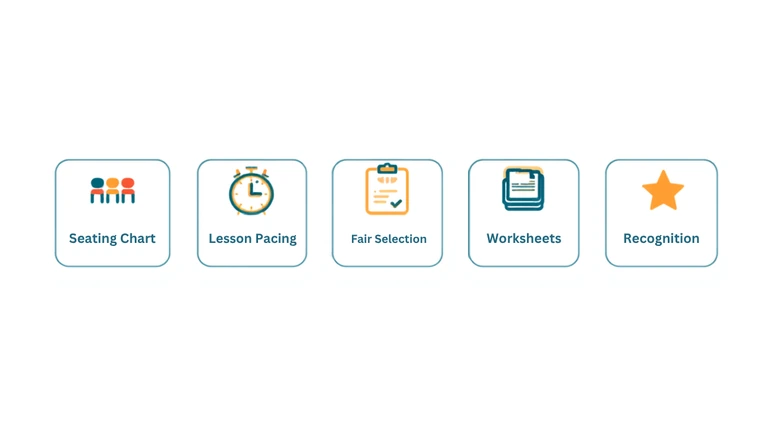
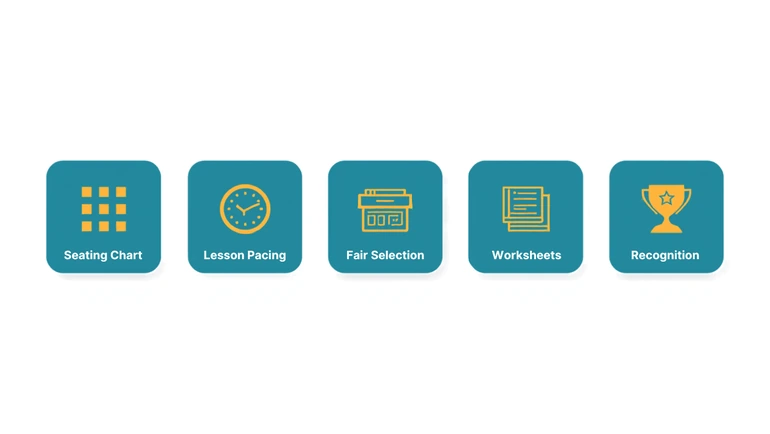
A small set of tools for the logistical load of a first semester -- seating, pacing, fair selection, materials, and recognition.
The Part of Teaching Nobody Fully Prepares You For
Teacher training covers lesson planning, classroom management theory, and subject content in real depth. What it tends to skip is the sheer number of small logistical decisions a new teacher has to make in the first few weeks: how to seat twenty-eight students who have never met each other, how to keep a lesson moving without losing track of time, how to pick a student without looking like you always call on the same few hands, how to build a worksheet from scratch when there isn't already one sitting in a shared drive somewhere.
None of these problems are hard on their own. What makes the first semester exhausting is that they all land in the same few weeks, before a new teacher has had time to build any of the routines a more experienced colleague already runs on autopilot. Here is roughly the order these decisions actually show up, with one tool for each.
Before Day One: The Seating Chart
Seating is usually the first real logistical decision a new teacher makes, often under time pressure before the first day even starts. A Seating Chart Generator turns that into something built in minutes rather than sketched and redrawn by hand: a roster goes in, a method — random, alphabetical, or reverse alphabetical — places everyone, and a couple of optional rules cover the two accommodation requests that come up most in an unfamiliar classroom, placing specific students in the front rows and keeping specific pairs apart. It stays useful well past day one, too, since seats generally need to shift as a teacher learns which students focus better apart and which pairings quietly derail a lesson — locking the seats that are working and reshuffling just the rest avoids rebuilding the whole chart from scratch every time something needs to change. A finished chart prints, saves as an image, or exports as a PDF, any of which works fine left behind for a substitute later in the semester, since it lets someone who has never met the class take attendance and understand the room without guessing.
Week One: Pacing and Picking Students Fairly
Pacing a lesson is a skill that takes real practice to build instinctively, and until it's built, a visible Classroom Timer does a lot of the work a veteran teacher's internal clock handles automatically. Projected during independent work or a transition between tasks, it gives students a shared, visible sense of how much time is left, which tends to cut down on the "are we done yet" interruptions that eat into a lesson's actual instructional time. A set of one-click presets from one minute up to an hour covers most classroom blocks without any typing, and a full-screen mode blows the numbers up large enough to read from the back of the room.
Picking a student fairly is a smaller problem, but a real one in the first few weeks before a teacher has learned every name and personality in the room. A Wheel of Names makes random selection visible rather than a judgment call, which helps when cold-calling or choosing a volunteer without it looking like the same confident students get picked every time. Once a name has come up, it can be removed from the wheel for the rest of the round, so a class works through everyone once before any name repeats — useful for making sure a shy student who never volunteers still gets a turn.
The Ongoing Problem: Building Materials With Nothing to Adapt From
An experienced teacher usually has years of worksheets and handouts already built. A new teacher doesn't, which means every practice worksheet for the first semester has to be built from nothing — a real cost during a stretch when time is already the scarcest resource in the job. A Worksheet Generator takes the formatting and layout work off that process and exports a printable PDF or DOCX file, so the actual content is what takes the time rather than rebuilding a template from scratch for every assignment. Building even a small library of these during the first semester pays off directly the following year, when the same lesson comes back around and there's finally something to adapt instead of starting over.
A Habit Worth Starting Early: Recognition
New teachers sometimes underestimate how much a small, specific gesture of recognition matters to classroom culture in the first few weeks, before routines and relationships feel settled. A School Certificate Generator makes it realistic to do this regularly rather than saving it for a few big occasions, since building one takes minutes rather than a trip to a print shop. It doesn't have to look the same every time, either — there's a choice of more than a dozen certificate designs, from formal to more playful styles, with the recipient's name, the reason for the award, and the date all editable directly on the design, so a certificate for finishing a hard unit can look different from one handed out for a semester's best attendance.
Keeping It to One Tool Per Job
It's tempting for a new teacher to try to solve every problem with a new system in the first month, but the goal in the first semester is fewer decisions, not more options to evaluate. Picking one tool for each recurring task above and using it consistently builds a routine faster than trying several different options for the same job. None of these tools replace the actual craft of teaching — reading the room, adjusting on the fly, planning a lesson that genuinely engages students. They handle the mechanical layer underneath that craft, which is exactly the layer that's hardest to build good instincts for in the first few months.
What a Few of These Actually Produce
A generated certificate, filled in directly on the design, might read: "Certificate of Achievement — Awarded to Maya Chen — For Outstanding Effort in Completing the Fractions Unit — September 2026" — a specific reason, not a generic "Good Job," which is what makes a small gesture like this land as genuine recognition rather than a form letter.
A wheel spin for cold-calling works the same way every time: enter the roster once, click spin, and whichever name the wheel lands on — say, "Devon" — gets called on. Removing Devon before the next spin means the next name pulled is guaranteed to be someone who hasn't gone yet, until the wheel's been through the whole class.
Privacy and Safe Use
Seating charts and printed certificates both typically carry real student names — treat them as classroom documents, not something posted publicly outside the school context. Keep any private notes about behavior or learning needs off a seating chart that students or visitors might see, and for anything printed and shared beyond the classroom, use only names and details that are appropriate to make public.
The first semester of teaching is genuinely hard, and most of that difficulty has nothing to do with subject knowledge. A small, consistent set of tools for the recurring logistics doesn't make teaching easy. It clears enough of the mechanical clutter that the actual teaching has room to happen.