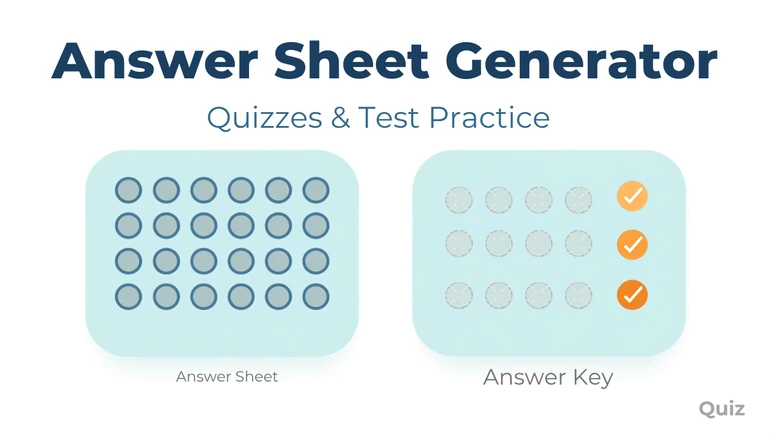
Build printable bubble or box answer sheets from 1 to 200 questions, with an optional Student ID grid, scrambled A/B/C versions, and a matching teacher key.
Match The Sheet To The Actual Problem
A quiz that leaves space on the question paper for an answer works fine until a class runs into one of a few specific problems a plain page can't solve. If a class needs a bubble format that matches what a real standardized test looks like, that's a layout problem. If a stack of finished sheets needs to make it back to the right student without a name scrawled at the top getting lost, that's a sorting problem. If the student sitting next to another one shouldn't be able to glance over and see the same answer key, that's a security problem. The Answer Sheet Generator is built to answer all three from the same form, along with the more mundane version of the same idea: printing one small answer sheet instead of a full answer-writing space on every quiz, which adds up in paper over a school year.
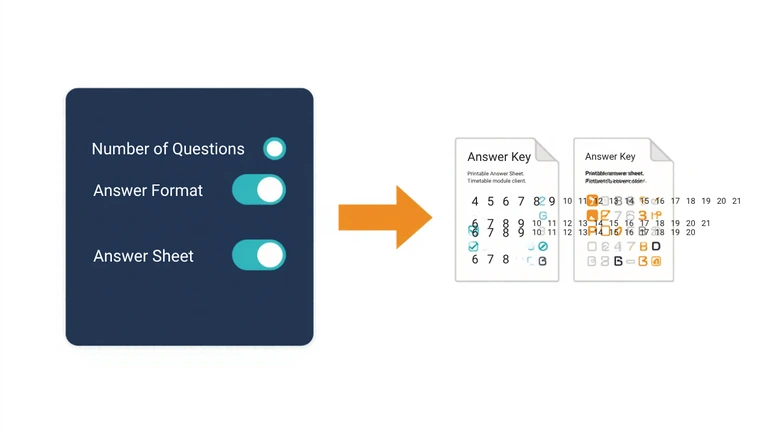
Question count runs from 1 to 200, and the format is A–D, A–E, or True/False, matched by a marking style of either circular bubbles or square boxes — boxes tend to be easier for younger students to mark cleanly than small circles. An optional Student ID grid (5, 6, 8, or 10 digits) solves the sorting problem, and an optional custom instruction line — up to 50 characters, something like "Use a No. 2 pencil only" — prints directly on the sheet. Paper size (A4 or Letter), orientation, and spacing (standard or compact) round out the layout, and a two-per-page option adds a cutting guide between two identical copies when the sheet is short enough to fit twice on one page — for a longer sheet at standard spacing, it prints one sheet per page instead and says so on the download. Switching to compact spacing raises that cutoff, since tighter rows leave room for more of them on the same page.
Generating Versions A, B, and C solves the security problem without touching the layout at all — nothing gets reordered on the printed grid, since a bubble sheet only ever shows numbered circles or boxes, not the questions themselves. What differs between versions is the answer key: each non-A version gets its own random mapping of which bubble position is correct for a given question, so a glance at a neighbor's marked sheet on a different version doesn't reveal anything useful, since the correct positions don't line up. It's a real deterrent against casual copying, not a way to give different students different questions.
Where the Different Options Earn Their Place
Bubble-sheet practice matters most right before an actual standardized test, since a student can know the content cold and still lose time fumbling with an unfamiliar format under pressure — running a few practice rounds with the same structure the real test uses (same format, same marking style, same Student ID setup if the real test has one) shifts that friction to before test day instead of during it. The scrambled-version option is worth using specifically for a large exam given in a packed room, where the temptation to glance sideways is highest. For an everyday weekly quiz, none of that matters much — building one plain sheet sized to the usual question count and reusing the same format every week is the entire point. A True/False format works well as a fast comprehension check that needs almost no setup. And a Student ID grid plus two-per-page layout together make the most sense on a grade-level test day, where a large stack of sheets needs to be printed economically and sorted back to specific students afterward.
When the Answer Key Has No Answers Yet
The key isn't skipped just because the actual answers haven't been filled in — building a sheet without entering any correct answers still produces a full key download, but it's clearly labeled as a blank master grid meant for hand-marking rather than showing an unexplained empty page. That matters for a teacher who wants to print a class set before the real answer key is finalized, or who plans to mark against a paper original rather than typing every correct answer into the tool ahead of time. Once the answers are entered and the sheet is regenerated, the same key fills in normally.
What This Doesn't Do
This builds the answer sheet and its key — it doesn't write the quiz questions. A Question Generator is the natural companion for the actual question content, and for a lower-stakes check that doesn't need a formal bubble format at all, an Assessment Worksheet Generator is usually a better fit. Before printing a full class set, it's worth double-checking the question count and version count against the real assessment — a mismatch between a sheet and its key makes grading unreliable, and that's the kind of error that's obvious only after the fact.
A typical weekly-quiz setup might read: 25 questions · A–D · Circular Bubbles · no Student ID grid. A grade-level standardized-test practice round, by contrast, might read: 40 questions · A–D · Circular Bubbles · 8-digit Student ID · Versions A, B, and C. Same tool, same fields — the settings just shift to match what the moment actually needs.
Privacy
A Student ID grid should use a school-assigned student number, not a Social Security number or any other sensitive identifier — a short school ID is enough to sort and match sheets. Completed answer sheets are a school record like any other graded work: store them securely, and don't leave individual results where people without a reason to see them can.
FAQ
How many questions can one sheet support?
From 1 to 200 questions, which covers a short pop quiz through a long standardized-style test.
Do the scrambled versions change the questions, or just the answer key?
Just the answer key. The printed bubble grid is identical across every version — only which position counts as correct changes, so a neighbor's marks on a different version won't line up with the real answers.
Is a Student ID grid required?
No. It's useful for a larger group or when sheets get sorted after collection, and unnecessary for a small class a teacher already knows by name.
Will two-per-page always fit?
Only when the sheet is short enough — a longer question count at standard spacing won't fit twice on one page, and the download will say so and print one sheet per page instead. Compact spacing fits more questions into the same two-up layout, so it's worth trying before switching back to one sheet per page.
Bubbles or boxes — does it matter which?
Mostly a matter of the students marking them. Square boxes tend to be easier for younger students to mark cleanly and consistently than small circular bubbles.
What happens if I generate a sheet before entering the correct answers?
The sheet and its key both still download. The key page says plainly that no answers were entered, so it reads as a blank master grid for hand-marking rather than looking like an unfinished or broken download.
The Sheet Is Supposed to Disappear
A good answer sheet works best when nobody notices it — students mark it without thinking about the format, and the key lines up cleanly with what was marked so grading doesn't become its own separate task. Getting there for a real standardized-style test takes practice with the mechanics themselves, not just the content; getting there for an ordinary weekly quiz just takes a sheet that's already sorted out before the questions are even finished.
 This article is about
Answer Sheet Generator
Open the tool
This article is about
Answer Sheet Generator
Open the tool