Checks word, character (with or without whitespace), and paragraph counts as text is pasted — paragraph count depends on blank lines, not just line breaks.
Words, Characters, And Bytes Aren't The Same Number
"At least 500 words." "Under 250 characters." "Keep it under 200 bytes for this field." Three length rules that sound almost interchangeable produce three different numbers on the same piece of writing, and the usual way to check any of them is reopening a full word processor just to look. The Word Counter gives all three at once as text is pasted or typed, which removes the guesswork without requiring anything more than a browser tab. The count updates automatically a moment after typing stops, so there's no separate button to press mid-draft — paste in a block of text, keep editing, and the numbers catch up within about half a second.
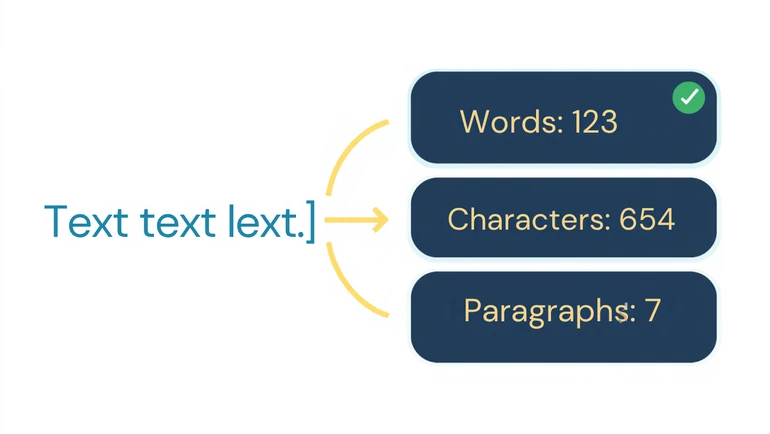
A word is any sequence of characters separated by whitespace — punctuation attached to a word doesn't split it into two, so "end." still counts as one word. A quick concrete example: the sentence "Don't stop the presses!" comes out to four words, twenty-three characters with spaces included, and twenty once spaces are stripped out — the apostrophe in "Don't" and the exclamation mark on "presses!" stay attached to their words rather than being counted as separate tokens, which is the same rule that keeps a sentence's closing period from being treated as its own word. Character count is available two ways: with whitespace included, and with it excluded — and the exclusion strips every kind of whitespace, not just spaces, so tabs and line breaks are removed too before that second count runs. Paragraph count works by counting genuine blank-line breaks in the pasted text, not single line breaks or visual indentation — a draft pasted with a single line break between paragraphs, and no blank line, will show as one paragraph even if it visually reads as several.
The third number, bytes, is where the three stop tracking together. For plain English writing, the byte count and the character count usually sit close, since an ordinary letter, digit, or punctuation mark typically takes up a single byte in the underlying text encoding. That stops holding once accented letters, symbols, or non-Latin scripts show up: a word like "café" is four characters but five bytes, because the accented "é" needs two bytes to store rather than one, and a line written in Arabic, Chinese, or Cyrillic script runs heavier still, byte for byte, than the same number of characters in plain English. This matters specifically for a length limit defined in bytes rather than characters, which some older application forms and database fields still use — a piece of writing that looks safely under a character-based limit can still get silently truncated or rejected if the byte count runs over one that isn't.
Whitespace Counts Differently Depending on Where the Limit Comes From
Some forms and requirements count spaces as characters; some explicitly don't. A strict application field is usually one or the other, and it's worth checking which before trusting a number against a hard cutoff — toggling whitespace on or off here checks it directly rather than leaving it to be assumed.
Where This Gets Used
An essay that needs to hit a minimum word count gets checked, then the writer goes back through looking for a point that was stated but not developed — genuinely expanding a thin section rather than adding filler sentences a reader will notice. A scholarship or application question with a strict character limit gets trimmed sentence by sentence against the exact count, rather than discovering the cutoff only once the application form itself truncates the answer mid-sentence. A cover letter or discussion-board post with a stated word range, say 250 to 300 words, gets checked before it's submitted, since coming in short reads as underprepared and running long risks being skimmed or cut off. A five-paragraph essay that's been through several rounds of editing gets a quick paragraph-count check to confirm the structure survived — catching a case where two paragraphs merged, or a break was lost, before it's submitted. A teacher spot-checking a stack of submissions for length gets a consistent count regardless of what software each student wrote in, rather than trusting whatever count a word processor reports from a format that may not have transferred cleanly.
Checking, Not Writing To a Number
A word or character count confirms a mechanical requirement is met — it says nothing about whether the writing itself is good at that length. Length-checking works best as a final step after a genuine draft and revision pass, not as the target driving what gets written from the first sentence.
Trimming against a hard limit in practice: a 680-character scholarship answer needs to fit a 650-character field. Cutting "In my opinion, I personally believe that" (40 characters) down to "I believe" (9 characters) saves 31 characters in one edit — checking the count after each cut like that gets a response to the exact limit faster than guessing at how much to remove all at once.
Privacy
Only paste text that's actually appropriate to check this way — a student's own writing or draft, not another person's private correspondence or writing that isn't theirs to share, even for a quick length check.
FAQ
Does the character count include spaces?
Both counts are available — one including all whitespace, one with it removed — since different forms count length differently.
How is a paragraph counted?
By genuine blank-line breaks in the pasted text. A draft using single line breaks between sections, with no blank line, will count as one paragraph even if it reads as several.
Why is the byte size sometimes larger than the character count?
Because some characters take up more than one byte to store. Accented letters and characters from non-Latin scripts are the usual cause — plain English text without any of those will typically show a byte count very close to its character count.
Is there a maximum amount of text that can be checked?
No length cap is enforced — paste a short answer or a full draft and the count updates the same way either time.
Should length be checked before writing or after?
After, generally. Checking as a final step avoids padding or cutting content mid-draft just to chase a number before the writing itself is finished.
Is this useful for anything besides essays?
Yes — application responses, scholarship essays, and any writing task with a stated length requirement all work the same way.
The Least Interesting Part, Handled Fast
A length requirement is one of the less interesting parts of any assignment, but missing it — too short, too long, or over a hard limit — can undercut writing that's otherwise genuinely strong. A quick, reliable count turns that check from last-minute guesswork into two seconds, leaving the actual writing to be judged on what it says.
 This article is about
Word Counter and Character Counter for Essays and Assignments
Open the tool
This article is about
Word Counter and Character Counter for Essays and Assignments
Open the tool