The plan has no memory between one generation and the next — what that means for keeping a real week's schedule on track, and how to use it well.
Every Plan Starts From Zero
A Study Planner Generator that builds a weekly schedule from subjects, available hours, and a stated goal is genuinely useful for turning a vague intention to "study more" into an actual day-by-day structure. What's easy to miss is that each time it runs, it builds that structure from nothing but what's typed into the form in that moment — it doesn't know what plan was generated yesterday, what actually got studied, or what's already been covered. There's no running history behind it. That's not a flaw so much as something worth understanding before relying on it across an entire week, not just for one plan.
What Happens When The Week Doesn't Go As Scheduled
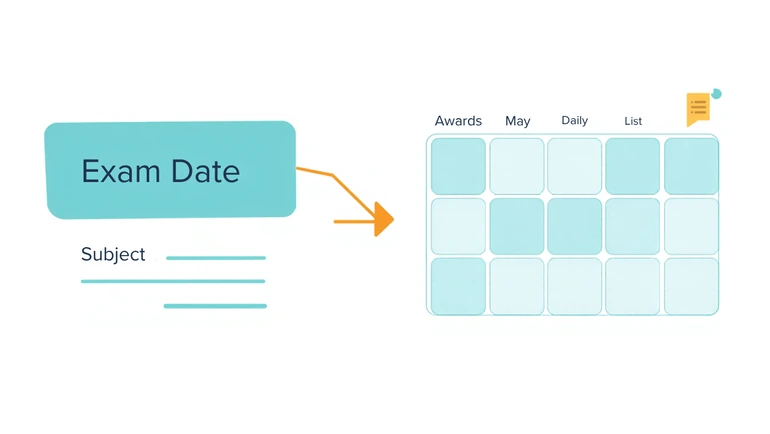
A scheduled Tuesday session gets skipped — a late practice, a rough day, whatever the reason. If a new plan is generated on Wednesday using the same subjects and hours as before, it has no way of knowing Tuesday's session didn't happen. It will schedule Wednesday onward as if the week were starting fresh, not as if there's now a specific gap to make up. Carrying that forward is entirely on the student, not something the tool tracks on its own.
Using Notes As The Only Channel Between One Plan And The Next
The optional notes field, up to 500 characters, is the one place information can actually carry over from one generation to the next — because nothing else does. Writing something specific there each time a plan is regenerated — "already covered chapters 1 through 3, need 4 through 6 this week," "missed Tuesday's session, extra time on that subject would help," "math exam moved up to Thursday" — is what turns a fresh plan into one that actually builds on where the week really stands, rather than repeating ground already covered or missing a new constraint entirely. Treating this field as disposable or leaving it blank on a regeneration throws away the only continuity the tool has to work with.
When To Regenerate Completely Versus Adjust By Hand
Not every disruption calls for a brand-new plan. A single missed session is usually simpler to just handle directly — study that material whenever there's time, without regenerating the whole week around one gap. A genuine shift in the situation is different: a pop quiz just got announced, a subject that felt manageable suddenly needs urgent attention, or the actual goal has changed entirely, from steady general review to exam-driven prioritization for one specific class. That kind of change reshapes how time should be distributed across every subject, not just one day, and is worth a full regeneration with the new goal, subjects, and notes reflecting the real situation rather than the one from a few days ago.
A Practical Habit: Regenerate Once, Deliberately, Each Week
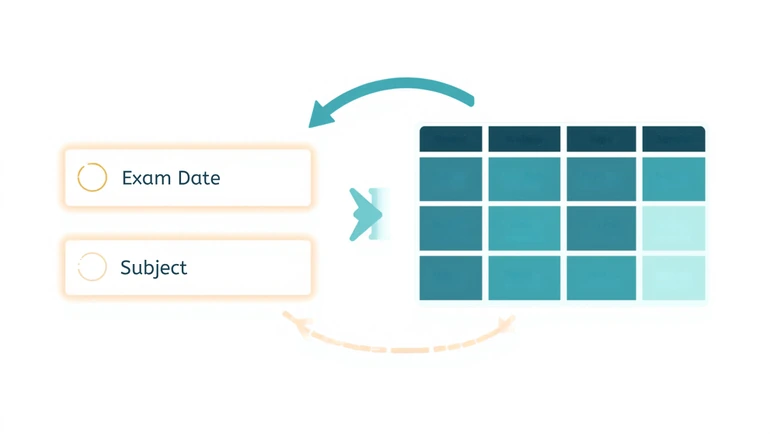
Rather than treating an initial plan as something that updates itself, or regenerating reactively every time something shifts, it tends to work better to sit down once at the start of each week, fold whatever's left over from the previous week into the notes field, and generate a plan meant to hold for the week ahead. Small day-to-day slips get handled manually as they come up; a full regeneration is reserved for when the actual situation — subjects, urgency, or goal — has genuinely changed enough to warrant rebuilding the whole distribution. For estimating how much time a specific reading assignment inside the plan will realistically take before entering hours, a Reading Time Calculator can make the hours entered more accurate than a guess.
For Math, Science, and English, 2 hours a day, 5 days a week, Exam Preparation as the goal, the first few days of a generated plan might look roughly like this:
- Monday: 1 hour Math (practice problems, upcoming test), 1 hour Science (review notes)
- Tuesday: 1.5 hours Math (continued focus, test is closer), 30 minutes English (reading)
- Wednesday: 1 hour Science (lab review), 1 hour English (essay draft)
Math gets more time than the others because the notes field mentioned a test coming up — switching the goal to General Learning with the same subjects and hours would spread that time more evenly instead of front-loading one subject.
Privacy For Study Plans
A study plan built around subjects and available time doesn't usually require personal information beyond a student's own schedule. If the notes field is used to mention a personal constraint — a job, an appointment, a family situation — keeping the description general is enough for the plan to account for it without needing to record more detail than the schedule actually requires.
FAQ
Does the plan remember what was studied last week?
No. Each plan is generated fresh from whatever is currently entered in the form — subjects, hours, days, goal, level, and notes. There's no saved history from a previous plan to build on automatically.
If a scheduled session gets skipped, will the next plan account for that?
Only if it's mentioned directly — in the notes field, or by adjusting the subjects and hours to reflect what's actually left to cover. The tool has no way of knowing a session was missed unless it's told.
Can small changes be made without regenerating the whole plan?
Not really — there's no partial-edit mode. A small update, like extra time for one subject, means generating a new plan with the updated inputs rather than editing the existing one directly.
Is there a way to track progress across several weeks?
Not built into the tool itself. Keeping a short running note of what's been covered — reused and updated in the notes field each time a new plan is generated — is the practical way to carry that continuity forward.
Is it worth regenerating every single day?
Usually not. A single day's disruption is often easier to handle by adjusting that day directly. Regenerating the whole plan is more useful when something has genuinely changed — a new deadline, a shift in goal, or a subject that's suddenly become more urgent than the rest.
Final Thought
A study plan that starts over every time it's generated isn't a downside as long as that's understood going in. The plan itself provides the structure; keeping it actually connected to how the week is really going — through what gets typed into notes, and a deliberate choice about when to rebuild versus adjust by hand — is what turns a fresh schedule each time into something that tracks real progress instead of repeating the same week on a loop.
 This article is about
Study Planner Generator with AI
Open the tool