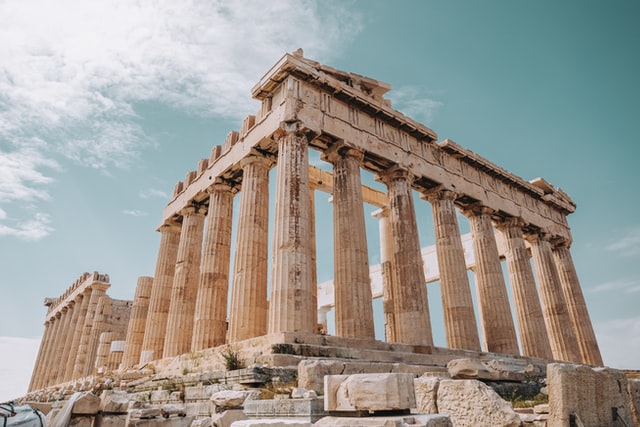

Flip images horizontally or vertically for school projects, worksheets, presentations, posters, social media graphics, and simple design work.
When An Image Faces The Wrong Way
A student may take a photo for a science project and later realize the image looks reversed. A teacher preparing a worksheet may need an arrow, diagram, or classroom visual to face the opposite direction. A beginner designer creating a poster may have the right image, but the layout works better if the subject faces inward instead of outward. These are small image problems, but they can slow down school work, lesson preparation, and simple design tasks.
The Flip Image tool solves that exact problem. It lets you flip an image horizontally or vertically so the visual fits your assignment, presentation, worksheet, poster, or online graphic. You do not need advanced editing software for this kind of task. In many everyday situations, you simply need to mirror the image, preview the result, and continue your work.
This is especially useful for students and teachers because school visuals often come from many sources: phone photos, screenshots, scanned notes, diagrams, downloaded learning resources, project pictures, or classroom media. A quick flip can make those images easier to use without changing the whole design. If the image also needs a different size, the Image Resizer can help after the direction is corrected.
What Does Flipping An Image Mean?
Flipping an image means reversing it across an axis. A horizontal flip mirrors the image from left to right. A vertical flip turns it from top to bottom. The image content remains the same, but its direction changes. This can be useful when an object, person, arrow, layout, or diagram needs to face another way.
For example, if a student has a picture of a hand pointing right but the project layout needs it to point left, a horizontal flip fixes the direction. If a scanned image appears upside down or needs a different visual orientation, a vertical flip may help prepare it for the final page. The task sounds simple, but it can make a big difference in how clean and intentional the final work looks.
Unlike rotating, flipping does not turn the image by degrees. Rotation changes the angle. Flipping mirrors the direction. If you need to turn an image sideways or upside down by angle, the Rotate Image tool may be more suitable. If you need to mirror the image direction, this Flip Image tool is the correct choice.
How Students Use A Flip Image Tool
Students often work with images in reports, slides, digital portfolios, posters, and project boards. Sometimes the image direction does not match the layout. A photo may look better if the person faces the title. A diagram may need to point toward an explanation. A classroom screenshot may need to be mirrored for a design example.
Imagine a student preparing a history presentation. The slide has a text block on the left and an image on the right. The person in the image is looking away from the content, making the slide feel disconnected. By flipping the image horizontally, the subject faces the explanation. The slide immediately feels more balanced, even though the student only made one simple change.
This kind of adjustment helps students create work that feels more polished. It is not about over-designing the assignment. It is about making the visual support the message. A flipped image can guide attention, improve balance, and make a presentation or poster easier to understand. Students working with larger visuals may also find the Image Enlarger classroom use case useful when a small image needs more readable size.
How Teachers Use Image Flipping In Classroom Materials
Teachers prepare worksheets, slides, posters, classroom displays, and digital activities all the time. Small image direction issues appear often. An arrow points the wrong way. A diagram does not fit the worksheet layout. A classroom icon needs to face a question box. A picture in a slide looks awkward because it pulls attention away from the main explanation.
A teacher preparing a worksheet for younger students may use icons to guide reading direction. If an arrow points away from the task, students may get confused. Flipping the arrow makes the instruction clearer. A teacher building a matching activity may also flip images so objects face each other or fit neatly into two columns.
For slides, image direction can affect classroom attention. If a visual faces the edge of the slide, the viewer's eye may move away from the lesson content. Flipping the image so it faces the text can make the slide feel more natural. These small design choices help lessons feel clearer without requiring advanced design work. For broader classroom visual preparation, teachers may also use the Image Converter when files need to move between JPG, PNG, WEBP, and other formats.
Real Classroom Example: Fixing A Worksheet Visual
A teacher is preparing a worksheet for a lesson on directions and movement. The worksheet includes a small character, several arrows, and spaces where students write instructions. The teacher finds a good character image, but the character faces away from the arrows. On the worksheet, this makes the activity feel slightly confusing because the character appears to be moving in the wrong direction.
Instead of searching for another image, the teacher uses the Flip Image tool. A quick horizontal flip makes the character face the right way. Now the image matches the movement arrows, and the worksheet feels clearer. Students can focus on the task instead of trying to understand why the visual does not match the instruction.
This is a simple example, but it shows why image flipping matters in real classroom work. Teachers are not always trying to create perfect artwork. They are trying to prepare clear, usable materials quickly. A small image adjustment can remove confusion and make the learning activity smoother. Similar small fixes are discussed in classroom creativity and efficiency with online tools, where simple tools support everyday classroom productivity.
Flipping Images For Presentations And Slides
Presentation design often depends on visual direction. If a person, object, or icon faces away from the text, the slide can feel unbalanced. If a diagram points in the wrong direction, the explanation may feel harder to follow. Flipping images helps users control the direction of attention.
Students can use this when creating class presentations. Teachers can use it when preparing lecture slides. Clubs and school teams can use it for event decks or announcements. A flipped image can make a slide look cleaner because the visual and text work together instead of competing.
After flipping an image, users may also need to resize or compress it. The Image Resizer can help fit the image into a specific layout, while the Image Compressor can reduce file size before uploading or sharing the final presentation. If a presentation contains oversized images, resize images without losing quality can also help users understand why image size and clarity matter.
Flipping Images For Posters, Flyers, And Social Media
Posters and social media graphics often need images to face a certain direction. A school event flyer may look better when a subject faces the event title. A student club post may need icons to point toward the date or call-to-action. A classroom announcement may need a graphic to balance the text area.
For example, a school club may create a debate competition poster. The microphone image looks good, but it points away from the event name. Flipping the image horizontally makes it point toward the title, creating a stronger layout. The change is small, but the design feels more intentional.
This is helpful for beginner designers because they can improve composition without learning complex software. A flip tool gives them a fast way to test which direction looks better. If the final file format is not suitable, the Image Converter can help convert it to JPG, PNG, or another usable format. For file-size preparation after design work, the significance of image compression explains why compression can matter before upload or sharing.
Common Image Problems This Tool Solves
- Photos facing the wrong direction in school presentations.
- Arrows or icons pointing away from worksheet instructions.
- Diagrams that need to match a classroom layout.
- Poster images that look better facing toward the title.
- Social media graphics that need better visual balance.
- Scanned images or screenshots that need mirrored direction.
- Project visuals that need a quick left-right or top-bottom flip.
Comparison: Flip Image Tool Vs Manual Editing
| Need | ClassTools24 Flip Image Tool | Full Editing Software |
|---|---|---|
| Simple image mirroring | Focused on quick horizontal and vertical flipping. | Often includes many tools that are unnecessary for one small task. |
| Student assignments | Easy for students to use without design experience. | May take longer to open, learn, or access on school devices. |
| Teacher worksheets | Useful for fast classroom material preparation. | Can slow down lesson planning when only one image needs fixing. |
| Device access | Works well for quick browser-based workflows. | May require installation, account access, or stronger computers. |
| Related workflow | Works naturally with resize, compress, rotate, and convert tools. | Users may still need separate export or compression steps. |
Related use cases

Flip Image for School Assignments and Projects
Learn how students and teachers can use the Flip Image tool for assignments, project boards, worksheets, slides, posters, and classroom visuals when an image faces the wrong direction or doe...
Read use case
Flip Images for Students, Teachers, and School Projects
Learn how students and teachers can flip images for assignments, lesson slides, worksheets, posters, portfolios, and other school projects.
Read use caseHow To Flip An Image
- Upload the image you want to flip.
- Choose horizontal flip or vertical flip based on your layout need.
- Preview the flipped result.
- Download the image when it looks correct.
- Use it in your assignment, worksheet, slide, poster, or social media graphic.
Best Practice Tips
Before flipping an image, think about the purpose of the visual. If the image includes text, a horizontal flip may reverse the words and make them unreadable. For diagrams, labels, screenshots, or signs, check the result carefully before using it in a final project.
Use image flipping to support the layout, not just for decoration. A flipped image is most useful when it improves direction, balance, or clarity. If the original direction already works well, there may be no reason to change it.
For school work, always preview the final image inside the actual assignment or slide. An image may look correct by itself but feel different when placed beside text, headings, or other visuals. Checking it in context helps avoid layout mistakes. If the final image needs a different size afterward, the Image Resizer is a natural next step.
Why Simple Image Tools Help School Work
Students and teachers often need small image fixes, not full design software. A simple flip tool saves time because it focuses on one task. It helps users prepare clearer visuals without installing programs, creating accounts, or learning complex editing panels.
This matters in real school environments. A teacher may be preparing a worksheet between classes. A student may be finishing a project on a shared laptop. A club member may be creating an event graphic from a phone or Chromebook. In each case, a direct browser tool is easier than opening a full editor.
Simple tools also make students more independent. They can fix image direction, then use related tools such as the Image Resizer, Image Compressor, or Image Converter to complete the rest of the workflow. For more practical image workflow ideas, see understanding images and their storage.
Frequently Asked Questions
Can I flip an image horizontally?
Yes. A horizontal flip mirrors the image from left to right, which is useful when a subject, arrow, object, or layout needs to face the opposite direction.
Can I flip an image vertically?
Yes. A vertical flip reverses the image from top to bottom. This can help with certain scanned images, design layouts, or mirrored visual effects.
Is flipping the same as rotating?
No. Flipping mirrors the image direction, while rotating turns the image by an angle. If you need angle rotation, use the Rotate Image tool.
Will text inside the image become reversed?
Yes, text inside an image may become reversed after a horizontal flip. Always preview images with labels, signs, or screenshots before using them.
Can teachers use this for worksheets and slides?
Yes. Teachers can flip icons, diagrams, photos, and classroom visuals so they better match worksheet instructions, slide layouts, or classroom displays.
Final Thought
The Flip Image tool is useful because visual direction affects how people read and understand a design. A small change can make a worksheet clearer, a slide more balanced, or a poster easier to follow. For students, teachers, and beginner designers, flipping an image is a quick way to make visual work feel more intentional and easier to use. When needed, users can continue the same workflow with the Image Resizer, Image Compressor, Image Converter, or Rotate Image tool.


