Reduce CSS file size for student websites, classroom projects, prototypes, and production pages
A beginner developer finishes a school website and opens its CSS file. The stylesheet contains hundreds of blank spaces, line breaks, comments, and carefully indented rules. That formatting makes the code easier to study, but it also adds characters the browser does not need when downloading and applying the styles.
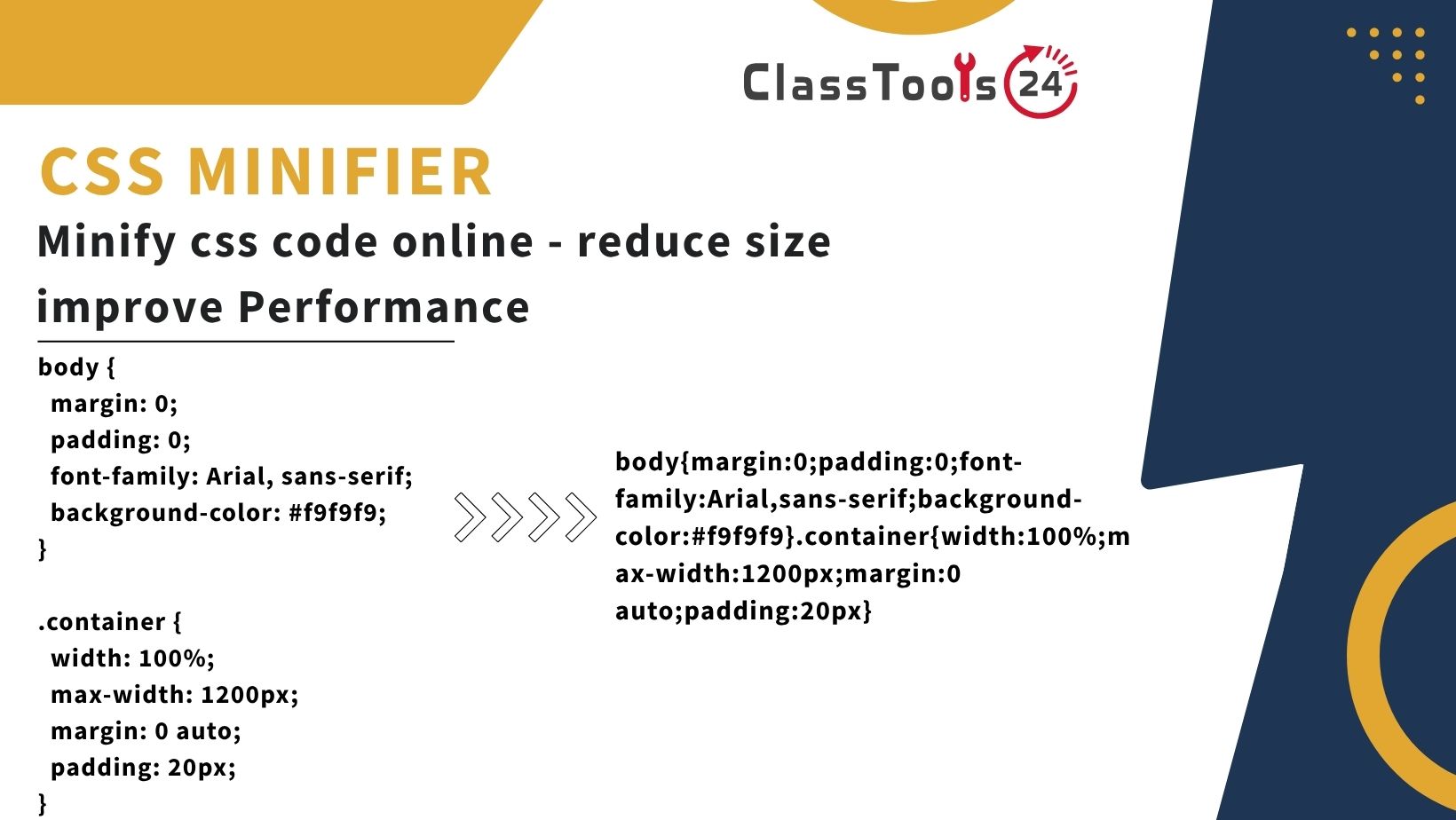
A CSS minifier creates a compact version of the stylesheet by removing unnecessary formatting. A readable development file might occupy several lines, while its minified copy places the same rules into a much shorter form. This can reduce transfer size and is useful when preparing a completed website for publication.
Minification does not repair invalid CSS, improve weak design, remove unused selectors, or guarantee a fast website. It handles one focused task: reducing unnecessary characters while preserving the stylesheet's intended behavior.
Students and beginner developers should keep the readable source file. The minified version is normally used for deployment, while the formatted original remains the version used for lessons, debugging, editing, and future revisions.
What CSS Minification Changes
CSS is often written with indentation and line breaks so people can understand its structure:
/* Main navigation */
.site-nav {
  display: flex;
  align-items: center;
  gap: 1rem;
  background-color: #1f3a5f;
}

.site-nav a {
  color: #ffffff;
  text-decoration: none;
}
A minified version may look similar to this:
.site-nav{display:flex;align-items:center;gap:1rem;background-color:#1f3a5f}.site-nav a{color:#fff;text-decoration:none}The browser does not require most of the original spaces, indentation, comments, or line breaks. Removing them creates a smaller stylesheet. A minifier may also shorten values when a shorter equivalent is safe, such as changing #ffffff to #fff.
The visual result should remain the same. However, every minified file should be tested because invalid source code, unusual syntax, custom build requirements, or a minifier defect can produce unexpected output.
What a CSS Minifier Does Not Do
Minification is sometimes confused with several related optimization tasks. It is important to separate them.
- It does not identify every unused selector.
- It does not automatically improve color contrast or accessibility.
- It does not make an unresponsive layout mobile-friendly.
- It does not fix incorrect braces, property names, or values.
- It does not combine every external stylesheet automatically.
- It does not optimize images, fonts, JavaScript, or server settings.
- It does not protect CSS from being viewed or copied.
- It does not replace browser testing.
A stylesheet with repeated rules, oversized background images, unnecessary font files, or blocking requests can still cause performance problems after minification. The compact file is one part of a broader website review.
How to Minify CSS
- Open the readable stylesheet. Use the development version containing normal formatting and meaningful organization.
- Save a backup. Keep the original CSS file before creating a compact copy.
- Validate and test the source. Confirm that the webpage looks correct before minification.
- Copy the CSS. Select the complete stylesheet rather than one incomplete section.
- Paste it into the CSS Minifier. Check that the beginning and end of the code were included.
- Run the minification. Allow the tool to remove unnecessary characters.
- Copy or download the result. Save it as a separate file such as
styles.min.css. - Update the test page. Change the stylesheet reference to the minified file.
- Test the full website. Review pages, screen sizes, interactions, print styles, and special states.
- Publish only after checking. Keep the readable source file available for future editing.
How This Fits Into a Real Development Workflow
Minification should happen near the end of a development cycle, not every time a student changes one color or margin.
- Write readable CSS with clear formatting.
- Test the page structure and design.
- Check desktop, tablet, and mobile layouts.
- Review focus states, contrast, text size, and keyboard use.
- Remove confirmed duplicate or obsolete rules carefully.
- Use the CSS Beautifier if inherited or copied code is difficult to read.
- Create a minified production copy.
- Reference the minified file on a test version of the website.
- Clear the relevant cache and reload the page.
- Compare the final result with the original design.
- Publish the tested files.
The readable source might remain styles.css, while the deployed copy is named styles.min.css. This naming convention makes the purpose of each file clear.
Real Use Cases
1. Publishing a Student Portfolio
A web-design student creates a portfolio containing an introduction, project gallery, contact section, and responsive navigation. The CSS is carefully formatted and contains comments describing each section.
Before publication, the student saves the readable file in the project source and creates a minified copy for the live website. The student then checks every page at several screen widths.
The portfolio uses a smaller production stylesheet, while the original remains understandable when the student adds another project later.
2. Preparing a Classroom Website
A teacher maintains a small class website containing weekly topics, homework links, classroom expectations, and downloadable resources. Several layout improvements have caused the stylesheet to grow.
After testing the updated design, the teacher minifies a copy for publication. The teacher does not delete the formatted source because future timetable and color changes must still be made safely.
The live page receives compact CSS, and maintenance continues in the readable file.
3. Comparing File Sizes in a Coding Lesson
A computing teacher wants students to understand why production assets may look different from source code. Students record the size of a formatted stylesheet, minify it, and compare the new size.
They then inspect both files and list which characters disappeared. The teacher asks whether the design changed and why browsers do not need indentation.
This activity teaches the difference between formatting for human readers and data prepared for efficient transfer.
4. Optimizing a Beginner Web Application
A beginner developer builds a small quiz application using HTML, CSS, and JavaScript. The project contains separate readable files during development.
When preparing a demonstration, the developer minifies the CSS and uses the JavaScript Minifier for a tested production copy of the script. The HTML, styling, and behavior are tested together after both changes.
The developer keeps source files under clear names and avoids editing minified code directly.
5. Reducing Repeated Code in Email Experiments
A student experiments with an HTML email template that contains a compact embedded style block. Space is limited, but email-client support varies considerably.
The student tests the readable template first, minifies only the supported CSS, and sends private test messages to different clients. The student does not assume that minification solves email compatibility problems.
The result demonstrates that smaller CSS and compatible CSS are separate concerns.
6. Preparing Files for a Coding Competition
A student team builds a website during a school competition. Near the deadline, they want to reduce production files without making the source impossible to edit.
The team freezes a tested source version, creates a minified stylesheet, and confirms that navigation, forms, images, and responsive layouts still work.
They submit or deploy the intended production files while retaining the readable project for judging, explanation, and later improvement.
7. Learning to Inspect Production Websites
Students sometimes open a website's developer tools and encounter one long line of CSS. They may assume the file was originally written that way.
A teacher provides a short minified sample and asks students to process it with the CSS Beautifier. Students compare the minified and formatted versions and identify selectors, declarations, and media queries.
The exercise shows that minification is usually a publication step rather than a recommended writing style.
8. Updating an Existing School Project
A student returns to a website created several months earlier but finds only a minified stylesheet. Editing one long line is difficult and increases the risk of changing the wrong rule.
The student beautifies a working copy, tests it, and begins maintaining that readable version. After completing the changes, the student generates a new minified file for publication.
This workflow restores a maintainable source instead of repeatedly editing compressed code.
Formatted CSS Compared With Minified CSS
| Task | Formatted CSS | Minified CSS |
|---|---|---|
| Learning selectors and properties | Easier to read and annotate | Difficult for beginners to follow |
| Debugging a layout problem | Rules and sections are visible | One long line slows manual inspection |
| Editing the website | Suitable for ongoing work | Not recommended as the only source |
| Publishing a tested site | Contains extra formatting characters | Provides a more compact production file |
| Keeping comments | Can preserve explanations and notes | Most ordinary comments are removed |
| Finding a syntax error | Line structure helps investigation | Error location may be harder to identify |
| Version control review | Changes are easier to compare | Small edits may change a long line |
Common Problems This Solves
- A production stylesheet contains unnecessary spaces and line breaks.
- A student needs to compare development and production files.
- A small website needs a compact CSS copy for publication.
- A classroom lesson needs to demonstrate frontend optimization.
- A completed portfolio contains many comments used during development.
- A test deployment needs a production-style asset.
- A developer wants consistent
.min.cssfiles without manually deleting whitespace.
Common CSS Minification Mistakes
Deleting the Readable Source
A minified file is inconvenient to maintain. Keep the original CSS as the authoritative source and regenerate the compact copy after updates.
Minifying Invalid CSS
If the source contains an unclosed brace, broken comment, unsupported construction, or accidental text, the result may not behave correctly. Fix source errors before minification.
Testing Only the Home Page
A shared stylesheet may affect forms, articles, search results, tool pages, print layouts, and error messages. Test representative pages rather than only the first screen.
Editing the Minified File Directly
A quick production edit may later be lost when the file is regenerated. Make changes in the readable source, test them, and create a new minified copy.
Assuming Minification Removes Unused CSS
Removing spaces is different from determining whether a selector is unused. Automated removal can also be risky when class names are added dynamically by JavaScript or a content-management system.
Expecting a Large Performance Improvement From Tiny Files
Minifying a very small stylesheet may save only a small amount of data. Image size, font loading, JavaScript, server response, caching, and network conditions may have a greater effect.
Forgetting the Browser Cache
After replacing a CSS file, the browser may continue displaying a cached version. Reload carefully, clear the relevant cache, or use an appropriate versioning method during testing.
Copying Only Part of the Output
A missing closing brace or incomplete media query can break later styles. Use the complete generated result and compare the beginning and end with the source.
Testing After Minification
A successful minification should preserve the visible and interactive behavior of the website. Open the test site and inspect the following areas:
- Header, navigation, menus, and dropdown states.
- Headings, paragraphs, lists, links, and tables.
- Forms, labels, placeholders, validation messages, and buttons.
- Images, captions, cards, grids, and galleries.
- Hover, focus, active, disabled, and error states.
- Mobile, tablet, laptop, and wide-screen layouts.
- Light and dark themes when both are supported.
- Print styles and downloadable pages.
- Right-to-left language layouts when applicable.
- Animations and reduced-motion behavior.
Compare the minified version with the page that uses the original stylesheet. If a difference appears, return to the readable source and identify whether the original CSS was invalid or the compact output changed an important construction.
CSS Minification and Accessibility
Minification should not change accessibility, but it also does not create accessibility. A smaller file can still contain unreadable text, weak color contrast, missing focus indicators, content hidden from keyboard users, or layouts that fail when text is enlarged.
Before publication, test keyboard navigation and visible focus. Zoom the page, increase text size, and inspect content at narrow widths. Form fields should have real labels, and error messages should not rely only on color.
If the stylesheet includes accessibility comments that developers need, keep them in the readable source. Ordinary minification may remove comments from the production copy.
CSS Minification and Source Maps
Larger development workflows sometimes create source maps that connect compact production code with readable source files. Source maps can help browser developer tools show where a rule originated.
Beginners do not need source maps for every small project, but they should understand the idea: production files can be optimized while debugging information points back to maintainable source code.
When publishing source maps, consider whether they reveal source files or internal project details that should remain private. Follow the project's deployment requirements rather than uploading every generated file automatically.
File Naming and Project Organization
Use names that distinguish development and production files:
css/
  styles.css
  styles.min.css
  print.css
  print.min.css
Do not name several different files final.css, final-new.css, and final-fixed.css. Version control is preferable for software projects. For a simple classroom assignment, clear folder names and dated backups can still prevent confusion.
Make sure the HTML references the intended file:
<link rel="stylesheet" href="css/styles.min.css">A correct minified file will not load if the path, capitalization, filename, or extension is wrong.
Privacy and Security Considerations
CSS may contain comments, internal paths, author notes, testing addresses, or references to private development resources. Minification often removes ordinary comments, but it should not be treated as a security process.
Do not place passwords, private keys, access tokens, student records, or confidential information inside a stylesheet. Browser-delivered CSS can be downloaded and inspected by visitors whether it is formatted or minified.
Minification also does not prevent someone from copying visual styles. The browser must receive the CSS to display the page, which means the production rules remain accessible.
Related Tools for Web Projects
Use the CSS Beautifier when copied or inherited styles need readable indentation before editing. Beautify first, understand the code, make corrections, and then minify a tested copy.
The HTML Beautifier can make compressed markup easier to inspect, while the JavaScript Beautifier formats difficult script code. Formatting improves readability but does not automatically repair invalid behavior.
When the project is ready for publication, the JavaScript Minifier can prepare a compact script copy. Test the entire application after changing both CSS and JavaScript assets.
Large photographs often affect page weight more than stylesheet whitespace. Prepare them with the Image Resizer and Image Compressor, then compare appearance and file size before publication.
Final Deployment Checklist
- The readable source CSS is saved safely.
- The source stylesheet works before minification.
- The complete CSS was included in the conversion.
- The result is saved under a clear
.min.cssfilename. - The HTML points to the correct path and capitalization.
- Representative pages were tested.
- Mobile and desktop layouts still work.
- Forms, menus, focus states, and print styles were checked.
- The browser cache was refreshed during verification.
- No passwords, tokens, or private information are present.
- Images, fonts, and scripts were reviewed separately.
Final Thoughts
A CSS minifier is useful when a tested stylesheet is ready for publication. It removes formatting that helps people read the code but is unnecessary for browser interpretation. The result is a more compact production file.
The safest workflow is simple: write and maintain readable CSS, validate the design, save the source, create a separate minified copy, and test the complete website. Do not edit compressed code as the only version of the project.
Minification is one practical optimization rather than a complete performance strategy. Combine it with sensible image sizes, efficient fonts, careful JavaScript, caching, accessible design, and reliable hosting. When each part is checked independently, the finished website is easier to maintain and more dependable for its users.


