
Resources for Students
Find student-friendly resources for assignments, file preparation, images, QR codes, projects, study tasks, and digital school work.
Learning workflows for students
Practical examples for assignments, projects, study routines, presentations, and classroom submissions.

Student guides worth reading
Focused guides that help students plan, prepare, study, and submit cleaner school work.
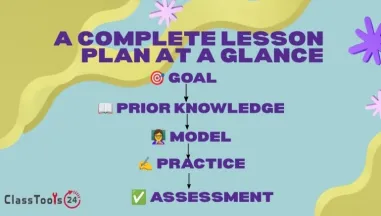
The 20-Minute Teacher: How to Write Better Lesson Plans Efficiently
Learn how teachers can create stronger lesson plans in less time by focusing on learning goals, classroom flow, student needs, and realistic checks for understanding.
Read guide
10 Effective Ways to Use PDFs in the Classroom
In education, technology plays a pivotal role in transforming traditional teaching methods. One such versatile tool that has gained prominence in recent years is the Portable Document Format[..]
Read guide
Student resources for clearer school work
Students often lose time before the real learning task even begins. A file will not upload. A photo is too large. A screenshot looks blurry. A link is hard to share. A PDF needs to be created from images. A project needs sample text, a QR code, a resized image, or a cleaner document format. These problems can feel small, but they can delay assignments, presentations, group projects, and homework submission.
This student resources page is built to help students handle those common school tasks with more confidence. It collects practical guides, use cases, and classroom tools that support assignments, projects, revision, presentations, portfolios, and beginner digital work. The goal is not to make students dependent on a tool. The goal is to help them understand the steps behind a better workflow.
A student who knows how to check a file before submitting it avoids many common mistakes. The file should open correctly. The image should be readable. The format should match the teacher’s instructions. Private details should not be visible. The final result should be previewed before it is shared. These habits are simple, but they make school work clearer and more reliable.
How students can use these resources
Start with the guides when you need help understanding a task. A guide can explain how to plan an assignment, take better notes, manage time, prepare a presentation, organize files, or use digital resources responsibly. These guides are written for real student situations, not for complicated technical reading.
Use the use cases when you want examples. A use case shows how a student might solve a problem such as converting an image, compressing a file, creating a QR code for a project, preparing a PDF, or fixing an image that is facing the wrong way. Seeing the full situation makes it easier to understand when and why a workflow is useful.
Use the classroom tools section when you already know what you need to do. If an image is too large, compress it. If a photo needs to fit a slide, resize it. If several images need to become one document, convert them to PDF. If a long link needs to be shared in a project, create a QR code. If you need practice text for layout or editing, use a paragraph or text generator carefully.
Common student problems this page helps solve
A student finishes homework on paper and photographs it, but the school platform rejects the upload because the file is too large. Another student prepares a presentation, but an image is stretched and blurry. A group project needs a QR code so classmates can open a resource quickly. A beginner developer needs sample content to test a layout. A student preparing notes wants a clearer way to organize information before an exam.
These are normal school problems. They do not mean the student has done the assignment badly. Often the issue is only format, size, layout, or organization. With the right routine, the student can fix the technical problem and return attention to the actual learning task.
A strong student workflow is simple. Create the work, name the file clearly, check the instructions, adjust the format if needed, preview the final result, and then submit or share it. This routine helps with classroom platforms, email, printed work, slides, portfolios, websites, and group projects.
Better habits for digital learning
Students should always check the final file before submission. If the file contains handwriting, make sure the writing is readable. If the file contains a face, name, login detail, school document, or private information, check whether it should be removed or hidden before sharing. If the file is for a teacher, make sure the teacher can open it without needing a special app.
Good digital habits also help with teamwork. When students share files with group members, clean file names and working links prevent confusion. A QR code can help classmates open a shared resource quickly. A compressed image can make a presentation easier to send. A PDF can keep pages together in one place.
For beginner developers and design students, these same habits support practice. Testing layouts with sample content, checking image sizes, preparing files for a website, and comparing formats are useful early skills. They make small projects look cleaner and help students understand how digital materials behave.
Helpful classroom tools for students
The Image Compressor helps when a photo or screenshot is too large to upload. The Image Resizer helps when an image needs to fit a slide, document, or project layout. JPG to PDF and PNG to PDF help students turn images into cleaner documents for submission. The QR Code Generator helps with presentations, posters, group projects, and classroom displays. The Image to Text tool can help students extract readable text from images when used responsibly and checked carefully.
These tools are most useful when students treat them as part of a careful workflow. They should not replace thinking, checking, or teacher instructions. They should help students prepare work that is readable, accessible, and easier to submit. That is the purpose of this page: to give students practical support for everyday classroom tasks without making the process more confusing.
Classroom tools that help students
Helpful tools for image preparation, PDFs, QR codes, writing checks, and assignment workflows.


