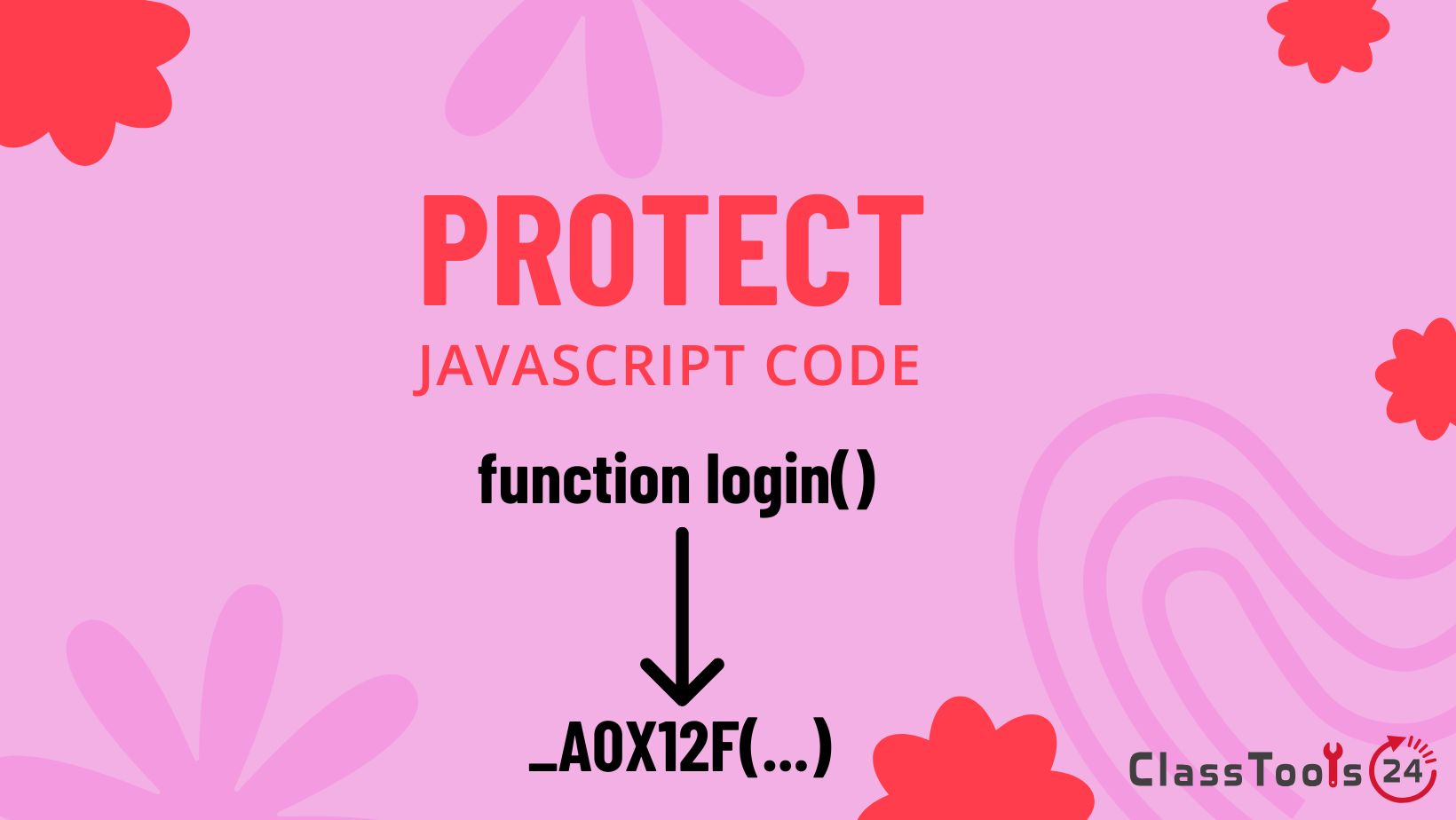
Make client-side JavaScript harder to read before sharing demos, previews, and public project files while understanding its limits.
When A Client Preview Exposes More Code Than Expected
A beginner developer finishes a small client project: a landing page, price calculator, booking form, quiz, product demo, or interactive section. The page works, and the client wants a preview link. Then the developer remembers that all browser JavaScript can be inspected. Anyone who opens developer tools can view the script, read function names, copy interaction logic, or reuse parts of the work before the project is finalized.
This is a normal concern for students, freelancers, and beginner developers. Client-side JavaScript is delivered to the browser, so it cannot be completely hidden. If the browser can run it, a determined person can inspect it. Still, there are practical ways to reduce casual copying and make public scripts harder to read. JavaScript obfuscation is one of those methods.
The JavaScript Obfuscator helps turn readable JavaScript into a harder-to-read version for public demos, client previews, and shared project files. It may rename variables, alter structure, encode strings, and make logic less obvious at a glance. It does not create true security, and it should never be used to hide passwords, private API keys, student data, or confidential client information.
This guide explains how JavaScript obfuscation fits into client work. It focuses on practical workflows: protecting demo logic from casual copying, preparing preview versions, keeping readable source files private, testing obfuscated output, and knowing when sensitive logic belongs on the server instead of inside browser code.
Why Client-Side Work Needs A Careful Sharing Process
Client work often includes more than simple page styling. A small business page may include a quote calculator. A school club page may include a form helper. A tutoring site may include a quiz. A portfolio demo may include custom animation or filtering logic. These features are often written in JavaScript, and they can represent real time, planning, and problem solving.
When a preview is shared publicly, the JavaScript becomes visible to anyone who knows where to look. That does not mean every viewer will copy it. Most clients and visitors will not inspect the source. But a beginner developer may still want to make the public version less readable, especially before final payment, approval, or handover.
Obfuscation helps with casual protection. It makes code harder to understand quickly. But it should be used honestly. It is not a substitute for contracts, backups, version control, server-side validation, access control, or secure handling of private data.
Real Use Cases
1. Sharing A Client Demo Before Final Approval
Situation: A beginner developer builds a demo page for a local business, teacher, club, or personal client.
Problem: The page includes custom JavaScript logic, and the developer does not want the readable source copied before approval.
Solution: Keep the readable source private, remove secrets, test the project, and use the JavaScript Obfuscator for the preview copy.
Result: The client can view the working demo, while the public JavaScript is less readable to casual inspection.
2. Protecting A Price Calculator
Situation: A student or beginner freelancer creates a simple pricing calculator for services, packages, printing, tutoring, or event bookings.
Problem: The calculator formula is visible in readable JavaScript. A competitor or casual viewer could copy the logic quickly.
Solution: Obfuscate the public script after testing. If the pricing rules are sensitive or high-value, move important calculation logic to a server instead of relying only on browser JavaScript.
Result: Casual copying is harder, and the developer learns where frontend protection stops.
3. Preparing A Public Portfolio Client Preview
Situation: A student wants to show a client-style project in a portfolio but does not want every line of JavaScript to be easy to reuse.
Problem: Portfolio projects are public, and readable scripts can be copied from the browser.
Solution: Keep a clean source version privately, publish an obfuscated copy, and make sure no private client details remain in the code.
Result: The project is still visible as proof of work, but the logic is less open to casual copying.
4. Sharing A Form Helper Without Exposing Internal Notes
Situation: A developer creates a JavaScript form helper that validates fields, displays messages, and guides users through a client form.
Problem: The readable code may include internal notes, unfinished labels, test values, or logic the developer does not want visible.
Solution: Clean the readable source first, remove internal comments and test values, then obfuscate the public version. Use HTML Beautifier to inspect the related form markup before sharing.
Result: The shared preview is cleaner and less revealing, while the developer keeps the maintainable source.
5. Protecting A Quiz Or Assessment Demo
Situation: A teacher, tutor, or beginner developer creates a quiz demo for a client or classroom resource.
Problem: If answers are stored plainly in JavaScript, they are easy to inspect.
Solution: Obfuscate the public demo script to reduce casual answer viewing. For real assessments or sensitive scoring, use server-side checks rather than relying on obfuscated frontend code.
Result: The demo is harder to inspect casually, and the developer understands the limit of browser-based answer hiding.
6. Preventing Early Copying During Client Review
Situation: A developer sends multiple preview links while the client is still deciding whether to continue the work.
Problem: The client or another developer could copy readable scripts from an early preview.
Solution: Share only an obfuscated preview version and keep the readable source in a private workspace. If the project is serious, support this with written terms, not only technical hiding.
Result: The developer reduces casual copying risk while keeping the business process more professional.
7. Teaching Students About Frontend Code Ownership
Situation: A teacher explains client work, intellectual effort, and frontend visibility to students learning web development.
Problem: Students may think putting code online means it is either fully protected or completely hopeless to protect.
Solution: Show readable code, obfuscated code, and then inspect the output with JavaScript Deobfuscator. Discuss what obfuscation helps and what it cannot solve.
Result: Students learn a balanced view: obfuscation can discourage casual copying, but true protection requires better project design and professional habits.
8. Keeping Development Code Readable
Situation: A beginner developer obfuscates the only copy of client JavaScript too early.
Problem: The client requests a change, but the developer now has a hard-to-read script and struggles to edit it.
Solution: Always keep the readable source copy. Use JavaScript Beautifier during development and obfuscate only a separate public copy.
Result: The developer can maintain the project professionally and regenerate obfuscated versions when needed.
How This Fits Into A Real Workflow
JavaScript obfuscation should happen near the end of a client preview workflow. It is not the first development step. Readable code is still the best format for building, debugging, and maintenance.
- Build the feature in readable JavaScript. Use clear function names, clean structure, and comments where they help future maintenance.
- Test the client feature fully. Check forms, buttons, calculators, validation, menus, filters, animations, and error messages.
- Remove private or unfinished information. Delete test data, internal comments, private URLs, API keys, personal names, and temporary values.
- Save the source privately. Keep the readable version in a safe project folder or version control system.
- Obfuscate the public copy. Use the JavaScript Obfuscator only on the script intended for sharing.
- Test the obfuscated version. Open the preview and confirm that every interaction still works.
- Prepare related assets. Use Image Compressor or Image Resizer if images make the client preview slow.
- Share with realistic expectations. Explain to yourself or students that obfuscation discourages casual reading but does not make frontend code secret.
Common Problems This Solves
- Client preview JavaScript is too easy to copy from browser tools.
- Pricing formulas or demo logic are visible in readable source code.
- Portfolio projects expose all custom frontend logic.
- Quiz or calculator answers are easy to inspect casually.
- Developers accidentally share internal notes or test values.
- Students confuse obfuscation with true security.
- Only obfuscated code is saved, making future edits difficult.
- Private API keys are mistakenly left in frontend JavaScript.
- Client demos are shared before the code is cleaned for public viewing.
- Teachers need a practical way to explain frontend code limits.
Comparison Table
| Client Work Task | Using JavaScript Obfuscator | Without Obfuscation |
|---|---|---|
| Sharing a preview demo | The public script is harder to read casually. | Readable logic can be copied quickly from browser tools. |
| Protecting calculator formulas | Formula logic is less obvious at first glance. | Pricing or scoring logic may be easy to inspect. |
| Publishing portfolio work | The project can be shown while reducing casual copying. | All client-side logic remains easy to read. |
| Maintaining the project | A readable source copy stays private for future edits. | If only obfuscated code is kept, maintenance becomes difficult. |
| Protecting secrets | Not suitable. Secrets must not be stored in frontend code. | Secrets are also exposed if placed in browser JavaScript. |
| Teaching client-side limits | Students can see both the benefit and the weakness of obfuscation. | Students may not understand how visible browser code really is. |
Quality And Trust: Obfuscation Is Not A Contract Or Security System
JavaScript obfuscation can discourage casual copying, but it should not be the only protection for client work. Serious projects need clear communication, backups, written agreement, staged delivery, access control, and server-side handling where appropriate.
Students should understand that client-side JavaScript is visible by design. If a value must remain secret, it does not belong in frontend code. If a calculation is business-critical, consider whether it belongs on a server. If a client relationship matters, professional terms and trust matter more than code appearance.
Obfuscation is most useful for preview copies, public demos, portfolio examples, and casual copy prevention. It is not a substitute for secure architecture.
Privacy And Safety Notes
The JavaScript Obfuscator does not remove private information. If the original script contains API keys, passwords, client emails, student names, classroom codes, private URLs, tokens, or confidential notes, those details may still be recoverable after obfuscation.
Before obfuscating, review the readable source carefully. Remove private data first. Do not assume that an unreadable script is safe to publish. If the project uses real accounts, payments, or sensitive forms, important logic should happen outside public browser JavaScript.
For classroom work, use fake client names, sample data, and harmless demos when teaching obfuscation.
Practical Advice For Teachers
Teachers can use client-style projects to teach both technical and professional habits. Ask students to prepare a readable source version, a cleaned public version, and an obfuscated preview version. This shows that delivery files and working files can have different purposes.
A useful discussion question is: “What information should never be in browser JavaScript, even if obfuscated?” Students should identify passwords, private API keys, personal data, payment logic, and sensitive records.
Practical Advice For Beginner Developers
Keep your source code readable. That is the version you will need when the client asks for changes. Obfuscate only a copy. After every update, return to the readable source, make the change, test it, and generate a new obfuscated version.
If you are protecting client work, do not rely only on obfuscation. Use clear project terms, avoid sharing unnecessary source files before approval, and keep private logic off the frontend when it truly matters.
Related Tools For Client Project Work
Use JavaScript Beautifier while developing and debugging readable code. Use JavaScript Obfuscator for the public preview copy. If you need to inspect obfuscated output later, JavaScript Deobfuscator can help.
Client projects often include HTML, CSS, and images. Use HTML Beautifier to review markup, CSS Beautifier to clean styles, Image Compressor to reduce large images, and Image Resizer to prepare visuals for faster previews.
FAQ
Can JavaScript Obfuscator protect client work?
It can make public frontend code harder to read casually, but it cannot fully protect JavaScript that runs in the browser.
Should I obfuscate code before sending a client preview?
You can obfuscate a cleaned preview copy after testing, but keep the readable source private for future edits.
Can obfuscation hide API keys?
No. API keys and secrets should not be stored in frontend JavaScript, even if the code is obfuscated.
Is obfuscation enough for business logic?
Not for sensitive or high-value business logic. Important checks and private calculations should usually happen on a server.
Will obfuscation stop all copying?
No. It discourages casual copying, but determined users may still inspect or deobfuscate the code.
Should I keep the readable source file?
Yes. Always keep the readable version for maintenance, debugging, client changes, and teacher review.
Can obfuscation break a client demo?
It can in some cases, so always test the obfuscated version before sharing it with a client.
Is minification the same as obfuscation?
No. Minification mainly reduces file size. Obfuscation focuses on making code harder to understand.
Can teachers use this to teach professional workflow?
Yes. It helps students learn the difference between source code, preview files, public delivery, and secure handling of private data.
What should I remove before obfuscating?
Remove test data, comments with private notes, API keys, personal information, private URLs, tokens, and anything that should not be public.
Final Thought
JavaScript Obfuscator can be useful for client work when the goal is to make public demo scripts harder to read and reduce casual copying. It gives beginner developers a practical way to prepare preview files while keeping readable source code private.
The important lesson is the limit. Obfuscation is not true security, not a contract, and not a place to hide secrets. Build readable code, clean it, keep the source, obfuscate only the public copy, test carefully, and move sensitive logic away from browser JavaScript.