Verwandeln Sie jeden Text oder jedes Dokument in schnelle Zusammenfassungen, Lernnotizen, Stichpunkte, Karteikarten oder eine Mindmap-Gliederung
KI-Zusammenfassung für Lernende: aus langen Texten lernfertige Notizen machen
Das KI-Zusammenfassungstool für Lernende macht aus einer langen Lektüre — einem Lehrbuchkapitel, einem Artikel, Vorlesungsnotizen, einem mehrseitigen Handout — eine kürzere Fassung, zugeschnitten darauf, wie Sie damit tatsächlich arbeiten wollen: als schneller Überblick, als strukturierte Lernnotizen, als Stichpunkte, als Karteikarten oder als Mindmap. Fügen Sie Text ein oder laden Sie ein Dokument hoch, wählen Sie Format, Länge und Lernniveau — und das Tool erzeugt die Zusammenfassung in Sekunden statt in den Minuten oder Stunden, die das eigene Lesen und Verdichten kostet.
Die Zusammenfassung stammt von einem kleinen KI-Modell, das auf unserem eigenen Server läuft, nicht bei einem externen KI-Dienst — nichts, was Sie einfügen oder hochladen, verlässt die Infrastruktur von ClassTools24 in Richtung eines externen KI-Anbieters.
So funktioniert es
Fügen Sie Text direkt ein oder laden Sie eine TXT-, DOCX-, DOC-, RTF-, ODT- oder PDF-Datei bis 15 MB hoch. Das Tool liest den Text — bei einem Upload wird er zuerst aus dem Dokument extrahiert — und erzeugt daraus eine Zusammenfassung, die von drei Einstellungen geprägt ist: dem Ausgabeformat, der Länge der Zusammenfassung und dem Schülerniveau. Die Eingabe ist nach der Extraktion auf etwa 8.000 Zeichen begrenzt (ungefähr 1.500–2.000 Wörter); ein längeres Dokument wird mit dem Hinweis abgelehnt, es zu kürzen oder nur den benötigten Abschnitt einzufügen, statt mittendrin still abgeschnitten zu werden.
Das Modell wird angewiesen, ausschließlich mit dem zu arbeiten, was Sie liefern — keine Fakten oder Meinungen von außen einzubringen — und Ihren Text rein als Material zum Zusammenfassen zu behandeln, selbst wenn darin etwas steht, das wie eine Anweisung klingt. So bleibt die Zusammenfassung an Ihrem tatsächlichen Ausgangstext verankert statt am Allgemeinwissen des Modells, und genau das braucht eine Lernzusammenfassung, um brauchbar zu sein.
Format, Länge und Niveau wählen
- Kurze Zusammenfassung — ein kurzer Absatz zum Kerngedanken, praktisch vor dem Unterricht oder wenn Sie nur schnell den Kern brauchen.
- Lernnotizen — eine gegliederte Aufbereitung: eine kurze Zusammenfassung, Kernkonzepte, wichtige Begriffe und Beispielprüfungsfragen, näher an dem, was Lernende selbst mitschreiben würden.
- Stichpunkte — eine überfliegbare Liste für einen schnellen Wiederholungsdurchgang.
- Karteikarten — Frage-Antwort-Paare aus dem Text, direkt fürs aktive Abfragen geeignet.
- Mindmap — eine verschachtelte Gliederung mit einem Hauptthema, Ästen und Unterpunkten, für alle, die in Zusammenhängen besser denken als in durchlaufendem Text.
Die Länge reicht von kurz (nur das Wesentliche) bis ausführlich (jeder Punkt erklärt) und verändert damit auch, wie viel das Tool überhaupt erzeugt — eine kurze Zusammenfassung ist keine gekürzte ausführliche, sondern wird von vornherein in diesem Umfang erzeugt. Das Schülerniveau — Schule, Hochschule oder Professionell — verändert die Sprache und wie viel Fachvokabular erhalten bleibt, nicht die Auswahl der Fakten.
Was Sie prüfen sollten, bevor Sie sich auf eine Zusammenfassung verlassen
Das Tool verlangt vom Modell, für jedes Format eine bestimmte Struktur einzuhalten und sich streng an das zu halten, was in Ihrem Text steht — aber nachdem das Modell geantwortet hat, prüft nichts, ob es das eine oder das andere wirklich getan hat. Es gibt keinen Faktenabgleich mit Ihrem Ausgangstext und keine Kontrolle, ob jeder Abschnitt, den ein Format verspricht, auch vorhanden ist. In der Praxis heißt das zweierlei, bevor Sie das Ergebnis für etwas Benotetes verwenden:
- Ein Detail kann wegfallen oder ungenau wiedergegeben werden. Besonders bei längeren oder dichteren Ausgangstexten kann die Zusammenfassung eine Nuance übersehen, zwei verwandte Punkte so zusammenziehen, dass eine wichtige Unterscheidung verloren geht, oder etwas leicht anders formulieren, als Ihr Text es sagt. Je weiter der Ausgangstext von einer geradlinigen Passage zu einem einzigen Thema entfernt ist, desto wahrscheinlicher wird das.
- Ein angeforderter Abschnitt kann zu knapp ausfallen oder fehlen. Lernnotizen verlangen jedes Mal eine Zusammenfassung, Kernkonzepte, Begriffe, Vorteile, Herausforderungen und Prüfungsfragen, aber das Modell lässt gelegentlich einen dieser Abschnitte aus oder gerät dabei sehr dünn — vor allem bei sehr kurzen oder ungewöhnlichen Ausgangstexten.
Behandeln Sie jede Zusammenfassung als guten ersten Entwurf, nicht als fertiges Lernmaterial: Lesen Sie sie gegen das Original, bevor Sie damit für eine Prüfung lernen, sie in einer Arbeit zitieren oder sie Lernenden als Lernhilfe geben. Das wiegt hier schwerer als bei einer einfachen Dateikonvertierung, denn erzeugt wird neuer Text und keine umformatierte Kopie dessen, was Sie eingereicht haben.
Zwei weitere reale Grenzen: Ein gescanntes oder abfotografiertes PDF ohne echte Textebene liefert keine Zusammenfassung — das Tool braucht auswählbaren Text zum Lesen, schicken Sie es also zuerst durch Image To Text und fügen Sie das Ergebnis hier ein. Und dieses Tool verarbeitet pro Anfrage ein Dokument oder einen eingefügten Textabschnitt; bei mehreren getrennten Lektüren lassen Sie jede einzeln durchlaufen.
Wann dieses Tool das richtige ist
Lernende wie Lehrkräfte haben davon etwas, nur auf unterschiedliche Weise. Wer am Abend vor einer Prüfung ein dichtes Kapitel einfügt, Lernnotizen auf dem Niveau Hochschule wählt und Kernkonzepte, Begriffe und Übungsfragen zum Durchgehen bekommt, muss nicht alles noch einmal von vorn lesen — sollte das Ergebnis aber gegen das Original prüfen, bevor er sich in der Prüfungsvorbereitung darauf verlässt. Eine Lehrkraft, die einen langen Artikel aufgibt, erzeugt eine Kurze Zusammenfassung, um einzuschätzen, ob er in die verfügbare Stunde passt, oder Stichpunkte, die sie neben dem Ausgangstext als Wiederholungshilfe austeilt — mit derselben Durchsicht, bevor das Material bei den Lernenden landet.
Gut kombinieren lässt es sich auch mit anderen Tools auf dieser Seite: Schicken Sie denselben Text durch Vocabulary Extractor, um die Fachbegriffe herauszuziehen, auf denen die Passage aufbaut, oder schauen Sie vorher in Reading Time Calculator, um zu entscheiden, ob sich bei der verfügbaren Zeit die ganze Passage lohnt oder der Einstieg über die Zusammenfassung.
So verwenden Sie das Tool
- Fügen Sie Ihren Text ein oder laden Sie eine TXT-, DOCX-, DOC-, RTF-, ODT- oder PDF-Datei hoch (bis 15 MB).
- Wählen Sie ein Ausgabeformat: Kurze Zusammenfassung, Lernnotizen, Stichpunkte, Karteikarten oder Mindmap.
- Legen Sie die Länge der Zusammenfassung fest und wählen Sie ein Schülerniveau.
- Klicken Sie auf Zusammenfassung erstellen.
- Lesen Sie das Ergebnis gegen Ihren Ausgangstext, bevor Sie es verwenden, und kopieren Sie es dann in Ihre Notizen oder Ihre Arbeit.
Datenschutz
Eingefügter Text und hochgeladene Dateien werden nur verarbeitet, um die angeforderte Zusammenfassung zu erstellen, und nicht zum Training irgendeines Modells genutzt. Hochgeladene Dateien werden innerhalb von 2 Stunden nach ihrer Erstellung automatisch gelöscht, entsprechend der Aufbewahrungsregel dieser Seite für Dateien. Die Erstellung selbst läuft auf einem Modell, das auf unserem eigenen Server gehostet wird, sodass nichts, was Sie einreichen, an einen externen KI-Dienst gesendet wird. Wie bei jedem Tool, das mit Unterrichtsmaterial umgeht: Vermeiden Sie es, Informationen einzufügen, die eine bestimmte Schülerin oder einen bestimmten Schüler identifizieren, etwa einen vollständigen Namen zusammen mit Noten oder Gesundheitsangaben.
Häufig gestellte Fragen
Ist die KI-erzeugte Zusammenfassung immer korrekt?
Das ist nicht garantiert. Sie stammt von einem KI-Modell, das ausschließlich mit dem von Ihnen gelieferten Text arbeitet, aber danach prüft nichts das Ergebnis gegen Ihre Vorlage — also kann gelegentlich ein Detail wegfallen, so verdichtet werden, dass Bedeutung verloren geht, oder etwas anders formuliert sein als im Original. Lesen Sie die Zusammenfassung immer gegen den Ausgangstext, bevor Sie sie für eine Prüfung, eine Arbeit oder irgendetwas Benotetes verwenden.
Wie lang darf der Text sein, den ich einfüge oder hochlade?
Etwa 8.000 Zeichen nach der Extraktion, ungefähr 1.500–2.000 Wörter. Längerer Text wird mit dem Hinweis abgelehnt, ihn zu kürzen, statt still abgeschnitten zu werden — teilen Sie ein langes Kapitel in Abschnitte auf und fassen Sie jeden einzeln zusammen, wenn Sie an die Grenze stoßen.
Warum hat mein PDF keine Zusammenfassung ergeben?
Die häufigste Ursache ist ein gescanntes oder abfotografiertes PDF ohne auswählbare Textebene — das Tool braucht echten Text zum Lesen, kein Bild von Text. Schicken Sie es zuerst durch Image To Text und fügen Sie den extrahierten Text dann hier ein.
Werden mein Text oder meine Datei irgendwo gespeichert?
Nein. Text und Dateien dienen nur der Erstellung der Zusammenfassung; hochgeladene Dateien werden innerhalb von 2 Stunden gelöscht, und eingefügter Text sowie die erzeugte Zusammenfassung selbst werden nicht gespeichert.
Hat dieses Tool ein niedrigeres Tageslimit als andere Tools auf der Seite?
Ja. Weil jede Zusammenfassung eine echte KI-Erstellung ist und keine schnelle Dateikonvertierung, haben dieses Tool und die anderen KI-gestützten Tools auf ClassTools24 ein niedrigeres tägliches Nutzungskontingent als die Tools zur Dokumentkonvertierung — angemeldete Konten haben dabei ein höheres Kontingent als Gäste.
Kann ich damit ein ganzes Buch oder einen langen Bericht zusammenfassen?
Nicht in einem Durchgang — die Eingabegrenze liegt bei etwa 8.000 Zeichen. Fassen Sie stattdessen Abschnitt für Abschnitt zusammen; das liefert meist auch ein fokussierteres, genaueres Ergebnis, als ein sehr langes Dokument mit vielen Themen in einer einzigen Anfrage zu verdichten.
Ähnliche Anwendungsfälle
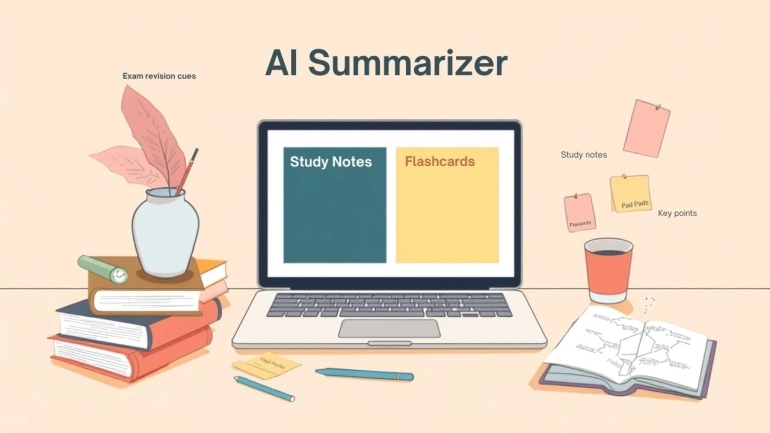
Student AI Summarizer für Lernnotizen und Prüfungsvorbereitung
Nutzen Sie den Student AI Summarizer, um lange Artikel, Kapitel, Handouts und Dokumente in Lernnotizen, Karteikarten, Stichpunkte und Mindmaps zu verwandeln.
Anwendungsfall lesen


