
Combine screenshots, diagrams, worksheets, artwork, and scanned PNG pages into one organized PDF
A student completes a worksheet on a tablet and saves each page as a PNG screenshot. The images are clear, but the school platform expects one document. Uploading eight separate files makes the assignment difficult to review, and the page order is not obvious from filenames such as Screenshot_104.png and Screenshot_105.png.
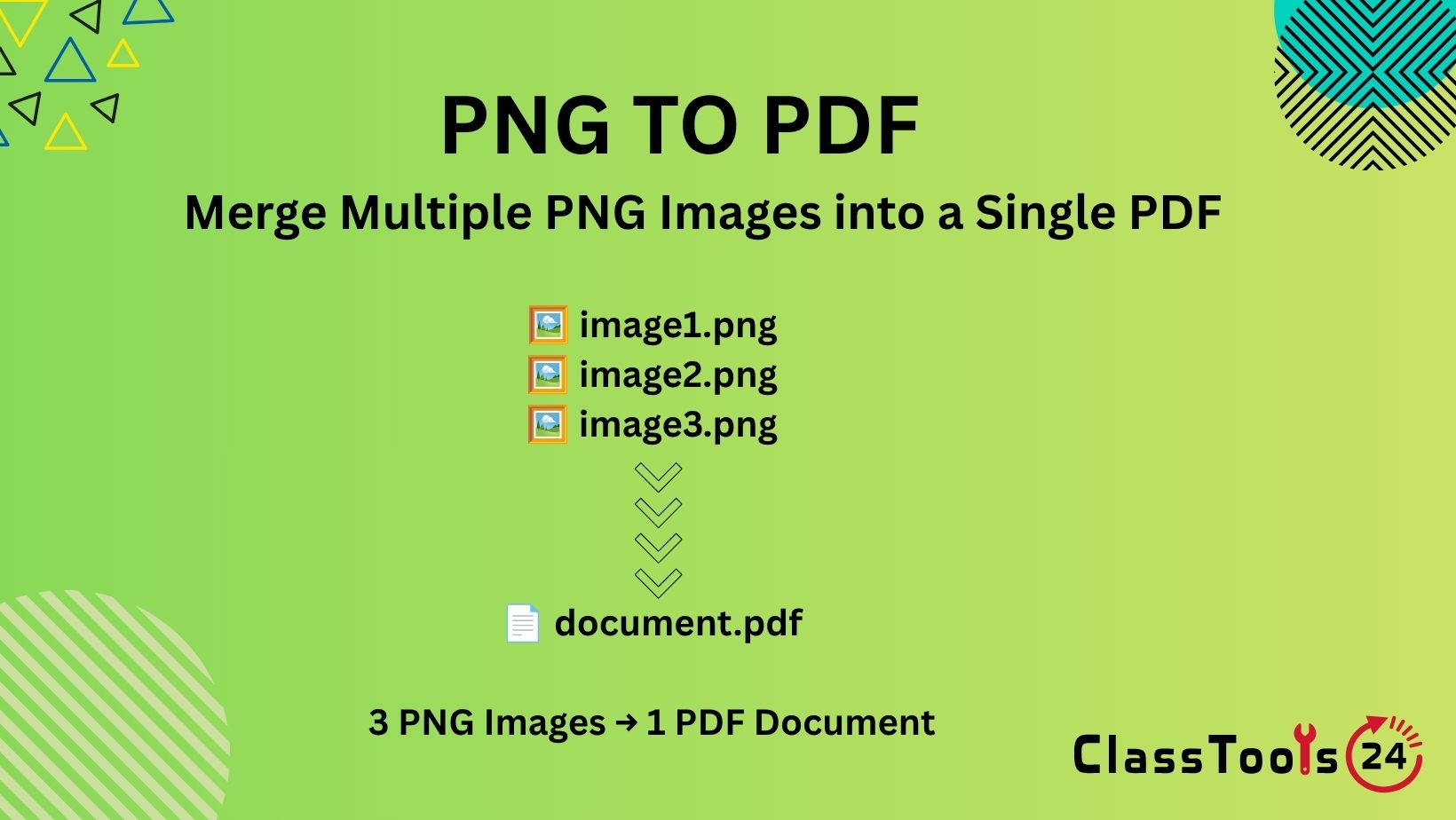
A PNG to PDF converter can place those images into one document. The student arranges the pages, creates the PDF, checks the result, and submits one clearly named file.
Teachers can use the same process for photographed answer sheets, digital diagrams, classroom posters, visual instructions, annotated screenshots, and printable activity pages. Students can prepare art portfolios, project evidence, handwritten solutions, and step-by-step demonstrations.
Conversion does not improve a blurry image or restore missing content. Good results depend on preparing the PNG files before they are combined and reviewing every page of the downloaded PDF.
Why Convert PNG Images to PDF?
PNG is an image format commonly used for screenshots, diagrams, interface examples, illustrations, and graphics that need sharp edges or transparency. It is useful when each page or visual must remain an image.
PDF is a document format organized around pages. It is usually easier to submit, print, archive, and share when several images belong together.
PNG-to-PDF conversion is useful when:
- Several screenshots belong to one assignment.
- A teacher needs to combine activity pages into a handout.
- A student portfolio contains multiple pieces of digital artwork.
- Scanned worksheets must be submitted in a fixed order.
- A report needs a PDF appendix containing diagrams or charts.
- A set of annotated images must be shared as one file.
- A school system accepts PDF but not multiple image uploads.
- Images need to be printed as separate document pages.
How to Convert PNG to PDF
- Collect the PNG files. Place every required image in one project folder.
- Rename the pages. Use numbers such as
page-01.png,page-02.png, andpage-03.png. - Check orientation. Make sure every image is upright.
- Review readability. Zoom in and inspect handwriting, labels, symbols, and small text.
- Remove unnecessary areas. Crop borders, empty backgrounds, or unrelated screen content.
- Select the PNG images. Add all required files to the converter.
- Arrange the page order. Confirm the sequence before creating the document.
- Convert the files. Allow the tool to create the PDF.
- Download the result. Save it under a descriptive filename.
- Inspect every PDF page. Check page order, orientation, margins, image quality, and missing content.
Prepare the Images Before Conversion
The PDF can only preserve the information visible in the PNG files. Preparation is therefore more important than the final button click.
Correct Sideways Pages
If a worksheet or screenshot is sideways, use the Rotate Image tool before creating the PDF. Rotating the source first keeps the corrected image available for other projects.
Crop Unnecessary Backgrounds
A photographed page may include a desk, keyboard, fingers, shadows, or another student's paper. Use the Image Cropper to retain only the intended page or visual.
Check Image Dimensions
A screenshot from a high-resolution display may be much larger than necessary. Use the Image Resizer when dimensions need adjustment, but preserve enough detail for small text.
Reduce Excessive File Size
If the combined PDF becomes too large for the school platform, prepare copies using the Image Compressor. Compare the compressed images with the originals before conversion.
Use a Clear Naming System
Numbered filenames prevent accidental ordering mistakes:
science-lab-page-01.png
science-lab-page-02.png
science-lab-page-03.png
science-lab-page-04.png
Use leading zeros when there are more than nine pages. Without them, some systems may place page 10 directly after page 1.
How This Fits Into a Real Assignment Workflow
- Complete the work on paper, tablet, or computer.
- Capture each required page as a clear PNG image.
- Delete accidental duplicates and unrelated screenshots.
- Rename files in the intended reading order.
- Rotate and crop each image.
- Check small writing and mathematical symbols.
- Compress or resize only when necessary.
- Combine the PNG pages into one PDF.
- Open the final document and inspect every page.
- Rename the PDF clearly and upload it.
- Confirm that the learning platform shows a successful submission.
- Keep the submitted PDF in the subject folder.
Real Educational Use Cases
1. Submitting Handwritten Homework
A student completes six pages of mathematics work by hand. Each page is photographed and saved as PNG.
Before conversion, the student checks that negative signs, decimal points, exponents, and diagram labels are readable. The images are rotated, cropped, and renamed in order.
The resulting PDF gives the teacher one document to open and keeps each solution in the correct sequence.
2. Creating a Digital Art Portfolio
An art student exports several illustrations as PNG because the format preserves sharp graphic edges and transparent areas.
The student places each work on a clean page, includes a title and short reflection where required, and combines the images into a PDF portfolio.
The final file is checked for color, orientation, page order, accidental transparency changes, and private information in filenames or screenshots.
3. Preparing Classroom Worksheets
A teacher has several PNG activity pages created in different applications. Sending individual files would make printing and distribution inconvenient.
The teacher arranges the pages as instructions, activity, extension task, and answer space. After conversion, one sample is printed.
The test print reveals whether margins, text size, and writing spaces are suitable before copies are made for the class.
4. Combining Annotated Screenshots
A beginner developer documents a website problem using screenshots. Each PNG contains arrows and notes identifying a different issue.
The images are ordered to show the problem, attempted repair, and final result. They are then converted into a PDF report.
The developer checks screenshots for account names, browser tabs, email addresses, access tokens, and private messages before sharing the document.
5. Building a Project Process Record
A student records the stages of a design project through screenshots. The files show the initial sketch, first draft, feedback, revision, and completed version.
The student adds a concise explanation to each image and converts the sequence to PDF. The document demonstrates how the work developed instead of presenting only the final result.
This is useful for assessment because teachers can see decisions, corrections, and reflection.
6. Creating a Visual Study Guide
A student prepares diagrams for biology, geography, or mathematics. Each diagram is saved as a separate PNG.
The images are placed in a logical teaching order and converted to PDF. After conversion, the student checks that labels remain large enough to read on a phone and in print.
The PDF becomes an offline revision resource that can be annotated without opening several image files.
7. Sharing School Forms
A school office receives form pages as PNG scans. Staff need to combine them for an approved internal process.
The pages are checked for order, orientation, missing signatures, and unreadable fields before conversion. Because forms may contain private information, staff follow school rules before using an online service.
The finished PDF is stored only in the approved location with appropriate permissions.
8. Preparing Evidence for a Practical Task
A student completes a science experiment, workshop task, or computer repair activity and captures evidence at several stages.
Each PNG is labelled with the stage and date, then combined into a PDF with a short written explanation. The student avoids including unrelated people or private classroom information in the background.
The teacher receives one organized record rather than a collection of unexplained images.
PNG Files Compared With a PDF Document
| Task | Separate PNG Images | Combined PDF |
|---|---|---|
| Editing an individual image | Easy to open and replace | More difficult after conversion |
| Maintaining page order | Depends on filenames and upload order | Pages remain in one sequence |
| Submitting an assignment | May require several uploads | Usually submitted as one file |
| Printing multiple pages | Images may require separate print actions | Pages can be printed as one document |
| Sharing a portfolio | Recipient opens many files | Recipient reviews one document |
| Replacing one page | Replace the individual PNG | Create an updated PDF |
| Preserving transparency | PNG can contain transparent areas | Transparent areas may appear against a page background |
| Archiving a finished submission | Several files must remain together | One file captures the final page order |
Related use cases
Convert PNG Images to PDF: A Comprehensive Guide for Students, Teachers, and Professionals
Discover how converting PNG images into PDF files can streamline assignment submissions, improve classroom materials, and make note sharing and event documentation easier with Classtools24's...
Read use casePNG Transparency and PDF Pages
PNG images may contain transparent backgrounds. A transparent logo can look correct over a colored webpage but appear against a white PDF page after conversion.
Check every transparent graphic before creating the document. White text designed for a dark background may become invisible on a white page. Shadows and semi-transparent elements can also look different.
When the background is important, place the PNG on the intended solid color before conversion or export a prepared copy that includes the desired background.
Choosing Page Order
Page order should follow the way a reader completes or understands the task. A useful educational sequence is often:
- Cover or title page.
- Instructions.
- Main work or evidence.
- Supporting diagrams or screenshots.
- Reflection or conclusion.
- References or source information.
Do not rely only on the time each screenshot was created. A correction captured later may belong beside an earlier section. Review the content rather than accepting the default file order.
Image Quality and Readability
PNG is often chosen for screenshots because it can preserve sharp text and interface details. However, a poorly captured screenshot remains difficult to read after conversion.
Zoom in before creating the PDF. Check:
- Handwriting and punctuation.
- Decimal points and negative signs.
- Superscripts and subscripts.
- Chart legends and axis labels.
- Code punctuation and indentation.
- Dates, page numbers, and question numbers.
- Labels inside diagrams.
- Comments added with annotation tools.
If important details are unclear, create a better source image. Increasing the final PDF zoom cannot restore details that were never captured.
Managing the Final PDF Size
A document containing many high-resolution PNG images can become large. This matters when a learning platform, email service, or school portal imposes an upload limit.
Begin by removing duplicate and unnecessary pages. Then resize images that are much larger than their intended page display. Compression should be applied carefully because small classroom text must remain readable.
Do not repeatedly convert and recompress the only copy. Keep the original PNG files and create prepared copies for the PDF.
Common Problems This Solves
- A school platform expects one PDF instead of several PNG files.
- Screenshots need to remain in a fixed sequence.
- A digital portfolio must be shared as one document.
- Worksheet pages need to be printed together.
- Project evidence needs a clear beginning-to-end order.
- Annotated images need to accompany a written report.
- A student requires an offline visual study guide.
- Several scanned pages must be archived as one completed record.
Common Mistakes
Adding Pages in the Wrong Order
Rename files first and inspect the sequence before conversion. An answer page placed before the questions can make a worksheet confusing.
Including Duplicate Screenshots
Phone and tablet folders often contain repeated captures. Compare similar images and remove accidental duplicates.
Using Sideways Images
Correct orientation before conversion. Rotating the finished PDF can be more inconvenient than fixing the original PNG.
Compressing Until Text Is Blurry
A small file is not useful when a teacher cannot read the answers. Inspect prepared images at normal and enlarged viewing sizes.
Forgetting Transparent Backgrounds
Transparent content may become difficult to see on the PDF page. Test the appearance against the final background.
Converting Before Cropping
Large empty borders make the actual work appear small. Crop unnecessary areas while preserving all answers, labels, and signatures.
Deleting the Source Images
Keep the original PNG files until the assignment or project is complete. Replacing one page is much easier when the source remains available.
Uploading Without Opening the PDF
A downloaded file can still contain missing, blank, repeated, or incorrectly ordered pages. Review every page before submission.
Privacy and Responsible Handling
PNG-to-PDF conversion changes the container, not the visible information. Student names, faces, grades, email addresses, login details, browser tabs, notifications, and school records remain present.
Screenshots deserve special attention because they often capture more than the intended application. Review the top and bottom of the screen, open tabs, bookmarks, account menus, taskbars, and notification areas.
A photographed worksheet may include another student's work in the background. Crop the image or take a new photograph before conversion.
Teachers and staff should follow school policy before uploading confidential forms, assessment records, medical information, or identifying student documents to an online converter.
Frequently Asked Questions
Can I combine several PNG files into one PDF?
Yes. Add the images, arrange them in the required order, create the PDF, and inspect every page afterward.
Can students use PNG to PDF for assignments?
Yes. It is useful for screenshots, handwritten work, diagrams, artwork, and photographed pages when the teacher accepts PDF submissions.
Will converting PNG to PDF improve image quality?
No. The PDF cannot restore details missing from the source. Begin with clear, correctly sized PNG images.
Why does my transparent PNG look different in the PDF?
The transparent area may be displayed against the PDF page background. Prepare the image with an appropriate background when transparency affects readability.
How can I reduce the PDF file size?
Remove unnecessary pages, resize oversized images, and compress prepared copies carefully. Confirm that small text remains readable.
What should I do if a page is sideways?
Rotate the source PNG before conversion, then create and inspect a new PDF.
Is PNG better than JPG for screenshots?
PNG often preserves sharp interface text and graphic edges well. JPG may be suitable for photographs. The best choice depends on the image and required file size.
Can I edit the original PNG after making the PDF?
Yes, if you keep the source image. After editing it, create an updated PDF containing the corrected page.
Does converting to PDF remove private information?
No. Everything visible in the PNG remains visible in the PDF. Inspect screenshots and photographs before conversion.
Should I check the PDF before submitting it?
Always. Confirm page order, orientation, readability, filename, missing pages, and upload requirements.
Final Submission Checklist
- Every required PNG is included.
- Duplicate and unrelated screenshots were removed.
- Filenames reflect the intended order.
- Pages are upright and properly cropped.
- Small writing and symbols remain readable.
- Transparent graphics appear correctly.
- The PDF pages follow a logical sequence.
- The file size meets the upload limit.
- Private information has been removed.
- The PDF has a descriptive filename.
- Every page was opened and reviewed.
- The platform confirms successful submission.
Related Tools
Use the Rotate Image tool when a page is sideways or upside down. The Image Cropper can remove unwanted borders and background areas.
If the images are too large, prepare copies with the Image Resizer and Image Compressor. Always compare the result with the original before building the PDF.
For photographs saved as JPG, use JPG to PDF. If the assignment begins as editable text or a word-processing document, Text to PDF or Word to PDF may provide a more suitable workflow.
Final Thoughts
PNG-to-PDF conversion is useful when several visual files belong to one assignment, portfolio, handout, report, or project record. It gives the pages a stable order and makes them easier to submit, print, and archive.
Prepare the source images first. Rename, rotate, crop, resize, and inspect each PNG before combining them. Then open the resulting PDF and check every page.
The converter organizes the images, but the student or teacher remains responsible for readability, order, privacy, accuracy, and the final upload. A few minutes of preparation can prevent missing pages, unreadable answers, and accidental sharing of private information.


