Convert text into clean, SEO-friendly slugs for URLs, blog posts, and website pages.
Introduction
When students, teachers, or website creators publish content online, one small detail often gets ignored: the URL structure. Many beginners simply copy a title and paste it directly into a URL, which creates long, messy, and hard-to-read links. For example, a blog post titled "How to Create a Science Project Easily" may turn into a URL filled with spaces, symbols, and unnecessary words. This not only looks unprofessional but can also affect how users and search engines understand the page.
In educational environments, this problem appears when students create project websites, blogs, or shared resources. Teachers may ask students to publish assignments online, but poorly structured URLs can make it difficult to organize and access those pages later. A messy link is harder to share, harder to remember, and less effective for search visibility.
Search engines also rely on clean URLs to understand content better. A structured slug helps define what the page is about. Without it, the URL becomes less meaningful, which can reduce visibility in search results. This is especially important for blogs, school projects, and educational platforms where content needs to be clear and easy to find.
The Text to Slug Converter on ClassTools24 solves this problem by transforming any text into a clean, SEO-friendly slug. It removes unnecessary characters, replaces spaces with hyphens, and ensures the final result is simple, readable, and ready to use in URLs.
What This Tool Does
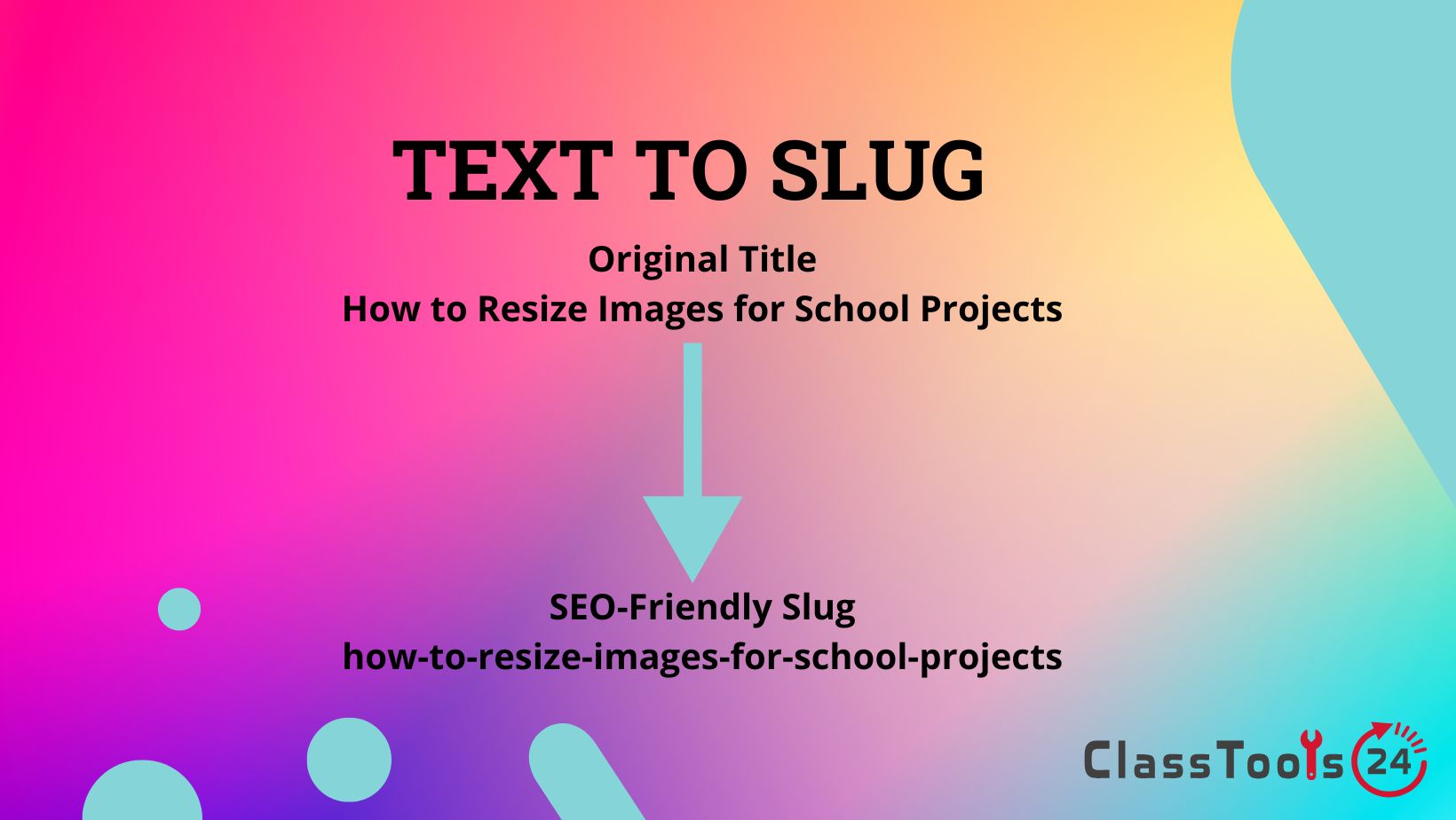
The Text to Slug Converter takes any text input and converts it into a URL-friendly format. This means it removes special characters, converts letters to lowercase, replaces spaces with hyphens, and creates a clean string that can be used in web addresses.
For example, if you enter a blog title or project name, the tool will generate a slug that is short, readable, and optimized for SEO. This makes it easier for users to understand the content just by looking at the URL.
The tool is designed to be simple and fast. You paste your text, click convert, and instantly get a ready-to-use slug. There is no need to manually edit characters or worry about formatting rules. This saves time, especially when creating multiple pages or posts.
It also helps maintain consistency across a website. When all URLs follow the same structure, the site becomes easier to navigate and manage. This is useful for students building projects, teachers organizing resources, and developers managing content.
Because the tool works online, it is accessible from any device. Whether you are using a phone, tablet, or computer, you can generate slugs instantly without installing software or signing up.
Why Text to Slug Conversion Matters
Text to slug conversion is important because URLs play a key role in both user experience and search engine optimization. A clean URL makes it easier for users to understand what a page is about before even opening it. This improves trust and makes links more clickable.
From an SEO perspective, slugs help search engines categorize and rank content. A well-structured slug that includes relevant keywords can improve visibility in search results. On the other hand, messy URLs with random characters can confuse search engines and reduce ranking potential.
Another important factor is usability. Clean slugs are easier to share, especially in classrooms or group projects. Students can quickly send links without worrying about broken formatting or confusing characters.
SEO Best Practices for URL Slugs
Using a slug generator is helpful, but understanding best practices makes it even more powerful. First, always include your main keyword in the slug. This helps search engines quickly understand the page topic and improves ranking potential. For example, instead of a generic slug like "post123", use something meaningful like "science-project-ideas".
Second, keep slugs short and focused. Long URLs can look messy and may reduce clarity. Try to remove unnecessary words and keep only the essential keywords. This improves readability and makes links easier to share.
Third, avoid stop words such as "and", "the", or "of" unless they are necessary for meaning. Removing these words keeps the slug clean and improves structure. However, do not remove words if it makes the slug confusing. Always balance readability with SEO.
Finally, use hyphens to separate words and keep everything lowercase. This is the standard format for SEO-friendly URLs. A clean, readable slug not only helps search engines but also improves user trust and click-through rates.
When to Use Text to Slug Converter
You should use this tool whenever you are creating URLs for websites, blogs, or online projects. It is especially useful when publishing blog posts, creating landing pages, or organizing educational content.
It is also helpful when working on SEO tasks. Converting titles into optimized slugs ensures that your URLs follow best practices for search engines.
Developers and students can use it when building websites to maintain consistent URL structure. This improves navigation and makes the site easier to manage.
Additionally, it is useful when renaming files or creating structured links for sharing resources online.
Why Clean Slugs Improve Website Performance
Clean slugs make URLs more readable and meaningful. When users see a clear link, they are more likely to trust and click on it. This improves engagement and overall user experience.
They also help search engines understand content better. A descriptive slug acts like a label, giving context to the page. This can improve indexing and ranking over time.
Another benefit is organization. Websites with structured URLs are easier to manage, especially when dealing with multiple pages. This is useful for students managing projects and teachers organizing resources.
Use Cases
1. Creating blog post URLs
Situation: A student writes a blog post for a class project.
Problem: The title creates a long and messy URL with spaces and symbols, making it hard to read and share. This can reduce clicks and make the project look less professional.
Solution: Convert the title into a clean slug.
Result: The URL becomes simple, readable, and professional, improving both sharing and SEO performance. It also makes the project easier for teachers and classmates to access.
2. Building school project websites
Situation: Students create a website for assignments.
Problem: Poor URL structure makes navigation confusing and unorganized. Visitors may struggle to find pages quickly.
Solution: Use the tool to generate consistent slugs.
Result: The website becomes easier to navigate, improving user experience and presentation. This creates a more structured and professional-looking project.
3. Improving SEO for pages
Situation: A user wants better search visibility.
Problem: URLs do not include meaningful keywords, reducing search performance.
Solution: Convert text into keyword-based slugs.
Result: Pages become more search-friendly and easier to index. Over time, this can improve ranking and bring more traffic.
4. Sharing links with classmates
Situation: A student shares a project link.
Problem: The URL is complex and hard to remember or type correctly.
Solution: Generate a clean slug.
Result: The link becomes easier to share and access. This reduces confusion and ensures everyone can open the correct page.
5. Organizing website content
Situation: A teacher manages multiple resources online.
Problem: Inconsistent URLs create confusion and make content harder to manage.
Solution: Use slugs for all pages.
Result: Content becomes structured and easy to organize, making it simpler to update and maintain.
6. Renaming files for clarity
Situation: A user saves documents online.
Problem: File names include spaces and special characters, making them hard to manage.
Solution: Convert names into slugs.
Result: Files become easier to organize and access, improving workflow efficiency.
Real-World Example
A student creates a blog for a class assignment and writes multiple articles. Initially, each post has a messy URL based on the full title. When sharing links with classmates, some links break or look confusing, which reduces engagement.
The student starts using the Text to Slug Converter to generate clean URLs. Each blog post now has a short, clear slug that matches the content topic. Classmates can easily understand what each page contains before clicking the link.
As a result, the blog becomes more organized and easier to navigate. The teacher can review the work quickly, and the student gains better understanding of SEO practices. This simple improvement enhances both usability and presentation.
How This Tool Compares to Other Tools
Many slug generators exist, but not all focus on simplicity and SEO accuracy. ClassTools24 provides a balanced solution for both beginners and advanced users.
| Feature | ClassTools24 | Typical Tools |
|---|---|---|
| Free to Use | Yes, fully free | Limited or paid |
| No Signup | No account required | Signup required |
| Speed | Instant conversion | Slower processing |
| SEO Impact | Optimized for search-friendly URLs | Basic conversion only |
| Readability | Clean and human-readable slugs | Sometimes unclear output |
| URL Length Control | Helps create concise slugs | May produce long slugs |
| Accuracy | Consistent formatting rules | Inconsistent results |
| Accessibility | Works on all devices | Limited compatibility |
FAQs
What is a slug?
A slug is the readable part of a URL that describes a webpage.
Why are slugs important?
They improve SEO and make URLs easier to understand.
Can I use this tool for any text?
Yes, you can convert any text into a slug.
Is this tool free?
Yes, it is completely free.
Do I need to install anything?
No, it works online.
Can I use it on mobile?
Yes, it works on all devices.


