How QR codes help teachers manage lessons, revision, and school communication in a smarter way
Interactive Learning Stations, Exam Revision Support & School Events Communication
Walk into a modern school today, and you will notice something interesting. Students are no longer just sitting quietly and copying notes. They are scanning, interacting, moving, and exploring. At the same time, teachers are managing not just lessons, but also homework, revision, communication with parents, and school events. This creates a real challenge. How can everything stay organized without becoming overwhelming?
This is where a QR Code Generator for Teachers and Students becomes a simple but powerful solution. Instead of giving long instructions, printing extra sheets, or answering repeated questions, teachers can create QR codes that connect students, parents, and visitors directly to the right information. Whether it is a classroom activity, exam revision material, or school event details, everything becomes easy to access with a quick scan.
In this guide, we will explore three highly practical use cases. First, Interactive Learning Stations, where students actively learn through movement and group tasks. Second, Exam Revision Support, where students prepare effectively before tests. Third, School Events & Communication, where QR codes improve how schools share information with students, parents, and visitors. Each of these solves real problems and makes daily school life smoother and more professional.
Why QR Codes Are Transforming Classrooms and School Communication
Teachers often spend a lot of time managing small but repeated tasks. Writing links on the board, sending instructions in groups, printing notices, and explaining the same thing multiple times are all part of daily teaching. While these tasks seem small, they add up and reduce valuable teaching time. Students also face challenges. They may not remember instructions, lose printed sheets, or struggle to find the right resources when needed.
QR codes solve these problems in a very direct way. Instead of multiple steps, students and parents can scan once and reach exactly what they need. This removes confusion and makes everything faster. It also reduces the need for printed materials, which saves time and resources.
Another important benefit is consistency. When QR codes are used regularly, students understand the system. They know that scanning a code will always take them to the correct place. This builds confidence and independence.
For schools, QR codes also improve presentation. Whether it is a classroom activity or a school event, using QR codes gives a modern and organized feel. It shows that the school is using simple technology to improve communication and learning.
Overall, QR codes are not complicated tools. They are simple solutions to common problems. They help teachers teach better, students learn better, and schools communicate better.
Interactive Learning Stations
Interactive learning stations are one of the most effective ways to make lessons active and engaging. Instead of teaching everything from one place, teachers create different stations around the classroom. Each station has a specific task, and students rotate between them. This allows students to learn in smaller steps and stay involved throughout the lesson.
However, without a clear system, learning stations can become confusing. Students may not understand what to do at each station. They may wait for instructions or ask repeated questions. This breaks the flow of the lesson and reduces its effectiveness.
QR codes solve this problem by providing instant access to tasks. Each station includes a QR code that links to a video, quiz, worksheet, or activity. Students scan the code and start working immediately. This removes confusion and saves time.
For example, in a science class, one station may include a video explanation, another may include a quiz, another may include diagrams, and another may include a discussion task. Students rotate and complete each activity. This keeps the lesson dynamic and interesting.
Interactive stations also support different learning styles. Some students learn better by watching, others by reading, and others by doing. By including different types of tasks, teachers can reach all students in one lesson.
Use Case: Interactive Learning Stations
Situation: A teacher is conducting a group-based lesson with multiple activity stations.
Problem: Students often feel confused about instructions and waste time asking questions.
Solution using QR Code: Each station includes a QR code linking to specific instructions or tasks.
Result/Impact: Students scan and start instantly. The lesson becomes more organized and engaging.
For example, in an English lesson, one station may include reading, another writing, another vocabulary practice, and another discussion. QR codes guide students at each step.
Exam Revision Support
Before exams, students often feel pressure and confusion. They have many topics to cover and limited time. One of the biggest challenges is knowing where to start and how to organize revision.
Teachers try to help by sharing notes and resources, but students may still struggle to manage everything. This is where QR codes become extremely helpful. Teachers can create QR codes for each topic and link them to notes, videos, and practice questions.
This allows students to revise in a structured way. They can choose topics, access materials instantly, and focus on areas where they need improvement.
QR codes also support independent learning. Students can revise anytime, anywhere, without waiting for instructions. This builds confidence and reduces stress.
Use Case: Exam Revision Support
Situation: Students need to revise multiple topics before exams.
Problem: Students feel overwhelmed and cannot organize revision materials.
Solution using QR Code: Teachers create QR codes for each topic linking to notes, videos, and practice questions.
Result/Impact: Students revise more effectively and feel more confident.
For example, a maths teacher may create QR codes for algebra, geometry, and statistics. Students scan and revise based on their needs.
School Events & Communication
School events such as parent-teacher meetings (PTM), exhibitions, and announcements are important for communication. However, sharing information during these events can be challenging. Schools often rely on printed handouts, which can be lost or ignored. Visitors may not receive complete information.
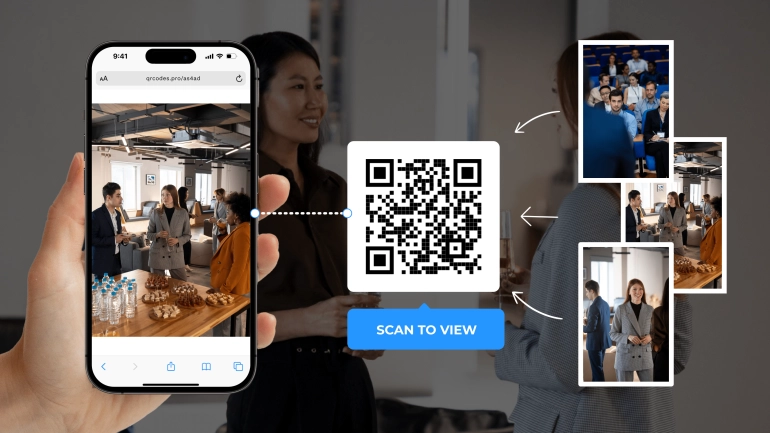
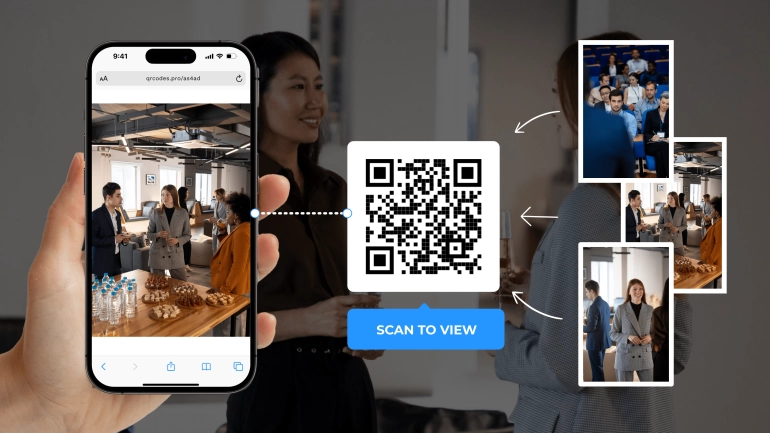
QR codes provide a simple solution. Schools can place QR codes on posters, banners, and notice boards. These codes can link to schedules, student projects, announcements, or detailed information pages.
This reduces the need for printed materials and ensures that visitors receive accurate and complete information. It also makes events look more modern and professional.
For example, during a school exhibition, each project can include a QR code linking to additional details, videos, or student explanations. Visitors can scan and explore more without needing printed guides.
Use Case: School Events & Communication
Situation: A school is hosting an event such as a PTM or exhibition.
Problem: Visitors need information, but printed handouts are limited and often incomplete.
Solution using QR Code: QR codes are placed on posters linking to schedules, announcements, or project details.
Result/Impact: Visitors scan and get full information instantly. The event feels organized and professional.
For example, at a PTM, a QR code can link to student progress reports or teacher notes. At an exhibition, codes can link to project explanations or videos.
How It Helps: No Need for Printed Handouts
Printing handouts takes time and resources. QR codes reduce this need by providing digital access to information. This saves paper and makes updates easier.
If information changes, teachers can update the linked content without reprinting materials. This makes the system flexible and efficient.
How It Helps: Visitors Get Full Details Instantly
Visitors often miss important information during events. QR codes ensure they can access everything easily. They can scan and explore details at their own pace.
This improves communication and helps visitors understand the event better.
How It Helps: Modern and Professional Presentation
Using QR codes makes school events look more organized and modern. It shows that the school is using simple technology to improve communication.
This creates a positive impression on parents and visitors.
Final Thoughts
Interactive learning stations, exam revision support, and school event communication are all important parts of school life. Each comes with its own challenges, but QR codes provide a simple solution.
By using a QR Code Generator for Teachers and Students, teachers can create engaging lessons, structured revision systems, and better communication methods. Students benefit from clear instructions and easy access, while schools benefit from improved organization and presentation.
Sometimes, small tools create big changes. QR codes are one of those tools that can make everyday teaching and communication easier and more effective.