ClassTools24 Use Cases for Teachers and Students
Son kullanım vakaları
-
Müşteri Çalışması için JavaScript Obfuscator
JavaScript Obfuscator'u müşteri çalışmasını, demoları, proje mantığını korumak için pratik bir rehber ve sıradan kopyalama senaryoları.
-

Etkileşimli Öğrenme İstasyonları ve Homework Submission System
Öğretmenlerin etkileşimli öğrenme istasyonları için QR kodlarını ve bağlılık, organizasyon ve sınıf verimliliğini geliştirmek için bir ödev teslim sistemi nasıl kullanabileceklerini öğrenin.
-
Base64 to Image Converter: Pratik Kullanım Vakaları
Base64 verilerini kodlama görevleri, API testi, sınıf dersleri, tuval ihracatı, veritabanı ve debugging için resimlere dönüştürmeyi öğrenin.
-
Öğrenciler ve öğretmenler Daha Temiz Okul Çalışması için Bir Görüntü Resizerini Nasıl Kullanır?
Öğrencilerin, öğretmenlerin, başlangıç geliştiricilerinin ve günlük kullanıcıların, Görüntü Resizer'i boyutsal görüntüleri düzeltmek, formatı geliştirmek, sorunları yüklemek ve daha profesyonel görünümlü bir çalışma oluşturmak için nasıl kullanabileceklerini öğrenin.
-
Sınıf Ödülleri ve Öğrenci Tanımlama için Okul Sertifikası
Okul Sertifika Jeneratörünü öğrenci çabası, ilerleme, katılım, okuma hedefleri, olaylar ve son dönem tanıma için kullanın.
-
Flip Image for Assignments, Presentations, and Design
Öğrenciler, öğretmenler ve başlangıç tasarımcıları, ödevlerde görüntü yönünü düzeltmek için Flip Image aracını nasıl kullanabileceklerini öğrenin, sunumlar, posterler, çalışma tabloları, sınıf görselleri ve basit tasarım projeleri.
-
Okul Projeler, Posterler, Sunumlar ve Tasarım için Enlarge Images
Okul projeleri için görüntüleri nasıl genişleteceğinizi öğrenin, posterler, sınıf sunumları, öğrenci portföyleri, etkinlik malzemeleri ve yeni tasarım yapıları. Küçük görseller yapmak için bir Image Enlarger kullanın, kaliteyi kontrol ederken, okunabilirliği ve dosya boyutunu kontrol edin.
-
Sunumlar, E-posta ve Öğrenme Platformu için Görüntüler
Sınıf sunumları için daha hafif görüntüler hazırlamak için bir imaj kompresörü kullanın, e-posta ekleri, LMS yüklemeleri, öğrenci teslimleri, haber bülteni ve paylaşılan okul kaynaklarını kullanın, önemli görsel detayları açık tutarken.
-
Image Enlarger Öğrenciler, Öğretmenler ve Yeni başlayanlar için Vakaları Kullanıyor
Pratik pratik pratik keşfedin Image Enlarger, öğrenciler, öğretmenler ve yeni başlayanlar için vakaları kullanır. Okul projeleri, posterler, iş tabloları, sınıf kaydırakları, portföyleri, etkinlik malzemeleri ve görsel tasarım görevleri için küçük görüntüleri nasıl genişleteceğinizi öğrenin.
-
Öğrenciler, Öğretmenler ve Geliştiriciler için Resim Paket Kılavuzu
Öğrenciler, öğretmenler ve yeni başlayanlar, desteklenmeyen formatları düzeltmek için bir Resim paketini nasıl kullandıklarını öğrenin, Google Sınıf yüklemelerini hazırlamak, iş tabloları inşa etmek, portföyleri geliştirmek ve okul web projelerini daha güvenilir hale getirmek.
-
Revizyon için QR kodları, İletişim ve Öğrenci Güvenliği
Sınav revizyonunu, okul iletişimini, sınıf faaliyetlerini ve öğrenci güvenliğini desteklemek için QR kodları kullanın. Bu kullanım durumu, öğretmenlerin onları öğrencilerle paylaşmadan önce QR kodlarını nasıl oluşturabileceğini ve yönetebileceğini gösteriyor.
-
Etkileşimli Öğrenme İstasyonları QR Kodlarla
Öğrencilerin tarama, hareket, saat, okuma, cevap, tartışma ve daha az karışıklık ve daha iyi ders akışı ile tam sınıf görevleri yapmak için QR kodları kullanın.
-
Proje için Base64'e Görüntü, Web Siteleri ve Öğrenme
Öğrenciler, öğretmenler ve yeni başlayanlar görüntüleri web siteleri, atamalar, prototipler, API'ler ve kodlama dersleri için Base64'e dönüştürebilirler.
-
Assignments, Slides ve Design için Flip Images
Okul atamaları, sunumlar, iş tabloları, posterler, portföyler ve yeni tasarım projeleri için görüntüleri nasıl dönüştüreceğinizi öğrenin.
-
Okul Formları, Posterler ve Projeler için Rotate Images
Öğrenciler ve öğretmenler okul formları, atamalar, sunumlar, posterler, portföyler ve başlangıç projeleri için doğru şekilde görüntülenebilir.
-
Sınıf Faaliyetleri için Online Dice Tool kullanarak, Oyunlar ve Fair Decisions
Bir online işaret aracının öğretmenlere, öğrencilere, oyunculara nasıl yardımcı olduğunu öğrenin ve gruplar öğrenme, oyunlar ve adil kararlar için rastgele işaretler kullanıyor.
-
Base64 to Image Uses for School and Coding Projects
Öğrenciler, öğretmenler ve başlangıç geliştiricileri Base64 verilerini kodlama dersleri, atamalar, test ve debugging için görüntülere dönüştürebilir.
-
Base64 Öğrenciler, Öğretmenler ve Geliştiriciler için Görüntüye
Base64 verilerini sınıf dersleri, öğrenci atamaları, API testi, debugging ve yeni kodlama projeleri için görüntülenebilir görüntülere nasıl dönüştüreceğinizi öğrenin.
-
Image to Base64: Practical Use Cases Guide
Öğrenciler, öğretmenler ve başlangıç geliştiricileri, HTML, CSS, JSON, APIs, veritabanı, test ve sınıf projeleri için Base64'e görüntüleri nasıl dönüştürebileceğini öğrenin.
-
Öğrenciler için Flip Images, Öğretmenler ve Okul Projeler
Öğrenciler ve öğretmenler atamalar, ders kaydırakları, iş tabloları, posterler, portföyler ve diğer okul projeleri için görüntüleri nasıl çevirebileceğini öğrenin.
-
Okul, Öğretim ve Tasarım Görevleri için Kaliteyi Kaybeden Görseller Nasıl Yapılır
Öğrenciler, öğretmenler, başlangıç geliştiricileri ve küçük veya düşük kaliteli görüntüler daha büyük, daha net ve daha yararlı hale getirmek için gereken günlük kullanıcılar için pratik kullanım vakalarını öğrenin.
-
Okul Assignments ve Student Projects için Resim Resizer
Öğrencilerin temiz okul atamalarını hazırlamak için bir Resim Resizer nasıl kullanabileceklerini öğrenin, proje görüntüleri, iş tabloları, posterler ve çevrimiçi teslimleri germe olmadan, ekleme veya çok boyutlu dosyaları yükleme.
-
Image Converter Öğrenciler, öğretmenler ve yeni başlayanlar için Vakaları Kullanır
Pratik pratik pratik keşfedin Image Converter, öğrenciler, öğretmenler ve yeni başlayanlar için vakaları kullanır. Görüntü dönüşümünün desteklenmeyen dosya formatlarını düzeltmeye nasıl yardımcı olduğunu öğrenin, atama yüklemelerini hazırlamak, sınıf kaynakları hazırlamak, öğrenci portföylerini yayı[..]
-
Assignments, Formlar, Sunumlar ve Web Projeleri için Görüntüler
Öğrenciler, öğretmenler ve okul takımları, ödevler, formlar, sunumlar, portföyler, e-posta ve web projeleri için dosya boyutunu azaltmak için bir görüntü kompresörünü nasıl kullanabilirsiniz.
-
Assignments ve Student Projects için çizimler
Öğrenciler ve öğretmenler atamalar, sunumlar, iş tabloları, portföyleri ve okul projeleri için yan yollar veya yukarı yukarı görüntüler nasıl döndürebileceğini öğrenin.
-
Etkileşimli Öğrenme İstasyonları, Sınav Revizyon & Okul Etkinlikler İletişim
QR kodlarının etkileşimli öğrenme istasyonları, sınav revizyonu ve okul etkinliği pratik sınıf ve okul kullanımı vakaları ile nasıl geliştiğini öğrenin.
-
Okul Slides, Formlar ve Projeler için Rotate Images
Öğrenciler ve öğretmenler atamalar, slaytlar, formlar, posterler, portföyler ve başlangıç projeleri için doğru şekilde görüntülenebilir.
-
Okul Assignments ve Projeler için Flip Image
Öğrenciler ve öğretmenler Flip Image aracını atamalar, proje panjurları, çalışma masaları, slaytlar, posterler ve sınıf görselleri, bir görüntü yanlış yönde karşılaştığında veya düzenin uygun olmadığını öğrenin.
-
Image Converter Öğrenciler, öğretmenler ve yeni başlayanlar için Vakaları Kullanır
Pratik pratik öğrenin Image Converter, öğrenciler, öğretmenler ve yeni başlayanlar için vakaları kullanır. Desteklenmemiş görüntü formatlarını düzeltin, sınıf yüklemelerini hazırlamak, iş tablolarını geliştirmek, portföyleri yayınlamak ve okul web projelerini daha güvenilir hale getirmek.
-
Okul Web Siteleri, Portföyler ve Sınıf Sayfaları için Görüntüler
Görüntü sıkıştırmasının okul web sitelerine, öğrenci portföylerine, sınıf bloglarına, kaynak sayfalarına ve eğitim projelerinin fotoğraf, ekran görüntüleri, diyagramları ve görsel içeriği açıkken daha hızlı nasıl yüklendiğini öğrenin.
-
Sınıf QR Kodu Öğretmenler ve Öğrenciler için Vakaları Kullanır
Pratik sınıf QR kodu öğrenme istasyonları, sınav revizyonu, okul notları, proje paylaşımı ve güvenli bağlantı kontrolü dahil olmak üzere öğretmenler ve öğrenciler için vakaları kullanır.
-
Öğrenciler, öğretmenler ve başlangıçlar Daha İyi Okul ve Günlük Çalışma için Bir Görüntü Resizeri Nasıl Kullanır
Öğrencilerin, öğretmenlerin, başlangıç geliştiricilerinin ve günlük kullanıcıların, Görüntü Resizer'i yüksek boyutlu görüntüleri düzeltmek, sorunları yüklemekten ve yazılım yüklemeden önce temiz, profesyonel iş yaratabilmelerini öğrenin.
-
QR Kodu Öğrenme, Güvenlik ve Debugging için Vakaları Kullanır
Pratik pratik pratik keşfedin QR kodu sınıfları, revizyon dersleri, okul iletişimi, öğrenci projeleri, güvenlik kontrolleri ve paylaşılan veya basılmamış bağlantılar için vakaları kullanır.
-
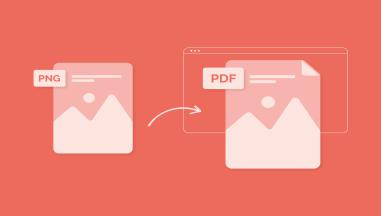
Convert PNG PDF'ye Resimler: Öğrenciler için Kapsamlı Bir Rehber, Öğretmenler ve Profesyoneller
PNG görüntülerini PDF dosyalarına dönüştürmek, sınıf malzemeleri geliştirmek ve Sınıftools24's PNG ile PDF aracı ile daha kolay not paylaşımı ve etkinlik belgeleri yapmak.










ClassTools24 Use Cases for Teachers and Students
Explore practical classroom, homework, project, file, image, QR code, and learning workflow examples for teachers and students.
What ClassTools24 Use Cases Are For
A use case is a practical example of how a student, teacher, club leader, or beginner creator can solve a real problem with a small digital task. It is different from a feature list. A feature list tells you what something can do. A use case explains when you would need it, why the problem appears, what steps make sense, and what result to check before moving on.
On ClassTools24, use cases are written for everyday school situations. A student may need to submit a photo of handwritten work, but the learning platform rejects the file. A teacher may need to prepare a worksheet quickly before class starts. A group may need QR codes for activity stations. A beginner developer may need sample text, colors, encoded data, or file conversion while practising. These are small tasks, but they often interrupt learning when there is no clear workflow.
The use cases page collects examples that show how different ClassTools24 resources fit into those moments. Instead of asking users to guess which page to open, the examples describe the situation first. That helps teachers and students connect the resource to a real classroom need: preparing files, cleaning up images, generating classroom material, checking technical details, or building simple digital projects.
Why Use Cases Help Teachers
Teachers rarely need extra complexity in the middle of a school day. They need quick, reliable ways to prepare learning material, fix small file problems, and keep lessons moving. A practical use case can save time because it starts from the teacher problem, not from a technical explanation. For example, a teacher who wants to add QR codes to a revision lesson may not be searching for a technical QR definition. They may simply want to know how QR codes can support learning stations, answer keys, vocabulary practice, or event communication.
Use cases also help teachers plan better routines. If a worksheet image is too large, the workflow may be: resize the image, compress it, check readability, then upload it. If a classroom poster needs a better layout, the workflow may be: crop the image, rotate or flip it if needed, convert the final file, then share it with students. These examples give teachers a practical sequence, which is often more useful than a single button explanation.
Another benefit is consistency. When students are asked to use online resources, they need clear expectations. A use case can explain what students should check before submitting work: file format, image clarity, private information, file size, and whether the final preview looks correct. That kind of guidance reduces repeated questions and helps students become more independent with digital work.
Why Use Cases Help Students
Students often know what they want to finish, but not which small digital step is blocking them. They may have a photo, a PDF, a paragraph, a QR code, a color code, or a file format issue. A use case helps them recognize the problem in plain language. If their assignment upload fails, they can learn that file size or format may be the issue. If a slide image looks sideways, they can learn the difference between rotating and flipping. If a project needs readable text from an image, they can learn when image-to-text may help and when they still need to proofread.
This matters because digital confidence is built through small successful tasks. A student who learns how to resize an image for a portfolio, compress a file for an LMS, or convert an image into a PDF is not just finishing one assignment. They are learning a repeatable workflow they can use again in another class. The use cases on ClassTools24 are meant to support that kind of practical independence.
How To Read A Use Case
A good use case should answer four simple questions. First, what is happening in the real situation? Second, what problem is stopping the work? Third, what steps can solve it? Fourth, how should the user check the result? When you open a ClassTools24 use case, look for those parts. The most useful section is often the workflow because it turns a vague problem into a set of actions.
For example, a QR code classroom use case may explain how to prepare stations, label each code, test every link, and keep a printed backup. An image converter use case may explain which format works better for assignments, slides, websites, or PDFs. A dice or random group use case may explain how to keep classroom activities fair and clear. A file utility use case may explain how to prepare a submission that a school platform accepts.
Common Classroom Problems These Examples Cover
- Assignment files that are too large to upload.
- Images that appear sideways, mirrored, cropped badly, or unclear.
- Worksheets, newsletters, and classroom posters that need cleaner visuals.
- Students needing sample content for writing, mockups, or beginner coding practice.
- Teachers needing fast classroom routines such as random names, dice, groups, certificates, or QR codes.
- Beginner developers needing small utilities for colors, text, formatting, encoding, or testing.
- School projects that need privacy checks before sharing files or images.
How Use Cases Support Lesson Planning
Use cases are also useful before a lesson begins. A teacher can scan a use case and decide whether a workflow fits the age group, device access, and classroom time available. If students are using tablets, the teacher may choose image and PDF workflows that are simple to complete in a browser. If students are working on group projects, the teacher may choose QR code, random group, or certificate examples that help organize the activity. If the task involves files from home, the teacher may prepare a short reminder about file names, formats, and privacy.
This kind of planning keeps technology in the background. The aim is not to make the resource the center of the lesson. The aim is to remove small barriers so students can focus on reading, writing, solving, designing, presenting, and explaining. A good classroom workflow should feel calm: students know what to open, what to check, what to save, and where to submit the result.
Using Use Cases Responsibly
Use cases are examples, not automatic decisions. Teachers and students should still check the final file, read the output, and make sure private information is not exposed. If an image includes student faces, names, login details, grades, or school documents, changing the format does not remove that private information. The same care applies to QR links, generated text, sample names, and screenshots. A use case can guide the workflow, but the user remains responsible for reviewing the final result.
The best way to use this page is to browse examples before a task becomes urgent. Teachers can collect ideas for lesson preparation, students can learn better submission habits, and beginner developers can see how small utilities fit into real projects. Over time, these examples make ClassTools24 feel less like a list of separate pages and more like a practical support library for everyday learning work.